30. 09. 2026
Atlassian, Service Management

29. 04. 2024
Gabriele Cecco
Atlassian, Service Management
How to Add Client Company Details in Jira Service Management
Do you want to add details about your clients’ companies to Jira Service Management but don’t know how to do it?
Do you have a Standard JSM license and not yet a Premium one, where you could create new schemas and manage your clients that way?
No worries! In just a few clicks, you can add your clients’ company details:
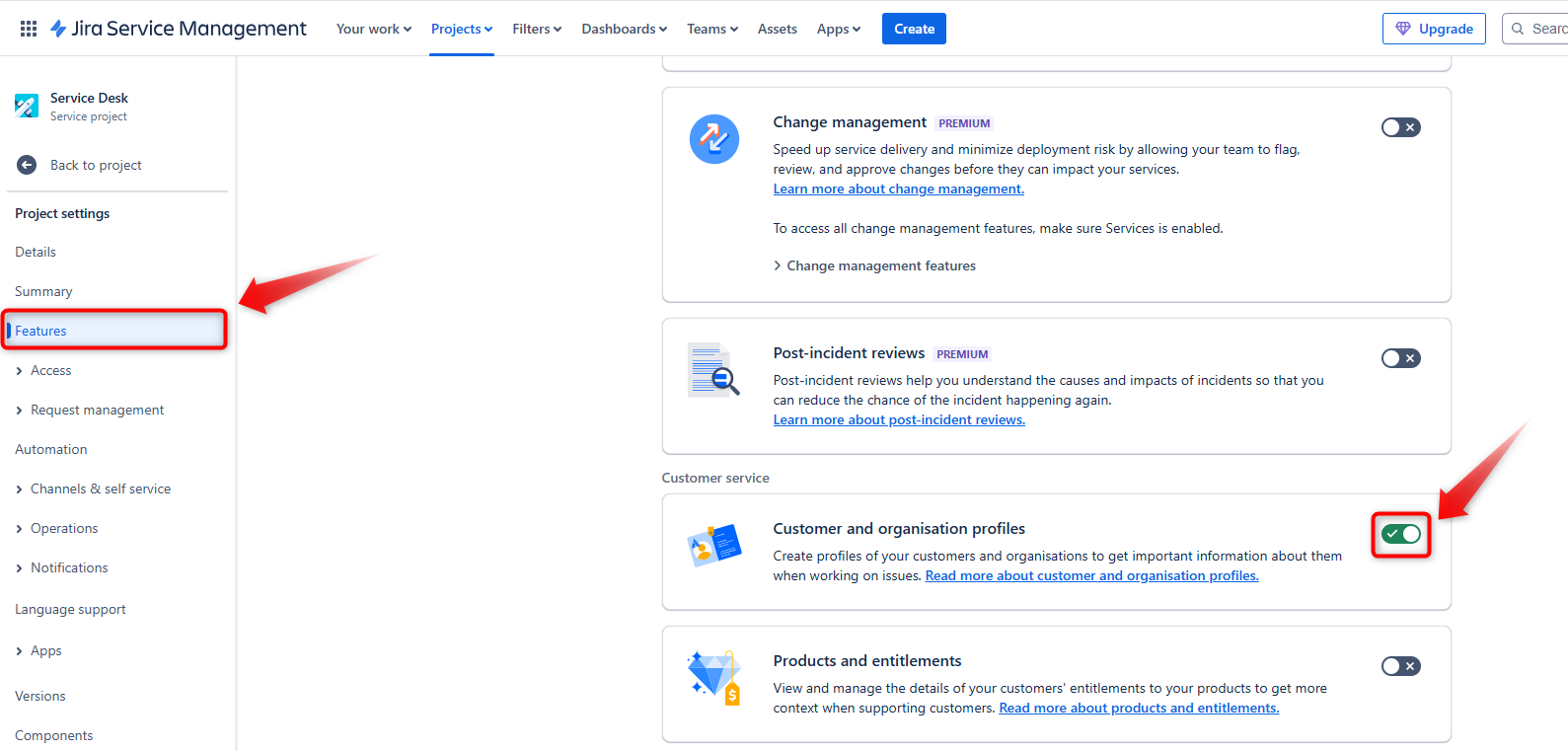
Go to your JSM project settings
You need to be a project administrator to proceed.
If you haven’t already, click on “Features” and enable “Customer and organization profiles.”
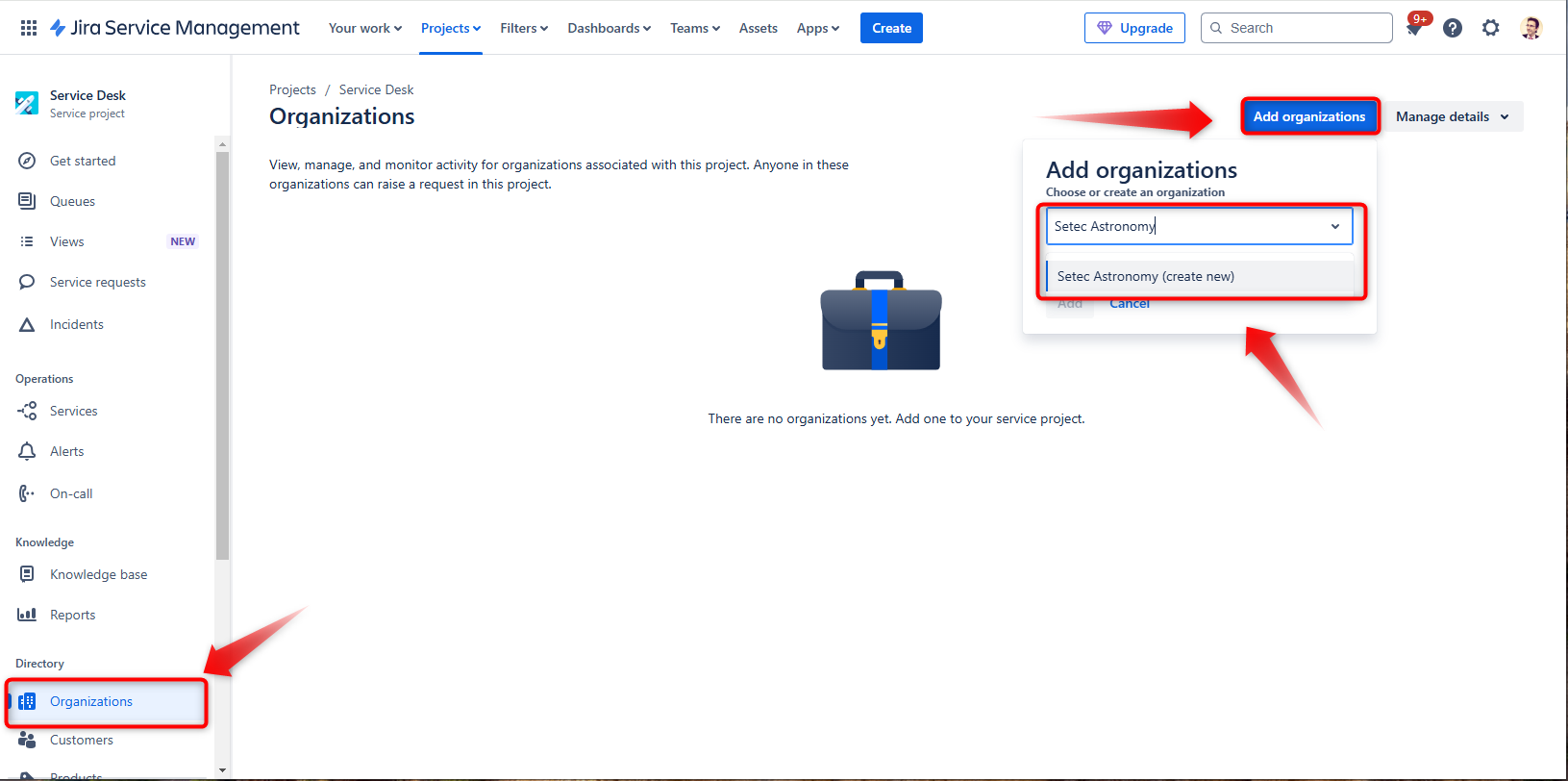
Create an organization (company) for one of your clients
Here’s an example of how to do it:
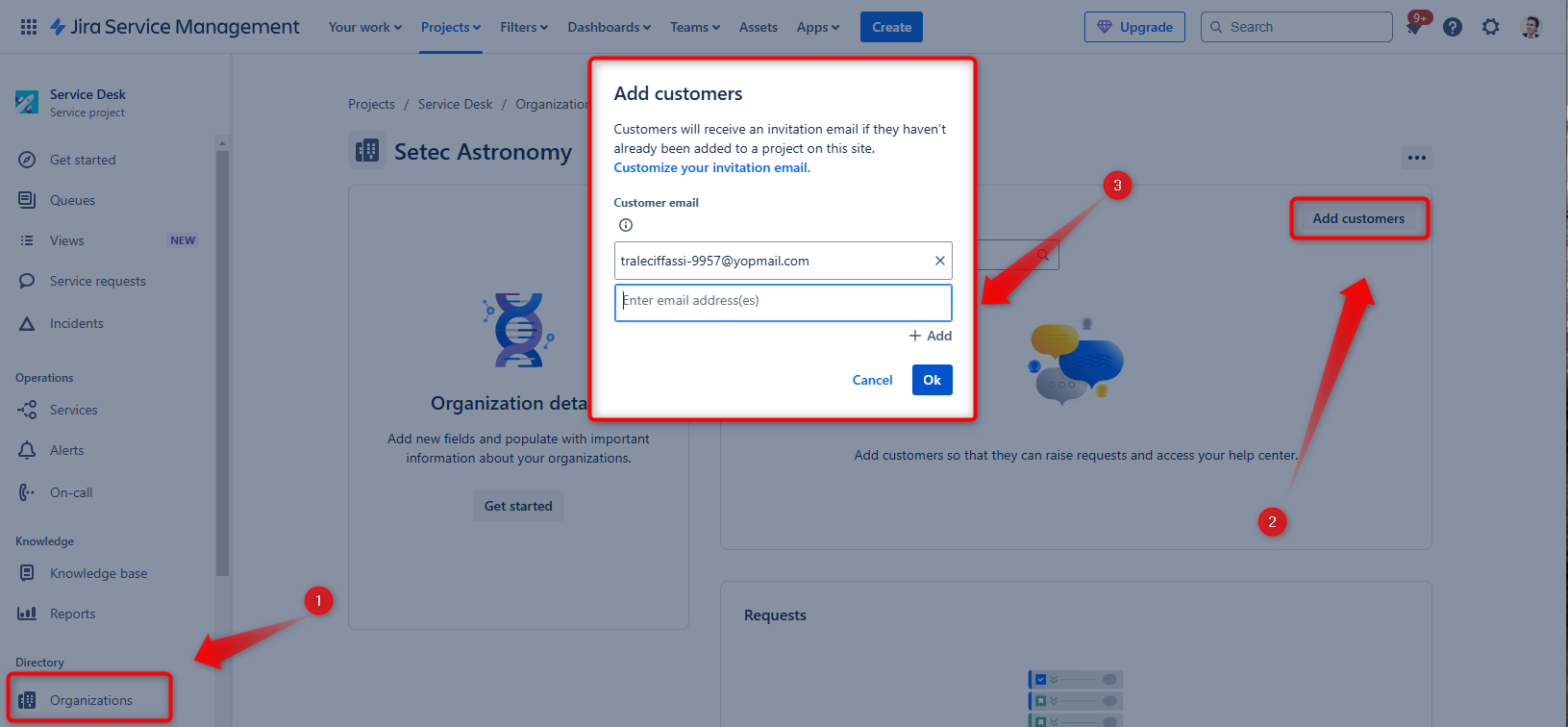
Associate the client with their company
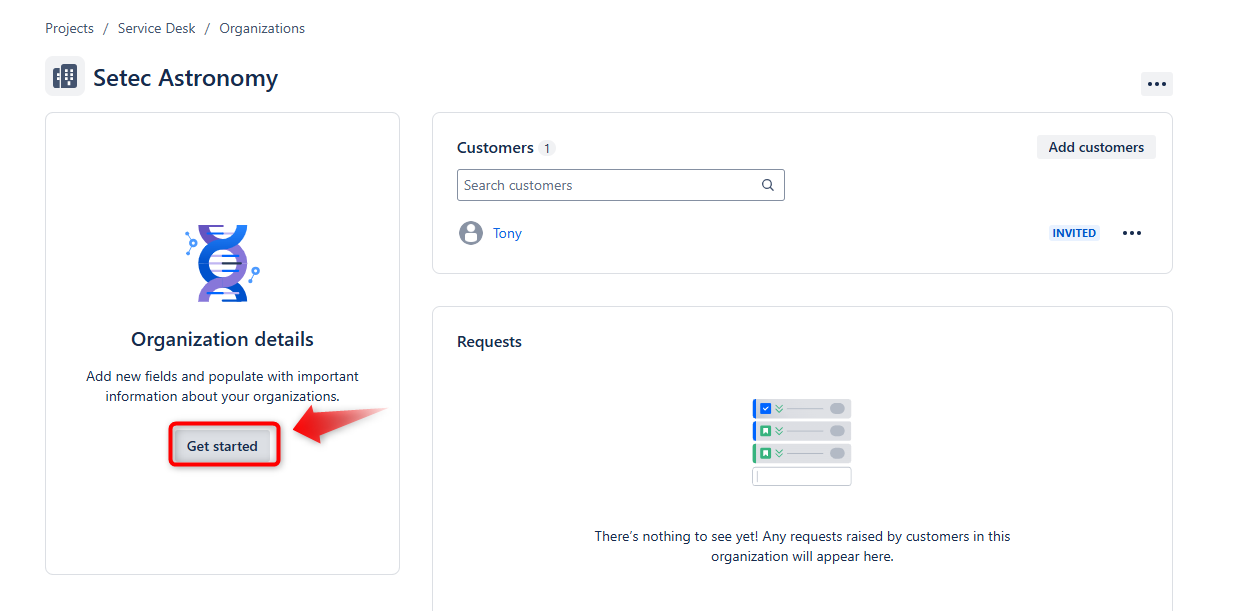
Perfect! Now all that’s left is to add the organization’s details.
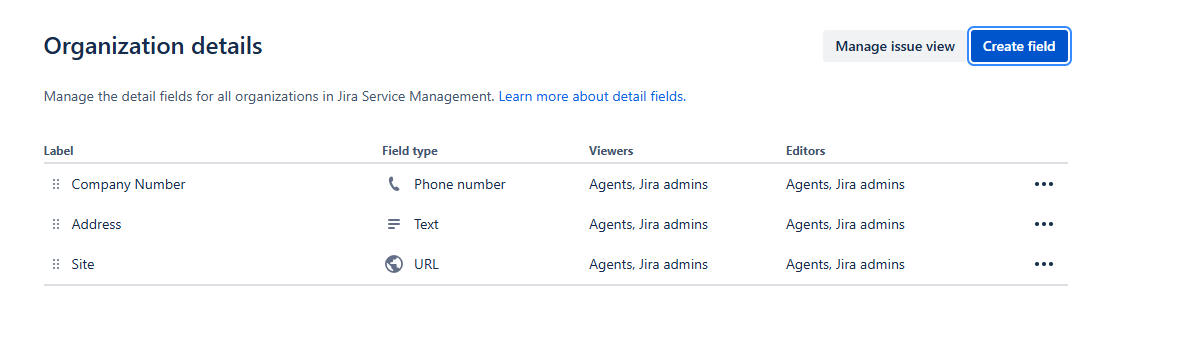
Click “Get Started” and add the fields you want to display
You could begin with these simple fields. You’ll see how helpful they are when you need to contact the client again or find your references for their company.
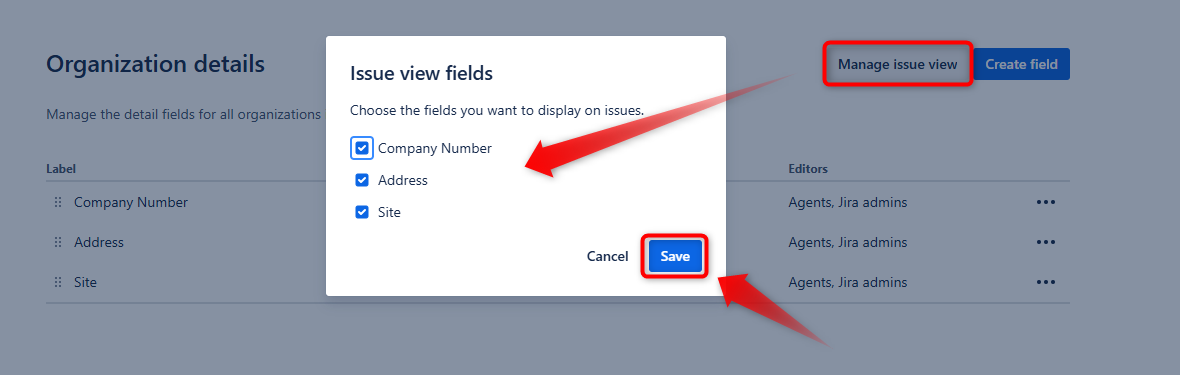
IMPORTANT: After creating these fields, click on “Manage issue view” and select all of them.
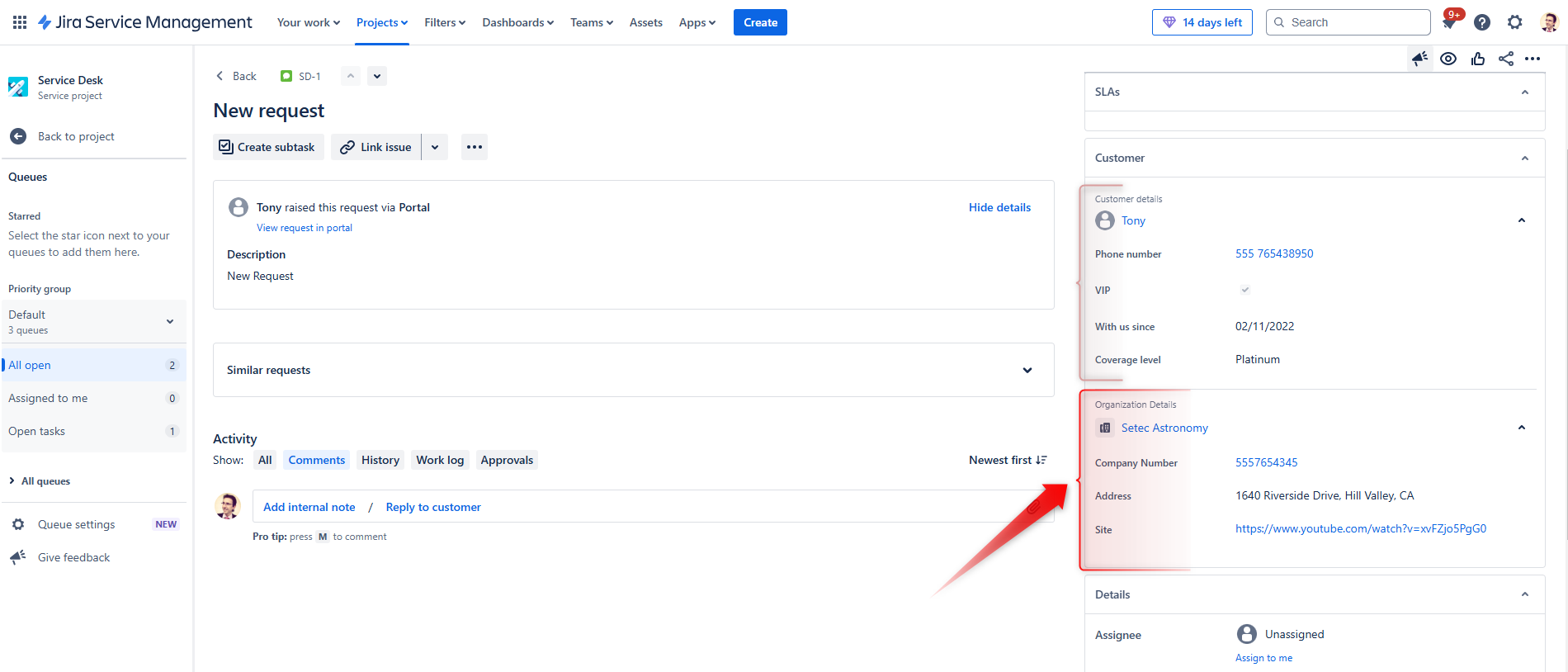
Now, whenever a ticket is opened for a client, the service desk users will see both the user details (if you followed my previous article, which I’ll link here) and the client’s company details.
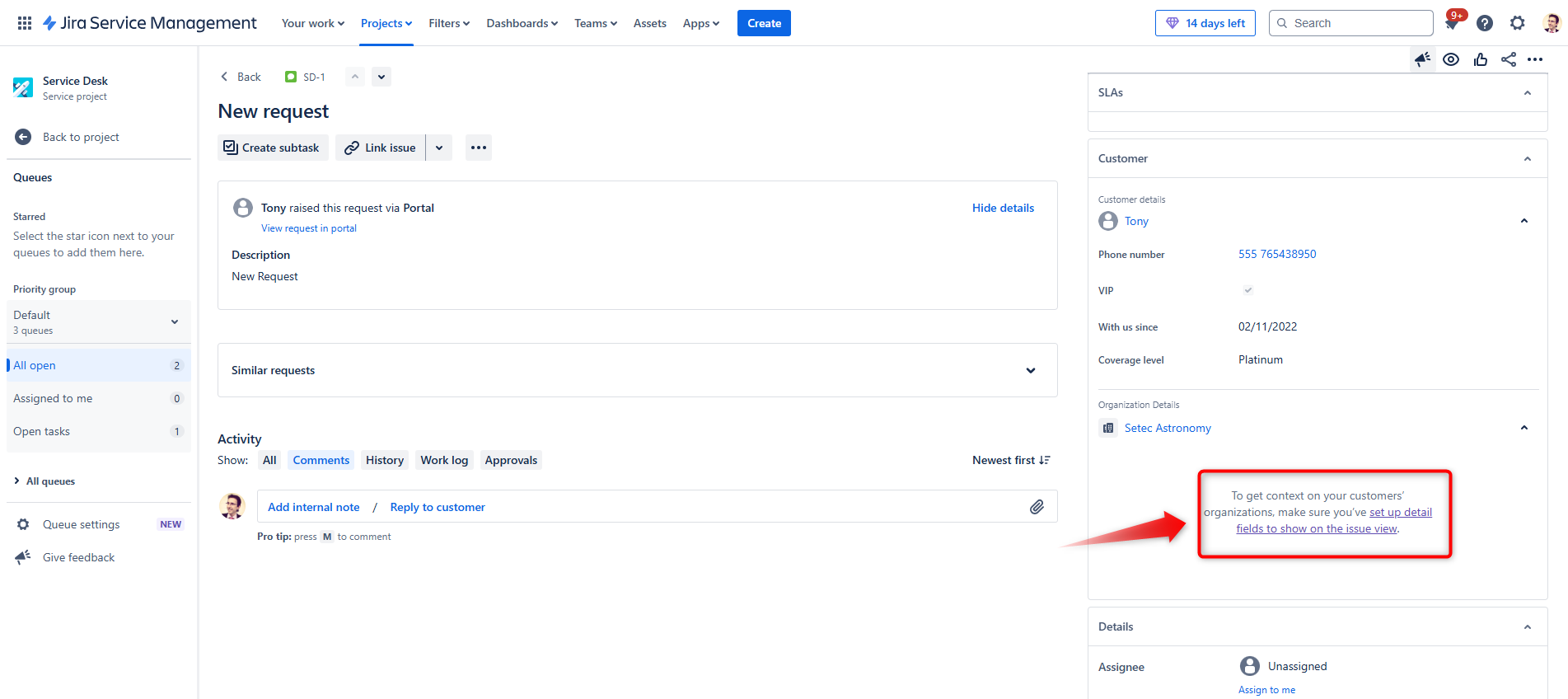
Note: If you don’t activate the fields in the “Issue view fields” as shown above, you’ll get this error message:
“To get context on your customers’ organizations, make sure you’ve set up detail fields to show on the issue view.”

Gabriele Cecco
Technical Consultant at Würth IT Italy
I’m Gabriele Cecco, a consultant at Wuerth Phoenix with extensive experience in ITSM processes. Over the years, I’ve worked with various ITSM software tools, and since 2020, I’ve specialized in the Atlassian suite, earning certifications and helping many companies configure their Atlassian products.
In my free time, I enjoy listening to science and entertainment podcasts, watching movies and TV series, and traveling. I’m passionate about exploring the world, and when I’m not traveling abroad, I love spending weekends in South Tyrol with my wife and our minivan, Windy.
Author

Latest posts by Gabriele Cecco
30. 12. 2025
Atlassian, Service Management
Jira Service Management: The Great Architect’s Dilemma, Single Project vs Multiple Projects
16. 03. 2025
AI, Atlassian, Service Management
Understanding Customer Sentiment in Jira Service Management to Enhance Support
31. 12. 2024
Atlassian, Service Management
How to Use the New ‘Request Type Groups’ Feature in Jira Service Management