01. 07. 2026
AI, Atlassian, Service Management

Today, there are many solutions available for IT asset inventory management, such as GLPI. However, these tools often lead to fragmented data spread across different databases that don’t communicate with each other, except through custom-built interfaces.
The Challenge
The goal is to centralize data in a single place, increasing the value of the information collected and providing greater visibility and traceability, so companies can keep their overall situation under control at all times.
The Solution
Our solution provides a simple and intuitive interface, suitable for any user, where the main information for each asset can be entered:
- Category (laptop, desk, etc…)
- Manufacturer
- Model
- Asset location
- Assigned user
In addition to this general information, our application also includes two fields for asset identification: the WA number, a tag that uniquely identifies the asset and makes it possible to confirm ownership, and, if needed, the WF number, which allows the asset to be linked to the desk where it’s located.
How It Works
Everything begins with the creation of a Jira ticket featuring a custom title and description designed to guide the user through the inventory process. This ticket can also be shared, allowing multiple users to collaborate on it.
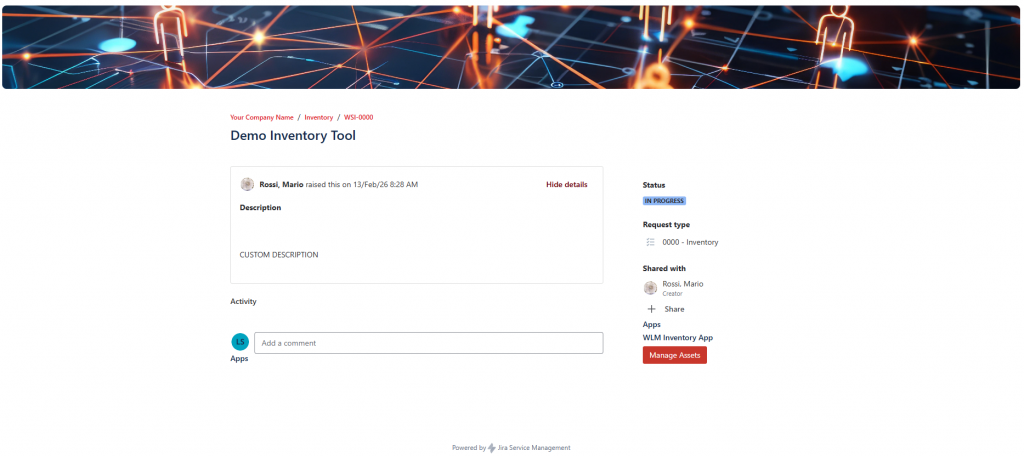
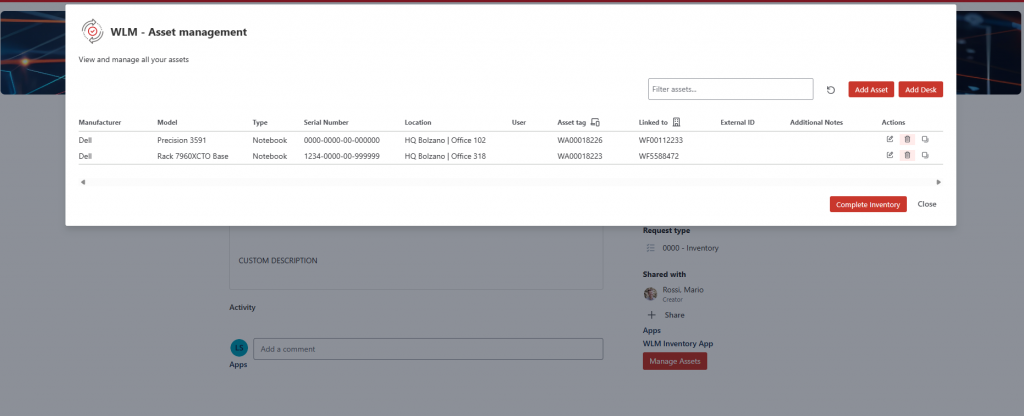
Once the ticket has been opened from the portal, users can access the Forge app by clicking the “Manage assets” button in the bottom-right corner. The first screen displays all IT assets registered for that ticket.
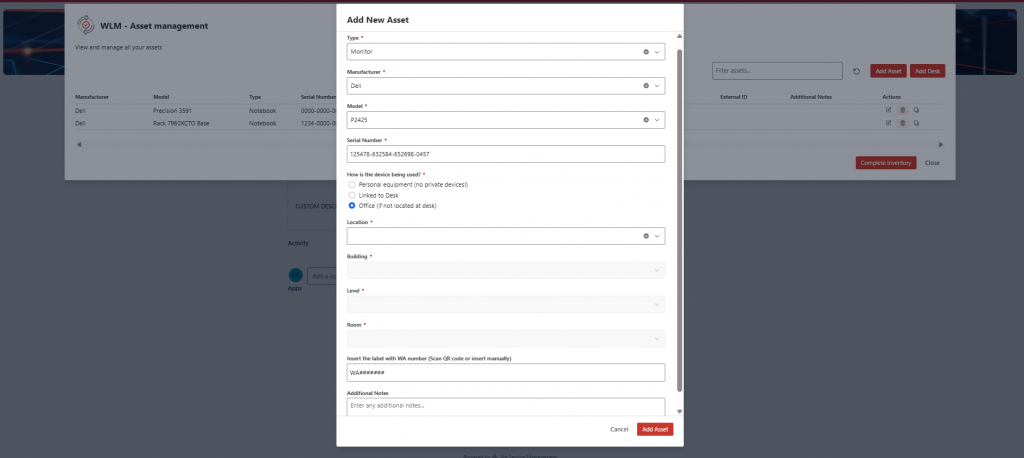
Registering a new IT asset is simple and easy to understand. After clicking “Add asset,” users just need to fill in the fields step by step. Each field is clearly labeled, so it’s obvious what information is required.
The form can include suggested values and basic checks, which help users enter the correct data and avoid mistakes. This makes the process faster and reduces the need for corrections later.
In this way, even users without any technical expertise can add new assets without difficulty, while the company keeps all information organized, consistent, and easy to manage.
Once all assets have been registered, simply click “Complete inventory” to finish the process. At that point, the application will only be accessible in read-only mode.
Contact us for a demo and find out whether this solution is the right fit for you!

Stefano Lorenzi
I’m a tech enthusiast with a deep passion for IT in all its forms—always curious, always building, always improving.
I don’t just work on ideas—I turn them into reality. Give me a vision, and I’ll find a way to make it tangible, efficient, and impactful.
Author
