
Data exfiltration is rarely as obvious as a large file being copied to an attacker-controlled server. In many environments, sensitive information leaves through channels that look legitimate: a cloud storage service, a familiar application, an unusual destination country, or a removable device.
This is where Elastic’s Data Exfiltration Detection (DED) package can help. Instead of relying only on fixed thresholds, DED uses Elastic machine learning anomaly detection jobs to learn normal activity and identify transfers that stand out from that baseline.
What is the DED package?
The DED package is an Elastic integration that provides assets for detecting suspicious activity in network and file data. It includes preconfigured machine learning jobs, supporting data preparation, dashboards, and detection rules that can turn significant anomalies into alerts.
The package is designed to identify behavior such as:
- An unusually large volume of data sent to a destination country or region
- High outbound traffic to an uncommon IP address
- High data transfer over an unusual destination port
- Rare processes writing data to an external device
- Large amounts of data transferred through mechanisms such as AirDrop, depending on the available endpoint telemetry
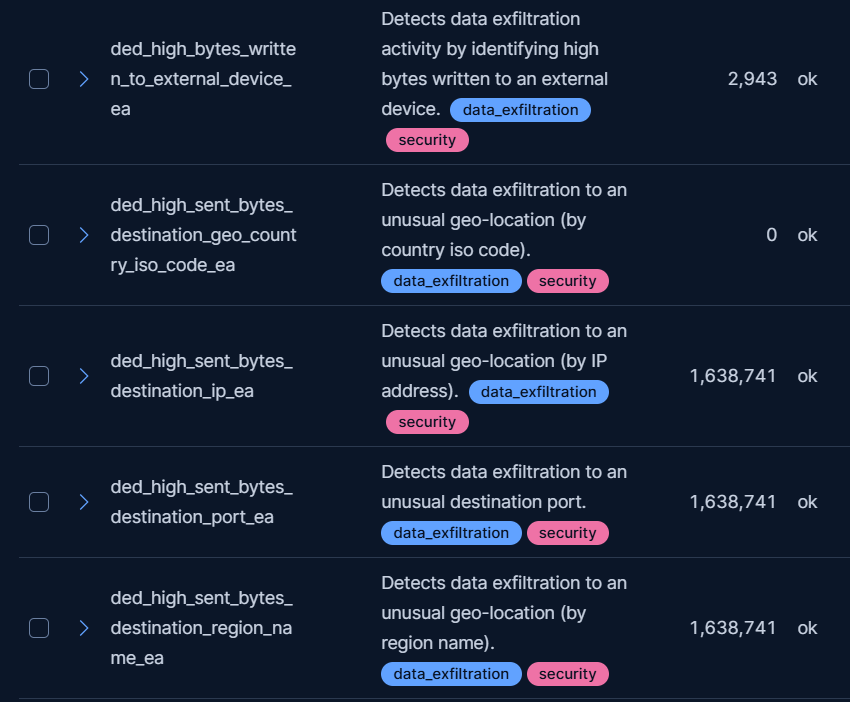
The important idea is context. A transfer of 5 GB may be normal for a backup server but suspicious for a workstation that normally sends only a few megabytes. Machine learning helps model that difference instead of treating every system identically.
How the detection works
At a high level, the workflow has three parts:
- Collect telemetry. Network events can come from sources such as Network Packet Capture, while file and external-device events can come from Elastic Defend. Fleet is required to manage the relevant integrations.
- Prepare the data. DED uses package assets, including a transform for network data, to create a more useful data set for anomaly detection. This allows the jobs to analyze consistent entities and transfer metrics rather than raw events alone.
- Score anomalies. The preconfigured jobs compare current behavior with learned patterns. They can then surface unusual byte volumes, destinations, ports, processes, or external-device activity.
This is not a verdict that data was stolen. It is a way to prioritize behavior that deserves investigation.
Seeing the results in Kibana
After the DED assets are installed and the jobs have been started, analysts can review the results in Kibana’s machine learning experience. The Anomaly Explorer is particularly useful because it presents the anomaly score, the job that produced it, and the influencers associated with the result.
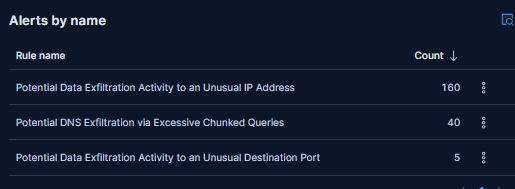
For example, an analyst might see a workstation sending an unusually high volume of data to an IP address that has not previously appeared in the organization’s traffic. The anomaly becomes more interesting when it is correlated with a newly launched command shell, a recently installed executable, or a user who has not previously accessed the affected data.
The investigation should therefore move beyond the score. Useful questions include:
- Which host and user generated the activity?
- What process or application initiated the transfer?
- What destination, country, IP address, and port were involved?
- Was the transfer part of an approved backup, migration, or collaboration workflow?
- Were there related authentication, endpoint, or file-access events?
From anomaly to alert
Anomaly results are valuable for hunting, but a SOC usually also needs an operational alert. DED provides detection rules that can create alerts when relevant machine learning anomalies exceed the configured threshold. In newer package versions, these rules are managed through the Detection Engine and can be found by filtering for the Use Case: Data Exfiltration Detection tag.
This separation is useful: the ML job identifies unusual behavior, while the detection rule determines when that behavior should enter the alert queue. Teams can route those alerts to their existing triage and case-management process.
Tuning and false positives
The quality of the result depends heavily on the quality of the baseline. Planned backups, replication, cloud migrations, software distribution, international business traffic, and developer tools can all look unusual when they first appear.
A practical rollout is to begin with visibility rather than aggressive blocking:
- Allow the jobs to observe representative activity and establish a baseline.
- Review high-scoring anomalies with the system owner or application team.
- Document approved destinations, services, and transfer workflows.
- Adjust the DED transform or detection logic carefully when recurring business traffic creates noise.
- Keep exceptions narrow and review them periodically.
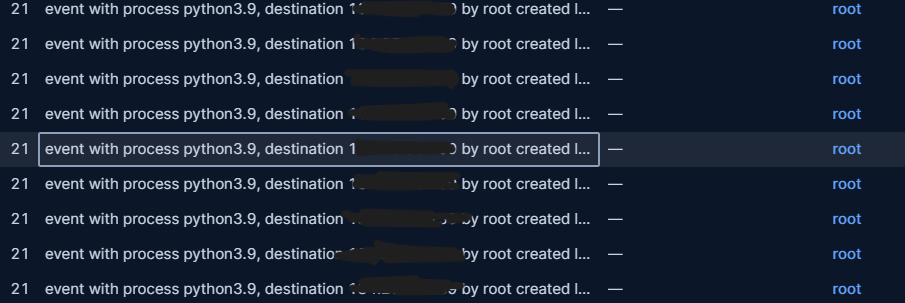
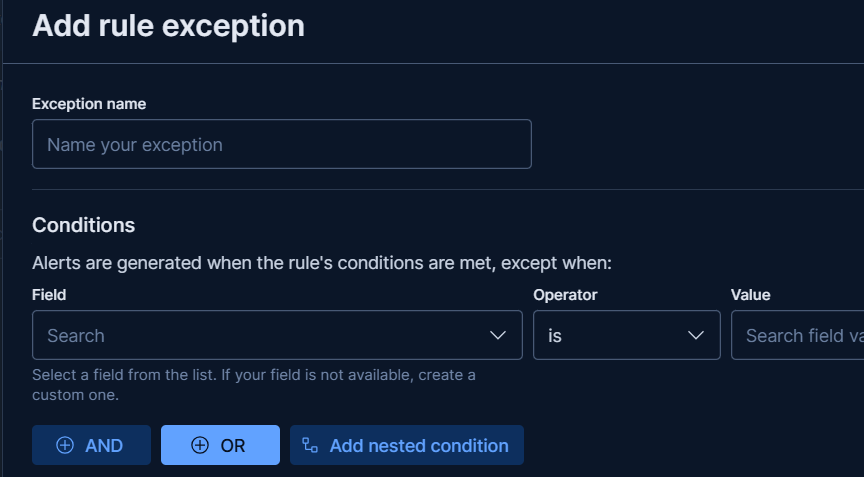
Avoid suppressing an entire destination or process without understanding the reason for the alert. A trusted service can still be abused, and an attacker may use a normally permitted channel.
What DED does—and does not—prove
DED is a behavior-based detection layer, not a data-classification system and not a replacement for endpoint prevention, network controls, or incident response. A high anomaly score indicates that activity differs from learned behavior; it does not identify the exact files stolen or prove malicious intent.
The package also has implementation boundaries. Current documentation notes that DED supports unidirectional flows and does not yet accommodate bidirectional flows. The required subscription level and supported assets should be checked before deployment, because they can depend on the Elastic package and stack version in use.
Conclusion
Elastic’s DED package gives security teams a practical starting point for detecting possible exfiltration without having to build every machine learning job from scratch. Its strength comes from combining network and endpoint telemetry with anomaly detection, Kibana investigation views, and alerting through the Detection Engine.
The best results come when teams treat ML findings as investigation leads: understand the baseline, add business context, correlate with endpoint and identity data, and tune gradually. Used this way, DED can help analysts spot unusual outbound behavior before it becomes an accepted part of the environment.
Further reading
- Elastic Data Exfiltration Detection integration documentation
- Elastic blog: Detect data exfiltration activity with Kibana’s new integration
- Elastic prebuilt machine learning jobs
- Elastic prebuilt rule reference: unusual destination IP

Alessio Dallaporta
Author
