30. 09. 2026
Atlassian, Service Management

21. 03. 2026
Alessandra Castiglioni
Atlassian
Atlassian SSO Explained: How Authentication Really Works (Without the Confusion)
Single Sign-On (SSO) is often seen as a simple “log in once, access everything” solution. But when it comes to Atlassian Cloud, things can feel a bit more complex – especially when dealing with managed users, external collaborators, and different authentication policies.
In this article, we’ll break down how SSO works in Atlassian in a clear and practical way, so you can better understand what’s happening behind the scenes – and why.
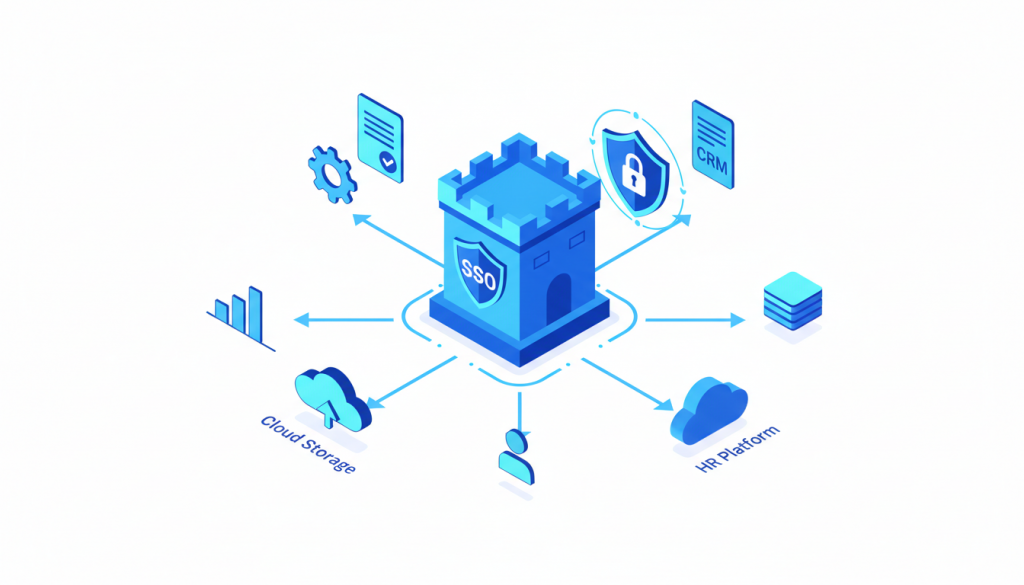
The Starting Point: One Gateway for Everyone
No matter who the user is or how your SSO is configured, every authentication attempt in Atlassian Cloud always starts from the same place:
id.atlassian.comThis is a mandatory global entry point. Every user must pass through it before accessing any Atlassian product.
From there, what happens next depends on three key factors:
- Who manages the user’s account
- Who manages the site being accessed
- The authentication and external user policies in place
Let’s look at how this plays out in real-world scenarios.
Scenario 1: Managed User, Same Organization
What happens?
A user managed within your organization tries to access a site that also belongs to your organization.
- The user is redirected to id.atlassian.com
- Atlassian checks the authentication policy:
- If local authentication is allowed → login via username/password
- If SSO is enforced → redirect to your Identity Provider
- After successful authentication, the user is sent back to the product
Result
- No additional login steps
- Immediate access to the product
This is the smoothest and most seamless SSO experience.
Scenario 2: External Managed User
What happens?
A user managed by a different organization tries to access your site.
- The user is redirected to id.atlassian.com
- Authentication follows their home organization’s policy:
- Local login, or
- Redirect to their own Identity Provider
- After login, the user is redirected to your site
- Your external user policy is applied
Depending on your configuration, the user may:
- Access the site immediately
- Be asked for a one-time passcode
- Be redirected to your Identity Provider for a second authentication
Result
- A second authentication step is often required
- This is expected behavior, not an error
Scenario 3: Unmanaged User (e.g., Gmail Account)
What happens?
An unmanaged user (not part of any organization) tries to access your site.
- The user logs in at id.atlassian.com using:
- Username/password, or
- Social login (Google, Microsoft, etc.)
- After redirection to your site, your external user policy is enforced
This policy may:
- Allow access immediately
- Require a one-time passcode
- Redirect the user to your Identity Provider (SSO)
Result
- A second authentication step may be required
- This depends entirely on your security configuration
Why Are Users Asked to Set a Password?
This is one of the most common points of confusion.
Users may be prompted to create or use a username/password when:
- They are not yet included in an SSO-enforced policy
- Their account was created before SSO enforcement
- They are accessing as external or unmanaged users
Why Isn’t an Active Session Always Recognized?
Even if a user already has an active session with your Identity Provider, Atlassian still requires:
- Initial authentication at id.atlassian.com
- A policy-based decision before redirecting to SSO
This explains why existing sessions are not always reused automatically.
A Quick Note on Redirect URIs
Unlike many other SSO implementations, Atlassian handles redirect URIs internally.
What does this mean for you?
- You cannot manually configure redirect URIs in Atlassian
- There is no need to customize them
- Your Identity Provider simply needs to allow redirects from Atlassian authentication endpoints
Everything else is managed behind the scenes.
Final Thoughts
Atlassian’s SSO flow may seem complex at first, but it follows a clear and consistent logic:
- Every user starts at a central authentication point
- Policies determine the authentication path
- Multiple authentication steps are sometimes intentional
Understanding these principles helps you troubleshoot issues faster and design a more predictable and secure user experience.
If you’ve ever wondered why SSO doesn’t always feel like “single” sign-on – now you know why.
These Solutions are Engineered by Humans
Did you find this article interesting? Does it match your skill set? Our customers often present us with problems that need customized solutions. In fact, we’re currently hiring for roles just like this and others here at Würth IT Italy.

Alessandra Castiglioni
Author

Latest posts by Alessandra Castiglioni
23. 06. 2025
Atlassian
Is Your Jira and Confluence World About to Change? Understanding the Shift from Connect to Forge