30. 09. 2026
AI, Development

In my previous post, I was pointing out how an LLM context should be handled with care, and how there’s a better and worse way to basically interface with it. It’s not enough to “prompt in a clear way” or pack tons of customizations inside a CLAUDE.md file.
In part 1, which you can read here, I talked about the inherent limits of the context and architecture of modern LLMs.
So now, how can we work around them?
The Cheapest Gain You Can Get Is /Clear
/clear is a preset command that Claude Code offers, at your disposal.
It costs nothing. /compact costs a summarization request over your whole conversation. They’re not the same lever, and people reach for the expensive one out of laziness.
It’s interesting because a few things follow from that, and from how caching works:
Claude Code caches the prefix of each request, and cached tokens bill at roughly 10% of the standard input rate.
So cache hits are the biggest cost lever you have!

What is the mechanic that matters then? It’s prefix matching, so a change anywhere in the prefix recomputes everything after it. There’s no per-file or per-segment caching, at least not yet.
Which makes /rewind (or Esc Esc on an empty prompt) better than /compact when you want to abandon a wrong path. Rewinding truncates back to a prefix that’s already cached, so the next request hits the earlier cache entry. Compaction builds a new prefix from scratch (it also takes quite a while), while rewinding is cheaper and faster, and I use it far more than I expected to, to be honest.
Just don’t mistake it for version control. Every prompt creates a checkpoint, and file snapshots are kept for the 100 most recent, but changes made by Bash commands aren’t tracked, subagent edits aren’t restored, and symlinked paths aren’t restored. A migration that ran, a package that installed, a branch that got pushed: a file-level rewind won’t touch any of it.
So please, please, please, do commit whenever you reach a safe and sound place. It’s like working alone on an IDE that might crash, but 100x worse and more risky!
Also, another caching habit worth getting used to is: Don’t switch model or effort mid-task without a reason, because each combination has its own cache and switching throws the whole thing away.
Verification and Guardrails Are Key
This is the most emphasized practice in the official docs, and it’s first for a reason. Give the agent a way to check its own work. A test suite, a build exit code, a linter, a fixture diff, a screenshot. Anything with a pass or a fail.
Ideally, the first thing to do before refactoring, adding a complex issue, etc., is to add as many tests as possible to “crystallize” the current working situation and make sure nothing the AI does breaks pre-existing features or parts of your code.
Without a feedback signal, you’re the only error detector in the loop, and you’re reviewing generated code that maybe looks right, but is it? Which is a specific and nasty position to be in, because looking right is exactly what these models are good at. You can’t trust them, sorry.
There’s a name for the failure mode, and it’s a good one: the trust-then-verify gap – accepting “done” without checking. The rule that goes with it is blunt, and must be 100% enforced: If you can’t verify it, do not ship it!
So ask for evidence, always: “Tests pass” is a just an unverifiable claim. The actual test output is waaaaay more reliable. They’re there to “please” you, they will lie to you, so don’t blindly trust them, ever.
This is a bit advanced, but you should use /goal to set an evaluator that re-checks after every turn across a session. Use a Stop hook when the check must be deterministic, which blocks turn completion until it passes (Claude Code overrides it after 8 consecutive blocks so that it can’t deadlock). Put a fresh-context reviewer on anything risky that you want to be double or triple checked.
One honest caveat about that last one though: A reviewer prompted to find gaps will usually report some, even when the work is sound. Chase every finding and you’ll over-engineer your way into a worse codebase. This is actually a real danger. A workaround is to tell your reviewer to flag only what affects correctness or the stated requirements.
Claude.md Is the Only Thing You Pay for Every Time
Almost everything else loads on demand. CLAUDE.md is sent with every request, which makes it the one place where bloat piles up silently, like rocks in your bag, when you climb a mountain.
The target is under 200 lines. This is the single most repeated piece of advice in the docs, and the reason isn’t aesthetic. Claude Code merges files from the project root, from subdirectories, from .claude/rules/, from your user config, and from enterprise policy. Every single merged file adds more content between the prefix and your actual task, and the total cost is invisible unless you audit every level!
The test I now apply to every line is: Would removing this cause the agent to make mistakes? If not, delete it. Project knowledge belongs in your README. CLAUDE.md is for what changes how the agent operates, not for what the project does.
A formulation I stole from agenticoding.ai because it’s genuinely clarifying is CLAUDE.md holds what the agent should always know, meaning architecture, conventions and constraints, while skills hold what the agent should know how to do, meaning workflows loaded on demand. If something is only sometimes relevant, it shouldn’t be paying rent on every request.
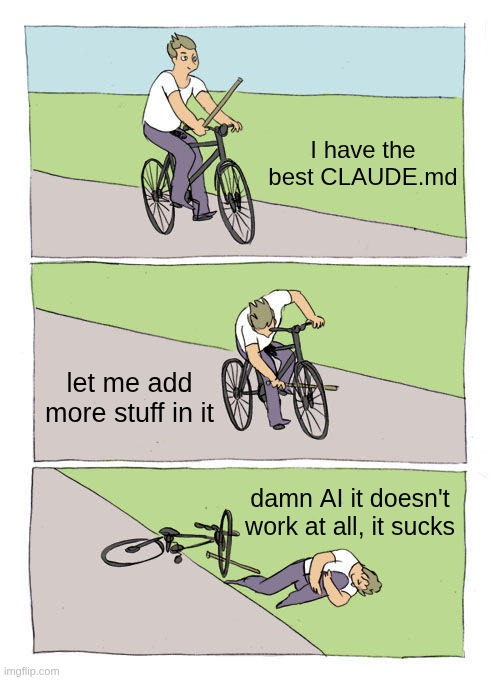
Two details most people miss: HTML comments are stripped before injection, so they’re free maintainer notes for your team. And AGENTS.md is not read by Claude Code at all, so if your repo has one for Copilot or Cursor or Zed, import it with @AGENTS.md and keep a single source of truth. (Very important, or otherwise it can get very tricky very fast.)
Also, and this isn’t paranoia for once: Context files are a super inviting injection surface for threat actors. “Rules file backdoor” attacks use invisible Unicode and similar evasion. Keep these files minimal, version-controlled, and code-reviewed like any other piece of code.
Three Almost Free Things
Once you accept and understand that context is the most scarce resource, cheap mechanisms suddenly stop looking like advanced features and start to look like the obvious and default thing to do:
Subagents
Think of one as the agentic equivalent of a function call, where the dispatch prompt is the parameter, and the synthesis is the return value. A subagent gets its own context window and returns only its final text. In the docs’ own example, a subagent read 6,100 tokens of files and returned 420. The parent pays for the conclusion instead of the search. This is one of the biggest wins there is!
It makes exploration the obvious thing to delegate, since “find where X is implemented” burns most of its tokens on dead ends you’ll never need to see. Honestly, by now Claude code does it almost by default.
Hooks
Zero context, deterministic, and they run outside the model. Anything you find yourself asking for repeatedly should probably be a hook instead of a sentence in CLAUDE.md. “Always run the formatter after editing” works far better as a PostToolUse hook than as a line the model might not attend to, because a hook is enforcement and a CLAUDE.md line is advisory.
Exploiting this, we just started to work on an “AI helper” plugin that can help you use AI more effectively, and avoid pitfalls:

The docs’ best example of leverage is a PreToolUse hook that greps a log file and cuts context from tens of thousands of tokens down to hundreds. Worth knowing, too. PreToolUse hooks run before the permission prompt in every mode, so a hook deny blocks even under --dangerously-skip-permissions.
A CLI instead of an MCP server
Every MCP tool schema is serialized JSON with repeated type annotations and verbose descriptions. The Agent SDK docs put numbers on it: 50 tools can use 10 to 20K tokens, and tool-selection accuracy degrades past roughly 30 to 50 loaded tools, so watch out. In particular, don’t blindly add tons of “miraculous” plugins from GitHub. Please don’t.
Meanwhile gh, aws, gcloud and sentry-cli add no per-tool listing at all, because the agent already knows how to drive them through Bash. Reach for MCP when you need structured, authenticated access that a CLI genuinely can’t give you, not as the default.
AI coding agents don’t behave the same way 🙁
The principles above hold across Claude Code, Codex and OpenCode basically entirely. The defaults and the limits absolutely don’t, and a couple of the differences are the kind you’d rather not discover in production.
OpenCode allows every operation without asking. Its own documentation says so plainly. Claude Code is read-only until you approve. So if you move from one to the other you inherit a far more permissive setup and nobody tells you!
The documented hardening is to set edit and bash to "ask". Rule precedence is inverted too. Claude Code takes the first match in deny-ask-allow order, and OpenCode takes the last matching rule, which is why its docs tell you to put the wildcard first and the specific rules after. A ruleset copied across won’t behave the same way. Worth knowing!
Codex has no undo. Not omitted, removed. You get /fork to branch, /side for a throwaway tangent, and plain git. OpenCode has /undo and /redo, backed by a shadow git repo, which also means it silently does nothing outside a git repo.
Compaction and limits diverge. Codex compacts at 90% of the window and you can’t disable it, only lower the ceiling. It also enforces a 32 KiB cap on the instruction file and truncates past it, where Claude Code has a 200-line target and OpenCode has no cap at all. Codex is unusually forgiving about switching models mid-session, because its cache key is the session rather than the model. And OpenCode’s environment block contains today’s date, so a session running past midnight invalidates its own cached prefix, which is a delightful thing to debug at one in the morning.
Another (maybe obvious) but rather interesting one all three share is: None of them can undo the side effects of a shell command. Commit to git whichever one you use.
What always works well
1. Clearing between unrelated tasks
The most boring habit on this list and the highest return. Long mixed sessions are the most common cause of bad output. It’s free. There’s no reason not to.
2. Treating “two failed corrections” as a hard stop
After two rounds of “no, not like that”, clear and write a better initial prompt. Just continuing to correct over and over pollutes the context with wrong approaches, and the model keeps attending to them. Five rounds of correction isn’t persistence, it’s a context problem you’re actively making worse.
3. Writing state to disk at phase boundaries
For anything larger than a single change. Let the agent interview you, write the answers to SPEC.md, then start a fresh session to implement. The spec survives compaction. Your conversation doesn’t. The best specs name files and interfaces, state what’s out of scope, and end with an end-to-end verification step.
4. Being specific enough to avoid a search
Vague prompts often tend to trigger broad scanning: “fix the bug” reads twenty files. “The null check in parseConfig at line 40 fails on empty input” reads one. The difference is thousands of tokens you get to spend on the actual work instead.
Structuring the prompt before the agent starts spending context
One thing I didn’t emphasize enough earlier is that “write a better prompt” does not mean “write a longer prompt”. Long prompts can be just as bad as vague ones, and sometimes worse, because they add noise while pretending to add clarity.
The useful habit is to decide what mode the task needs before you throw the agent into the codebase.
Not every task wants the same interaction pattern. Sometimes you need the agent to move carefully, sometimes you need it to interview you, sometimes you need it to split the work into safe increments, and sometimes you need it to be deliberately annoying and skeptical.
A few patterns I keep coming back to are:
Step-by-step mode
Use this when the task is risky, touches multiple files, or has a high chance of producing a “looks good, subtly wrong” implementation.
Think through the implementation step by step.
First inspect the relevant files.
Then propose a plan.
Wait for confirmation before editing.
This slows the agent down in a good way. It forces a separation between understanding, planning, and changing. That separation matters because the expensive mistake is not a bad line of code. The expensive mistake is letting the model confidently run down the wrong path for half an hour and filling the context with its own wrong assumptions.
Interview mode
Use this when the task is under-specified and you know there are missing decisions.
Before proposing a solution, ask me the questions you need.
Do not implement until the ambiguity is resolved.
This is boring, and it works. A surprisingly large percentage of bad agent output starts with the agent guessing something it should have asked. If the missing information is cheap to get from you, make the model ask before it burns tokens discovering the wrong version of reality.
The important phrase is “minimum questions”. Without it, some agents will happily turn into a product manager with a clipboard and ask you fourteen things you don’t care about. You want just enough clarification to avoid a wrong implementation, not a therapy session for your Jira ticket.
Slice mode
Use this when the task is big enough that “just implement it” would create a huge, hard-to-review diff.
Break this issue into small independently testable slices.
Recommend the safest first slice.
This is one of the best ways to keep both the context and the codebase under control. A good first slice should be small, reversible, and verifiable. It should teach you something about the problem without forcing you to accept the whole solution at once.
This also helps with the “two failed corrections” rule. If the first slice is wrong, you can stop early, clear the session, and rewrite the prompt. If the agent implemented the whole thing wrong, now you have a pile of generated code to untangle, and that’s how an afternoon disappears.
Critic mode
Use this after the agent has produced a plan or solution, especially when the work affects correctness, security, migration logic, permissions, billing, data integrity, or anything else you don’t want to debug at 2 AM.
Review this solution as a skeptical senior engineer.
Find edge cases, hidden assumptions, and missing tests.
Only flag issues that affect correctness or the stated requirements.
That last sentence matters. If you only ask for criticism, you’ll get criticism. The reviewer will often find something because finding something is the role you assigned to it. So constrain the review to what actually matters: correctness, requirements, tests, operational risk.
Otherwise you can end up in a strange loop where one agent writes a solution, another agent complains about it, the first agent “fixes” it, and three rounds later your code is worse but everyone sounded very professional.
So, Was All This Worth Writing Down?
I think so, but it wasn’t my initial idea, to be honest.
I thought I was writing a list of tips. What I ended up with is one fact and many of its consequences. The only fixed point is that performance degrades as the window fills. Everything else is a way of spending that budget deliberately and more accurately instead of accidentally.
Which kind of reframes what these tools are, doesn’t it? They’re not oracles you consult, and they’re not junior developers you delegate to. They’re systems with a resource you control and a failure mode you can predict.
Once you see the context window as a budget rather than a bucket, the habits stop feeling like ritual and start feeling like engineering: Keep the window small and relevant, put anything important on disk, always give the agent a way to check itself, and ask for the evidence rather than the claim.
In a way, it’s definitely an amplifier. It can make you great, or it can lead you to the biggest f**kup of your whole career. Don’t drink and vibe code, safety first!
None of that is that shocking. There’s no super secret prompt in here that unlocks a hidden mode or finds Waldo. But if you’ve used LLMs for complex tasks, like ever, you know exactly how tricky, delicate, and wasteful this whole process can become.
After all, nobody wants to have their work deflagrate 80% in the plan because the model lost it (and you wasted time and 400$ of tokens) wouldn’t you agree?
Thanks for reading!
These Solutions are Engineered by Humans
Did you find this article useful? Using LLM infrastructure to its fullest is still work in progress for most teams, and getting it right early can pay off. We’re always looking for people who enjoy building monitoring solutions at the intersection of AI infrastructure and Enterprise operations. Check out our open positions.

Marco Berlanda
UX Front-end engineer by day, UX wizard by night, and an Interaction design ninja all the time. Always on the hunt for those ‘wow, didn’t see that coming!’ solutions to problems.
Author

Latest posts by Marco Berlanda
18. 12. 2025
Development, Front-end, UI, Vue
API Contracts Don’t Protect Vue 3 Frontends… Integration Tests Do
30. 09. 2025
Development, DevOps, Kubernetes
A GitOps Path from Code to OpenShift Cluster