29. 06. 2026
Atlassian

30. 12. 2024
Gabriele Cecco
Atlassian, Service Management
How to Schedule Issues with the New Calendar View in Jira Service Management
Jira Service Management now includes a new feature that lets you easily schedule your activities.
What? You haven’t activated it yet? No worries, you’re in the right place! Here’s a quick guide to how to enable it and make the most out of it in just a few clicks.
How to Enable the Calendar View
If it’s not already enabled, follow these steps to activate the feature:
- Navigate to your project settings
- Look for the Views option and enable it (Note: You must be a project admin to do this in the project where you want the feature activated)
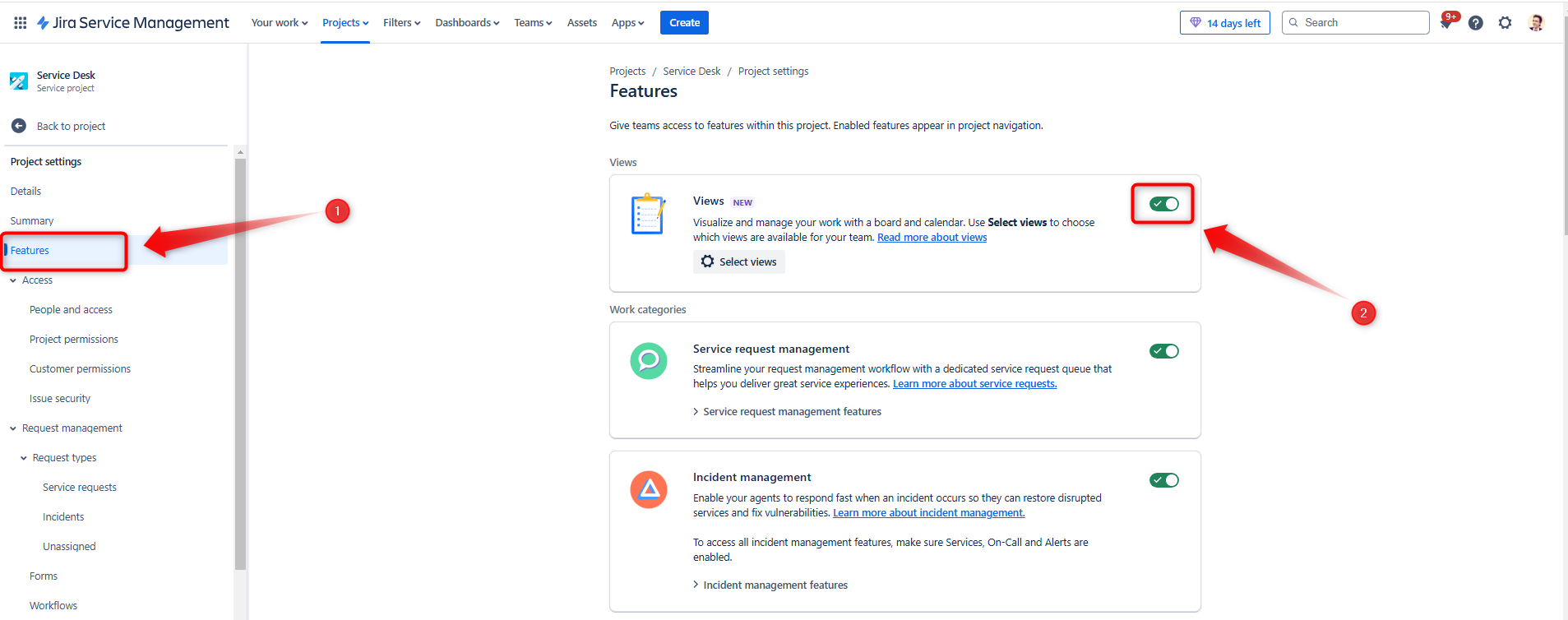
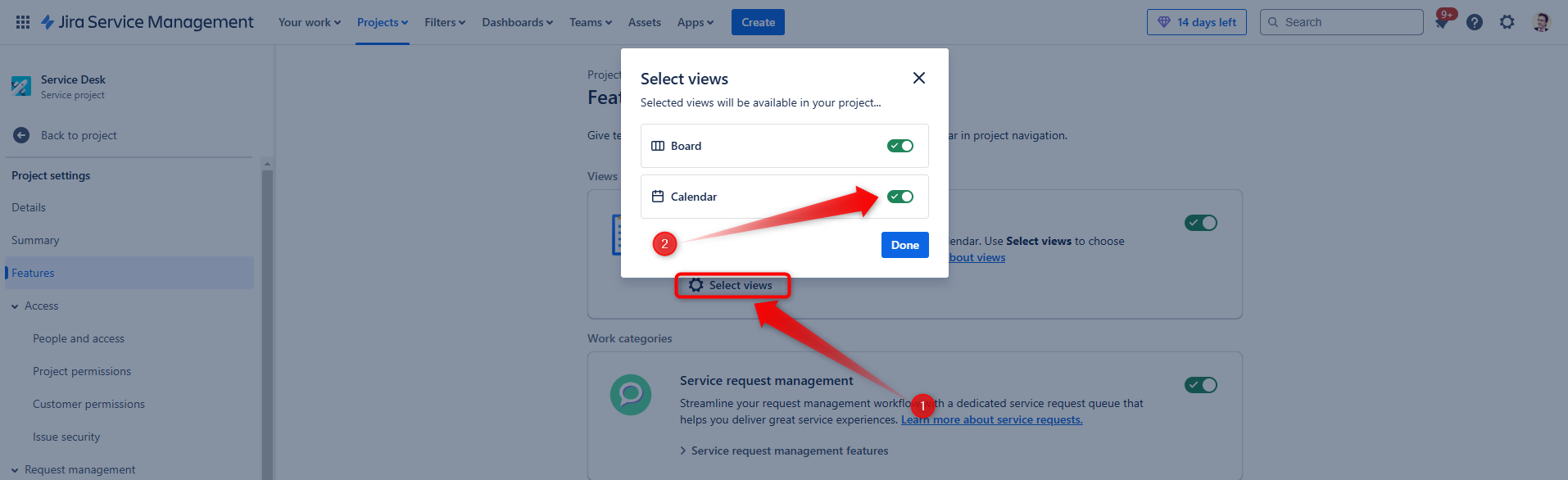
Next, ensure the Calendar view is enabled:
- Click on Select Views in the Views settings
- Confirm that the Calendar view is selected and activated
Using the Calendar View
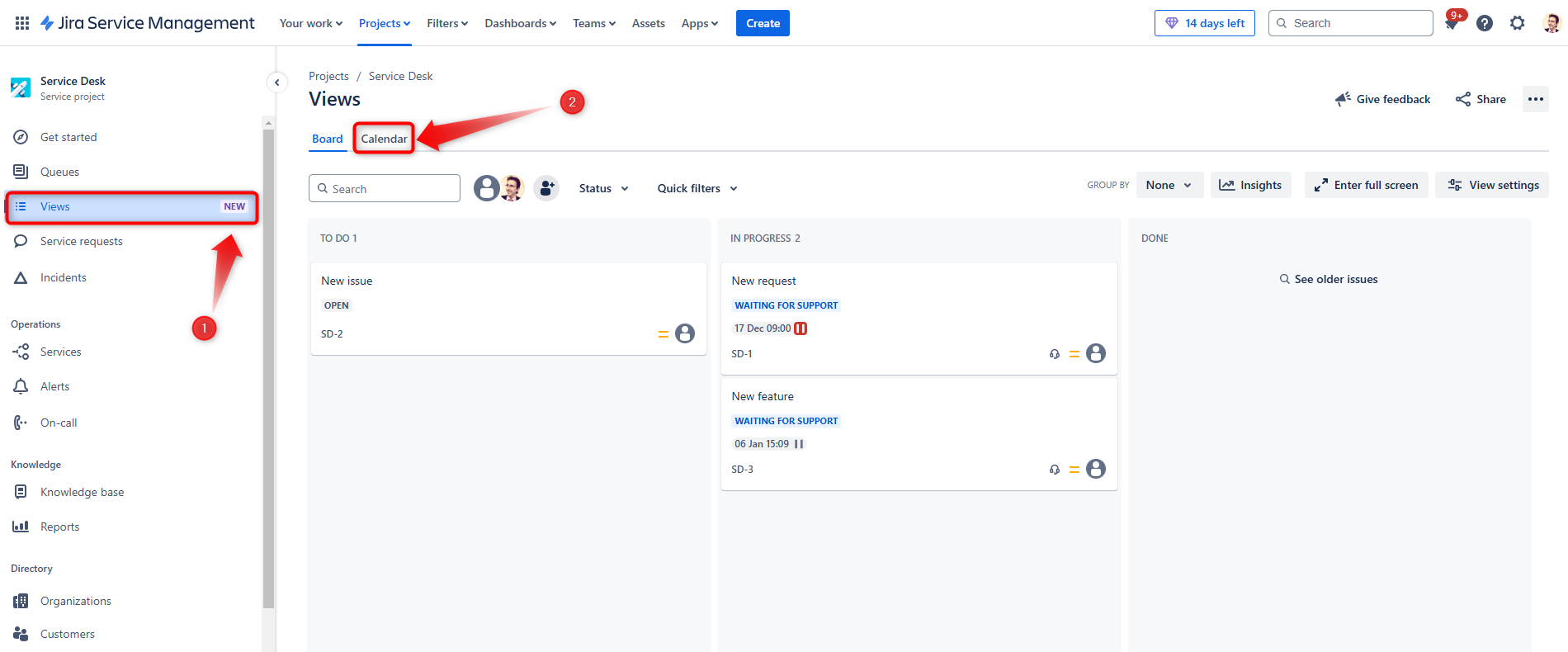
Once enabled, using the Calendar view is straightforward:
- Click on Views in the top navigation bar
- Select Calendar from the dropdown menu
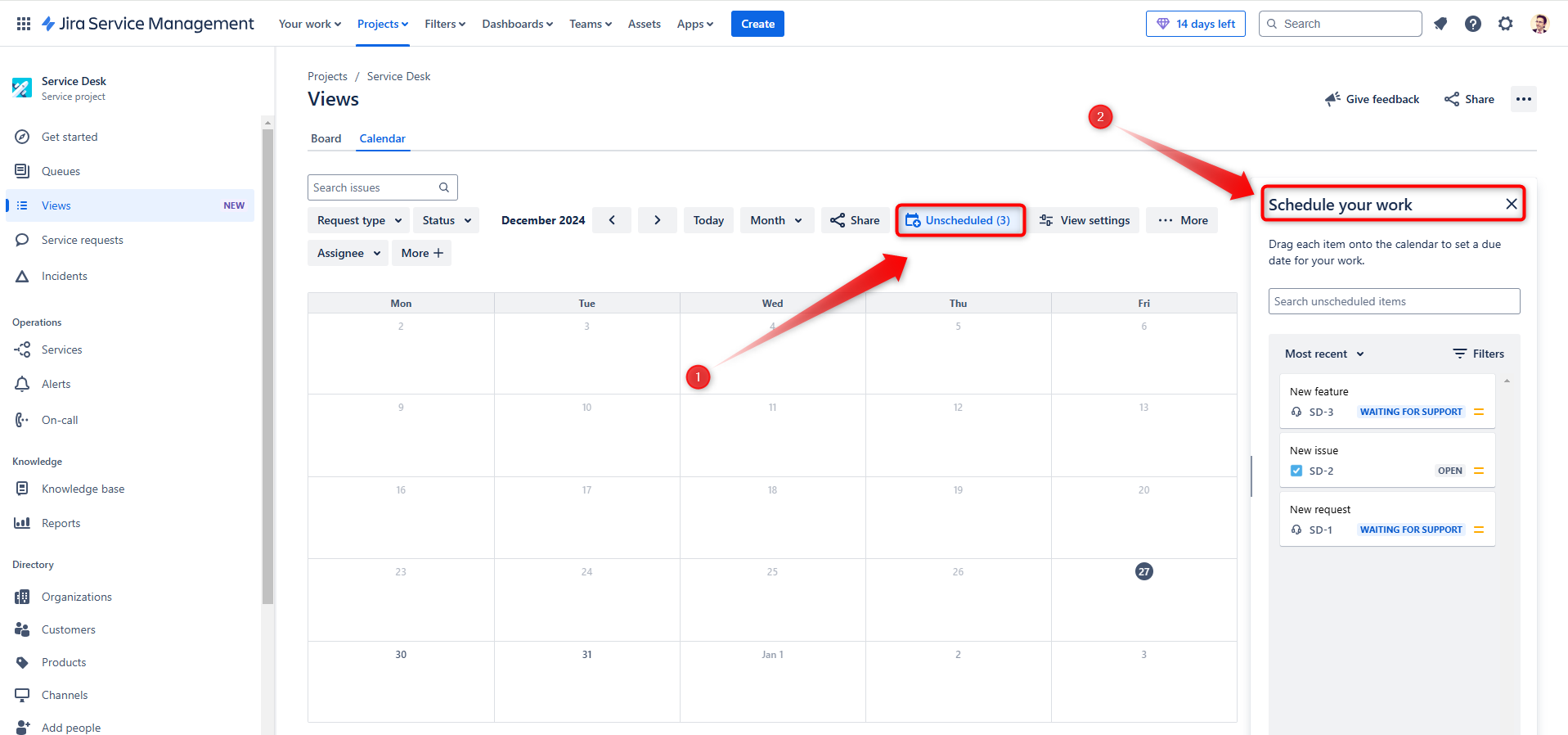
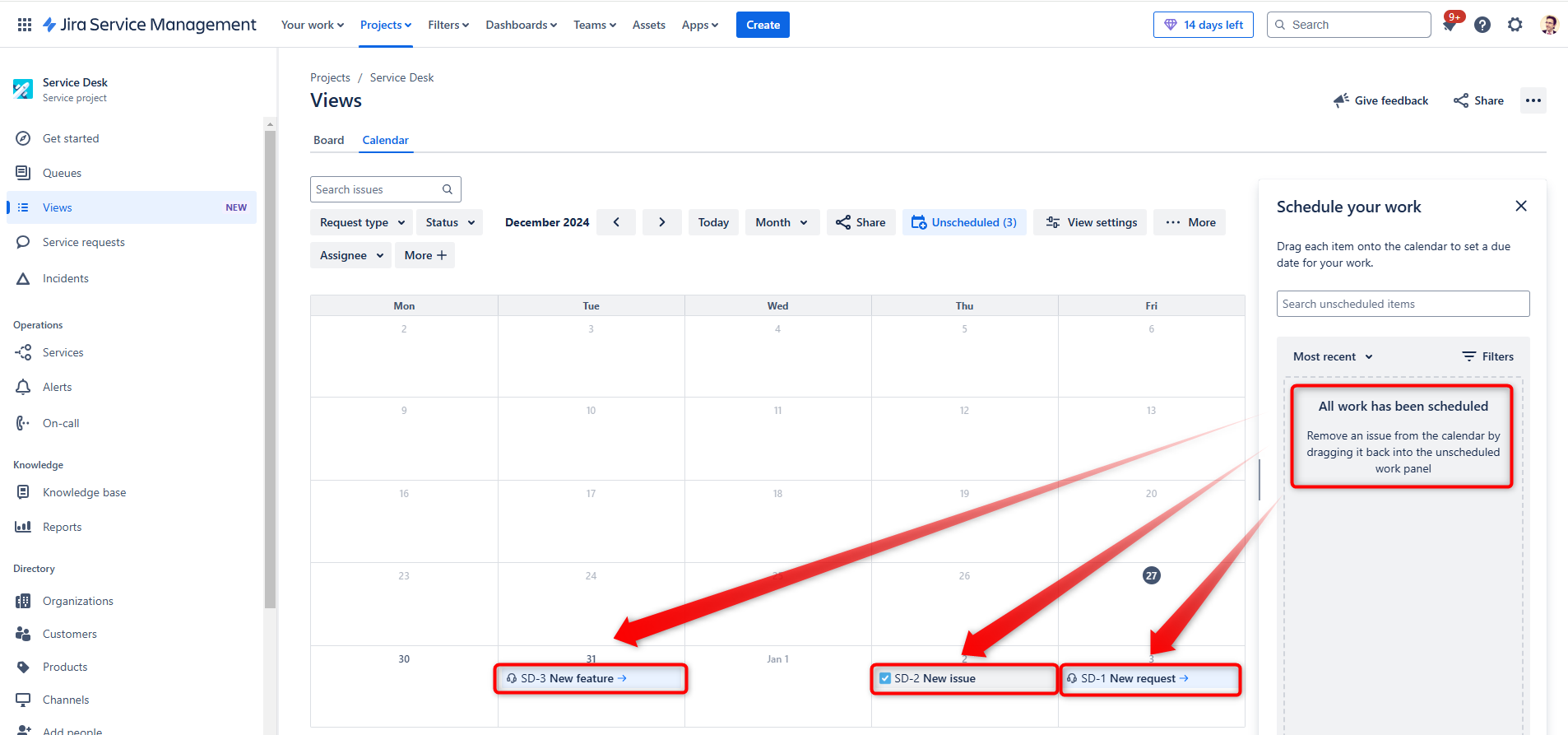
- To start scheduling, click on Unscheduled (located on the right side of your screen). A panel will open listing all the issues that are not yet scheduled.
Scheduling Issues with Drag & Drop
You can now assign dates to your tasks using a simple drag-and-drop action:
- Drag an issue from the Unscheduled list onto the desired date in the calendar
- The Due Date field of the issue will automatically update to match the selected date
Filter Options
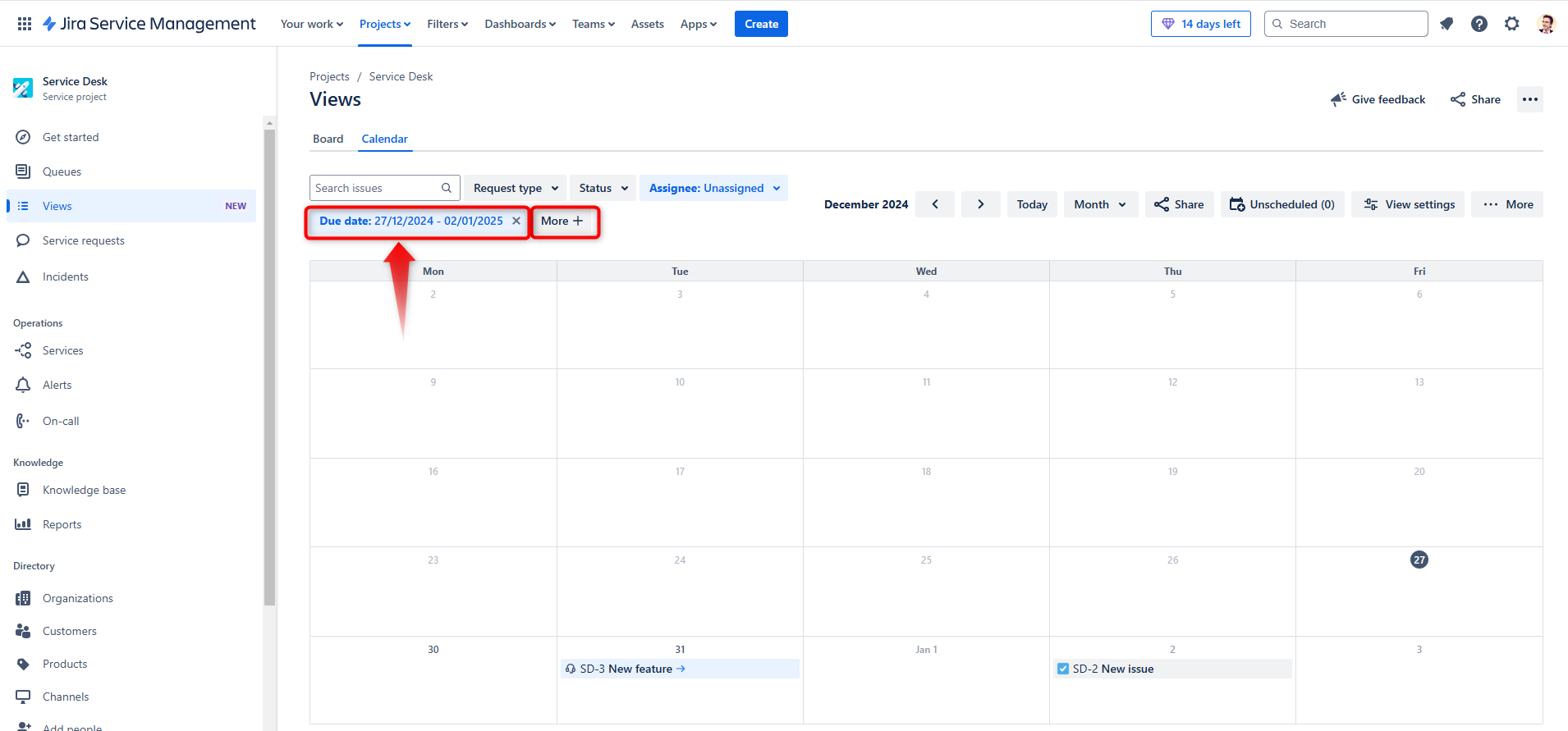
To streamline your workflow, you can use the available filters to customize your view:
- Show only tasks assigned to you
- Filter by issue status (e.g., Open, In Progress, Done)
- Add additional filters using the More button for further refinement
Adjusting Scheduled Dates
Need to reschedule a task? No problem!
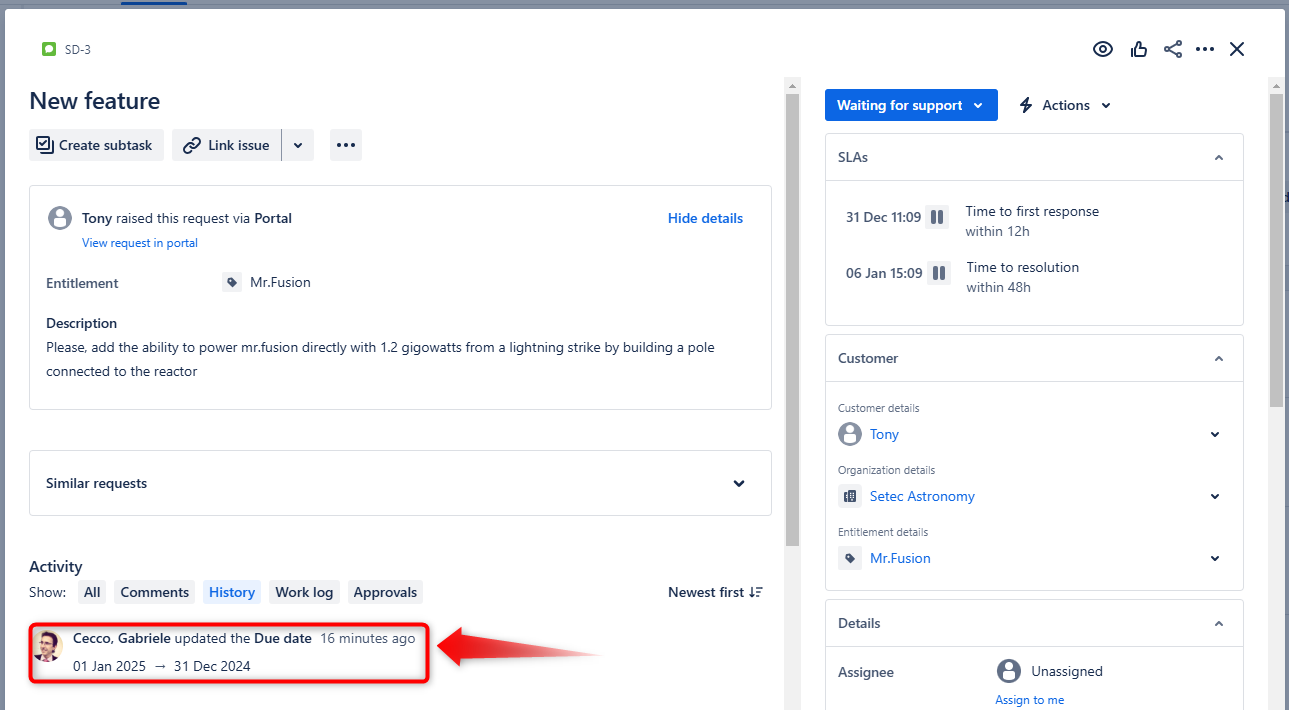
Simply drag an issue from one day to another. The Due Date field will update automatically to reflect the new date. This makes it easier than ever to adapt to changes in your schedule.
Why Use the Calendar View?
The Calendar view is a game-changer for project management in Jira Service Management. It provides a visual overview of your workload and deadlines, simplifies task scheduling, and ensures everyone stays on track.
Start using this feature today and take control of your project timelines!
These Solutions are Engineered by Humans
Did you find this article interesting? Does it match your skill set? Our customers often present us with problems that need customized solutions. In fact, we’re currently hiring for roles just like this and others here at Würth Phoenix.

Gabriele Cecco
Technical Consultant at Würth IT Italy
I’m Gabriele Cecco, a consultant at Wuerth Phoenix with extensive experience in ITSM processes. Over the years, I’ve worked with various ITSM software tools, and since 2020, I’ve specialized in the Atlassian suite, earning certifications and helping many companies configure their Atlassian products.
In my free time, I enjoy listening to science and entertainment podcasts, watching movies and TV series, and traveling. I’m passionate about exploring the world, and when I’m not traveling abroad, I love spending weekends in South Tyrol with my wife and our minivan, Windy.
Author

Latest posts by Gabriele Cecco
30. 12. 2025
Atlassian, Service Management
Jira Service Management: The Great Architect’s Dilemma, Single Project vs Multiple Projects
16. 03. 2025
AI, Atlassian, Service Management
Understanding Customer Sentiment in Jira Service Management to Enhance Support
31. 12. 2024
Atlassian, Service Management
How to Use the New ‘Request Type Groups’ Feature in Jira Service Management