22. 08. 2025
Development, Documentation

One of the most common questions we hear is:
“Why don’t we just put everything into one PDF?”
It’s a fair question. After all, that’s how documentation has worked for decades.
Buy a washing machine? You get a user manual.
Buy a printer? You get a user manual.
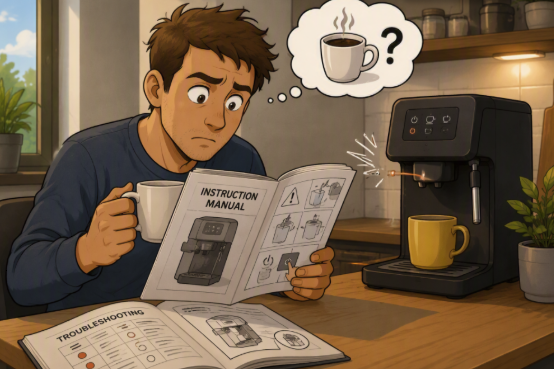
Buy a coffee machine? You get a user manual you’ll probably ignore until the coffee stops coming out.
So why do software teams insist on creating nested pages, links, chapters, and knowledge bases instead of a nice, reassuring 100-page PDF?
Because software isn’t a washing machine.
Hardware Documentation Is Meant to Be Read
Imagine you’ve just bought a coffee machine.
You unpack it. Plug it in. Add water. Make coffee.
A manual works because everybody starts from almost the same place and wants to reach almost the same destination.
The information is naturally linear: start at page 1, end somewhere near page 10, drink coffee, success.
Software Documentation Is Meant to Be Consulted
Now let’s meet Robert and Ann.
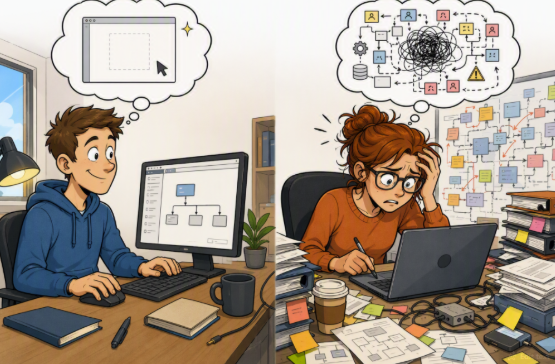
Robert has just created a brand new project from scratch.
Ann has inherited a project that has existed for three years, was configured by five different people, and contains seventeen integrations.
Both use the same software.
Both need documentation.
But they definitely do not need the same documentation.
Robert may need to read:
- Creating a project
- Initial configuration
- User setup
Ann couldn’t care less about those. She’s trying to understand:
- Why an automation isn’t running
- How approvals are configured
- Which integration is sending duplicate notifications
If the documentation were one giant PDF, Ann would have to navigate hundreds of pages to find the five paragraphs she actually needs.
In a knowledge base, she can jump directly to the answer.
No unnecessary reading. No endless scrolling.
There Is No “Beginning” in Software
This is where many people apply the hardware mindset to software documentation.
They assume there must be a logical beginning.
But software doesn’t always have one.
Users enter from different scenarios, different roles, and different levels of experience.
Some users need Chapter 1.
Others need Chapter 47.
Others only need a single screenshot.
A good knowledge base accepts this reality. It lets users enter at the point where their question begins.
This is also why chapters are deeply interconnected: readers can choose whether to explore related topics or simply continue on their current path.
Software Is Full of Choices
There is another reason software documentation is fundamentally different.
A coffee machine offers relatively few opportunities for creativity.
Software users, on the other hand, can be extremely creative. Sometimes a little too creative.
Most software allows multiple ways to achieve the same result, and technically they all work.
Practically, some approaches are much better than others.
This is why software documentation isn’t just about explaining features, it’s also about explaining decisions:
- Which workflow is recommended?
- Which option should be avoided?
- Which approach is compliant?
- Which shortcut will create problems six months from now?
A button description is documentation.
Explaining when not to press the button is knowledge management.
The Real Goal Is Trust
Most organizations think the challenge is writing documentation.
It isn’t.
The real challenge is creating documentation that people trust enough to consult before asking someone else.
Because documentation has a lot of competitors:
- The helpful colleague
- The Teams chat
- The support expert
- The person who has “been here forever”
If users believe they’ll get a faster or better answer from Bob in Accounting than from the knowledge base, they’ll ask Bob.
Every time.
A successful knowledge base becomes the place people check first.
Final Thought
A hardware manual documents a product.
A software knowledge base documents how an organization uses that product.
That’s why hardware documentation can live happily as a long PDF.
Software documentation can’t.
Because Robert and Ann don’t have the same questions, don’t start from the same place, and definitely don’t need to read the same 500 pages before getting an answer.
And if your users can immediately find the right answer without asking Bob from Accounting for the fifth time this week, your knowledge management strategy is probably doing something right.
These Solutions are Engineered by Humans
Did you find this article interesting? Does it match your skill set? Our customers often present us with problems that need customized solutions. In fact, we’re currently hiring for roles just like this and others here at Würth IT Italy.

Alice Rozzoni
Author
