30. 06. 2026
Azure, Cloud, Microsoft, NetEye, NetEye Extension Packs, Unified Monitoring

The new SNMP_Interface_Table, that has been integrated into NetEye, aims to monitor all the switch ports. The check , in fact, provides detailed information and the respective graphs on the single ports for the inbound and outbound traffic.

Overview of the new SNMP Interface table check, integrated into NetEye
What is particularly interesting about this check is the easy and quick setup, in fact through a unique configuration you can insert all the ports that need to be controlled.
Thanks to this integration you can navigate through detailed data on single ports and in case of downtime it is even possible to rapidly identify the related port with helpful information to restore the normal situation.
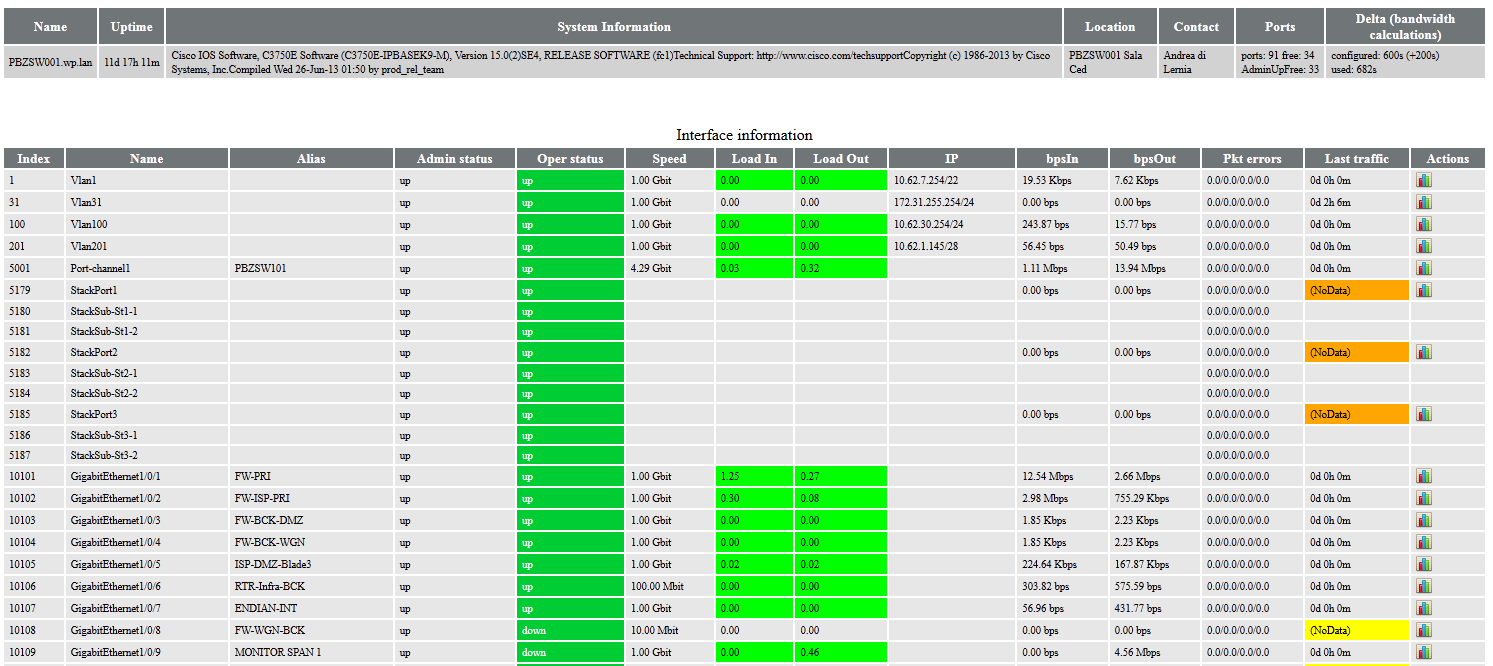
Detailed information on the single switch port
In addition, for the core switches, for example, as they should always have a static situation, any variation of status is monitored because it could be linked to some structural change and have an impact on the server or the firewall involved in ensuring that the services provided are delivered 24×7.
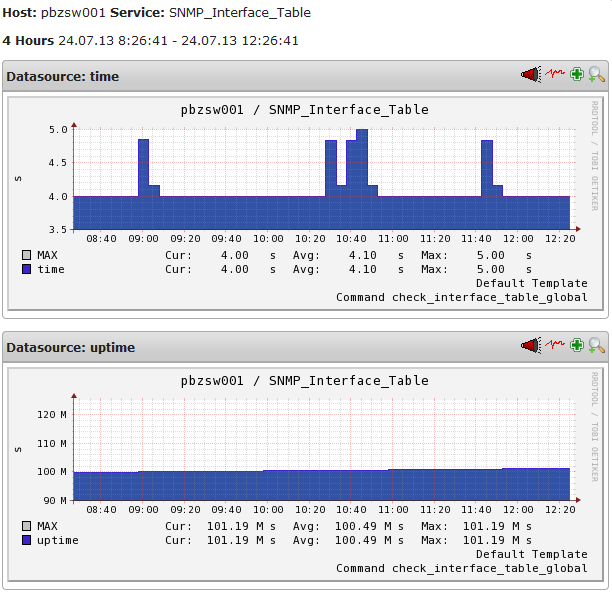
Some of the graphs generated from the Interface table check data
The SNMP Interface table check is available thorugh the update package neteye-plugins-interfacetable released within the latest version 3.4 of NetEye.

Juergen Vigna
NetEye Solution Architect at Würth IT Italy
I have over 20 years of experience in the IT branch. After first experiences in the field of software development for public transport companies, I finally decided to join the young and growing team of Würth Phoenix (now Würth IT Italy). Initially, I was responsible for the internal Linux/Unix infrastructure and the management of CVS software. Afterwards, my main challenge was to establish the meanwhile well-known IT System Management Solution WÜRTHPHOENIX NetEye. As a Product Manager I started building NetEye from scratch, analyzing existing open source models, extending and finally joining them into one single powerful solution. After that, my job turned into a passion: Constant developments, customer installations and support became a matter of personal. Today I use my knowledge as a NetEye Senior Consultant as well as NetEye Solution Architect at Würth Phoenix.
Author

Latest posts by Juergen Vigna
22. 05. 2025
NetEye, Unified Monitoring
Automatic Integration of NagVis Map into Icinga Web 2/NetEye Monitoring
Well, I get changes reported. But how do I commit these changes to get the warning to ok back again?
Hello Richard,
at the bottom of the HTML Page there is a “reset table” button which will reset all states to the actual one. So next check will take the actual status and report changes against it.
Kind regards,
Jürgen