15. 06. 2026
NetEye, Unified Monitoring

Il monitoraggio dei Service Level Agreement (SLA) e la rappresentazione del loro rispetto (ad esempio alla direzione dell’azienda) sono essenziali per dimostrare la qualita’ dell’IT. La definizione, la misurazione, l’osservanza e la comunicazione di tali accordi (SLA) rendono comprensibile il valore aggiunto di un reparto IT ben gestito.
A tal proposito, la scelta di un opportuno strumento per il reporting è fondamentale, per dotarVi uno strumento adeguato per soddisfare le vostre esigenze che Vi aiuta a misurare i vostri servizi IT abbiamo migliorato il Reporting Tool di NetEye.
La nuova versione del tool, che sarà disponibile con la versione 3.5 di NetEye, dispone di un look and feel completamente rifatto e tante nuove funzionalità. Grazie al nuovo concetto di design basato su Bootstrap eravamo in grado di creare un’interfaccia grafica più moderna ed intuitiva. Con pochi click sarete in grado di creare, esportare ed gestire i report dei vostri SLA.
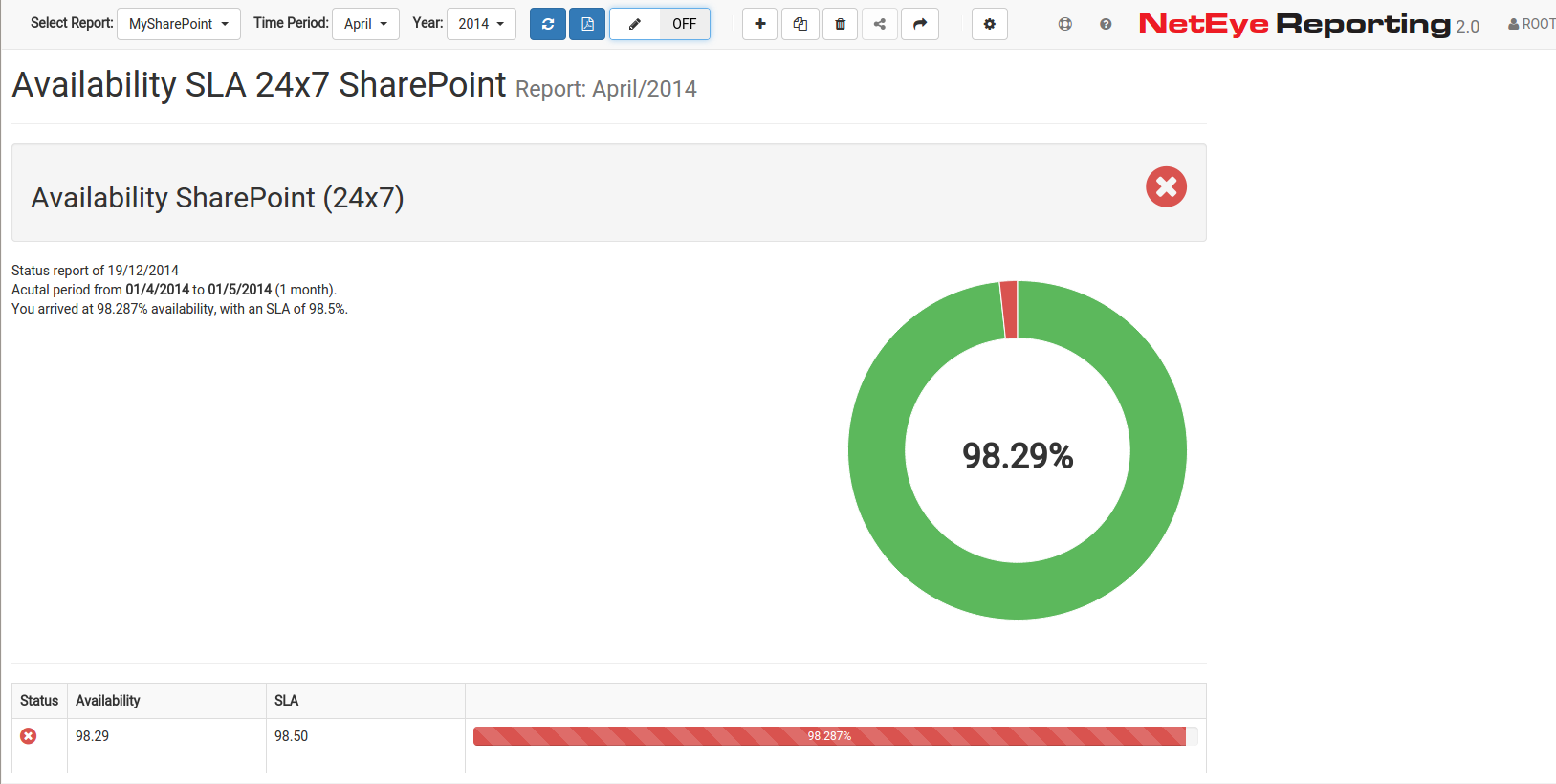
Panoramica generale della disponibilità di un certo servizio
NetEye Reporting 2.0 usa i dati di disponibilità rilevati da Nagios per creare reports per i singoli host. L’applicazione è in grado di visualizzare se gli SLA definiti siano stati rispettati o meno nel periodo di interesse. Anche i dati storici della disponibilità possono essere visualizzati.
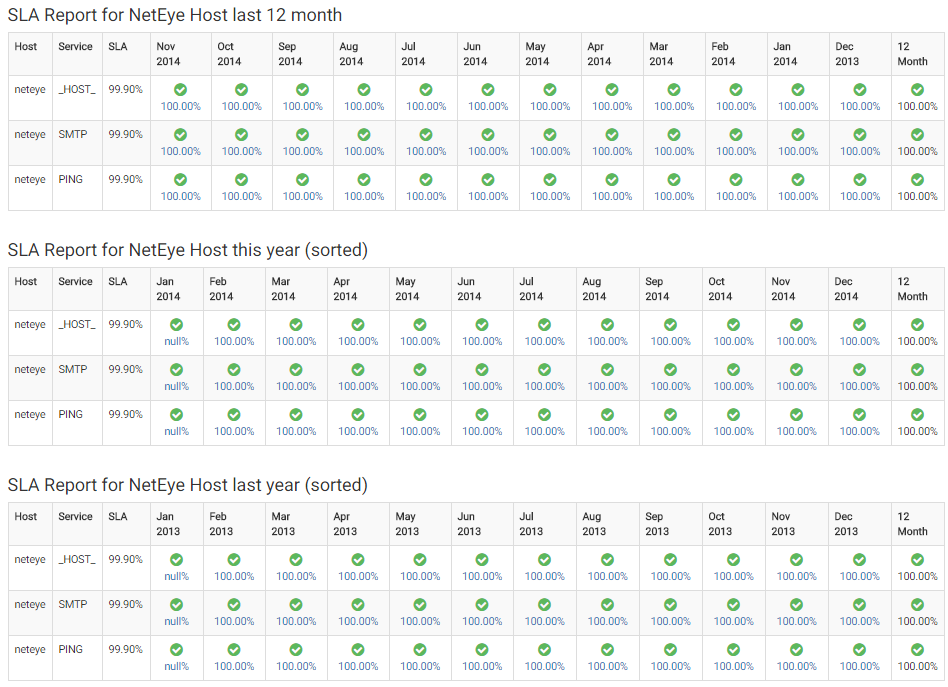
Dati storici della disponibilità di un host
I report creati possono essere esportati in formato PDF per facilitarne la presentazione.
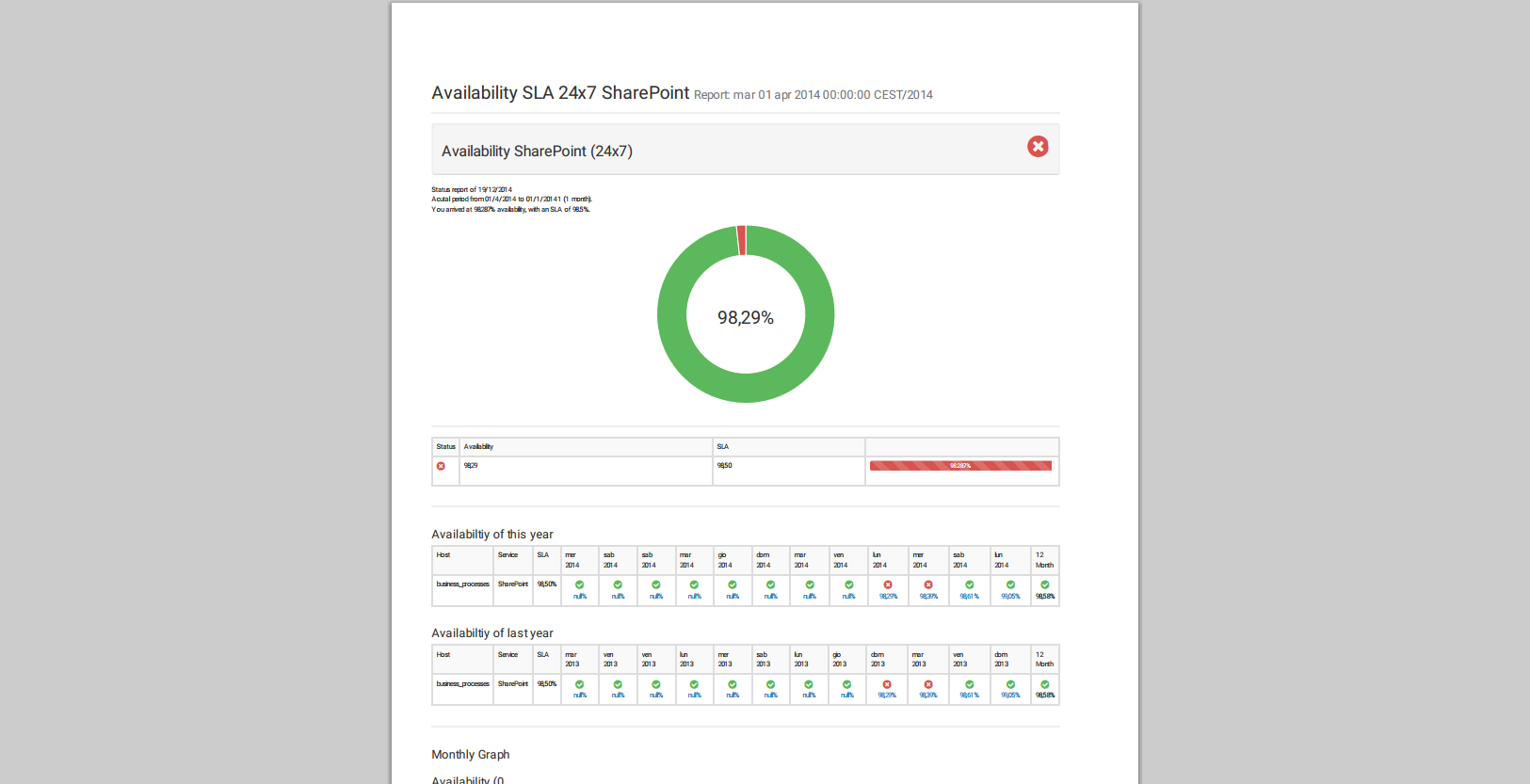
Questa era una breve panoramica delle potenzialità del nostro tool, ma adesso vorrei porre l’accento sulle nuove funzionalita’.
Creare reports individuali con NetEye 3.5
La nuova versione permette la creazione di reports individuali direttamente dall’interfaccia utente. Le informazioni che devono essere rappresentati (host, servizio, periodo di tempo) sono liberamente selezionabili.
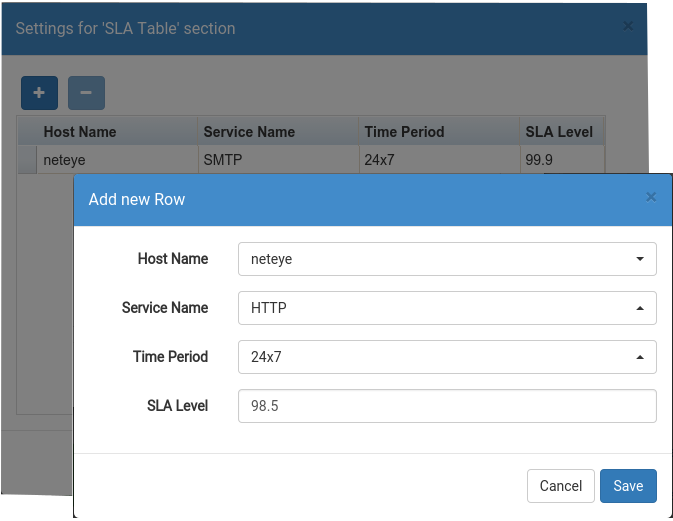
Creare un report nuovo con NetEye 3.5
L’ordine delle sezioni può essere cambiato a piacimento tramite la funzionalità di drag-and-drop.
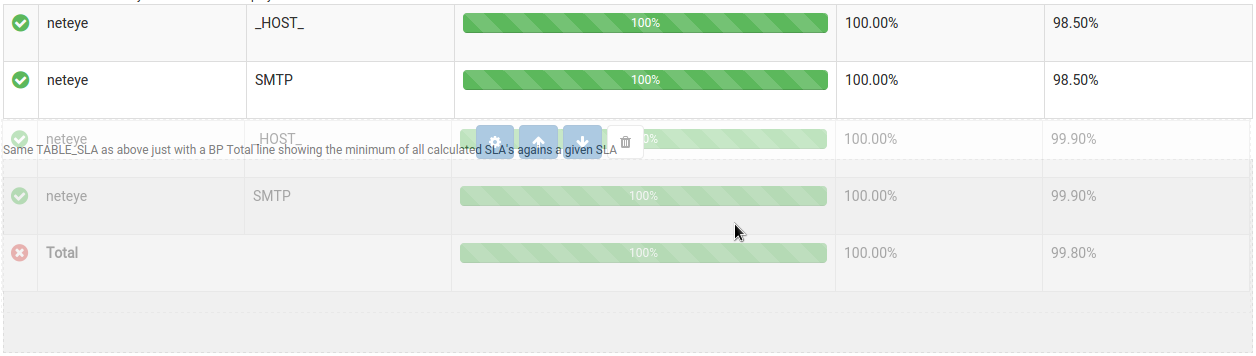
Funzione Drag-and-Drop per ordinare i report
Visualizzare interruzioni (Outage-Log)
Questa funzionalita’ permette di elencare tutti gli outage-log; anche qui periodo, host e servizio possono essere scelti direttamente dall interfaccia utente. Questa funzionalità vi permette ad esempio di filtrare tutte le interruzioni critiche, visualizzando quali servizi erano colpiti e per quanto tempo non erano raggiungibili o completamente interrotti.
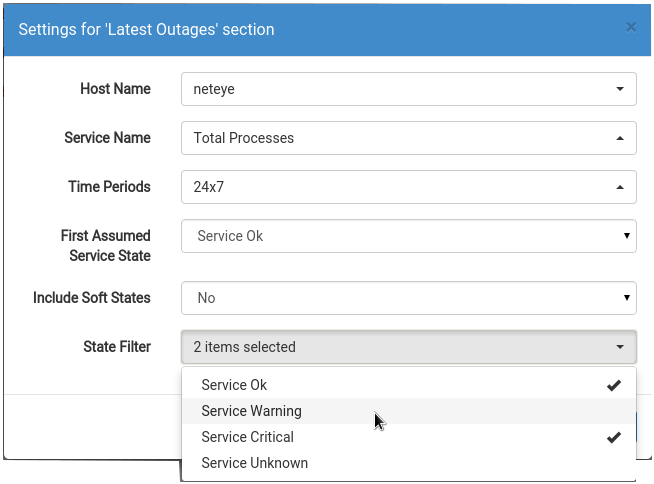
Definizione dei attributi per la visualizzazione delle interruzioni
Nuovo User Management
La nuova gestione utenti permette impostazioni dettagliate riguardo la configurazione degli utenti. Sarà possibile ti condividere reports esistenti con altri utenti, dotandoli soltanto di permessi di lettura. Se un determinato report e’ visibile per più utenti viene indicato nella sezione “Select Report” con la corrispondente icona .
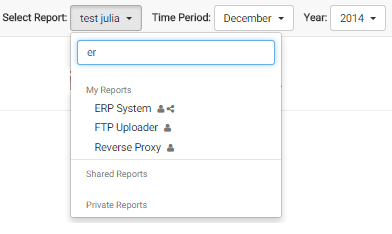
Shared Reports
I reports possono essere clonati, questo risulta utile per esempio quando un utente vuole modificare un report senza perdere la versione originale. In questo caso può semplicemente duplicare il report e modificare il duplicato senza dover creare il report da zero.

Sandro Santinato
Developer at Würth Phoenix
Hi, my name is Sandro and I am the youngest member of the Neteye team. I graduated in 2013 in Applied Computer Science at the Free University of Bolzano but I started working as software engineer at Würth-Phoenix already in May 2012. My main competence is the development and improvement of the “Real User Experience” solution.For me computer programming is not just work, but i like scripting and creating my own software also in my free time. Already as a child I was amazed by computers and their technology. So at the age of 12 I bought the book “C for dummies” and started learning programming on my own 🙂 Later on I discovered the open-source world and I started loving it from the first moment.In my free time I also like mountain biking, hiking, and of course playing the trombone in various music bands.
Author

Latest posts by Sandro Santinato
15. 11. 2017
Downloads / Release Notes, NetEye
Updated Package neteye-ocsng-2.1.2_neteye1.0.2-1 (for NetEye 3.11 + 3.10 + 3.9)