30. 09. 2026
Atlassian, Service Management

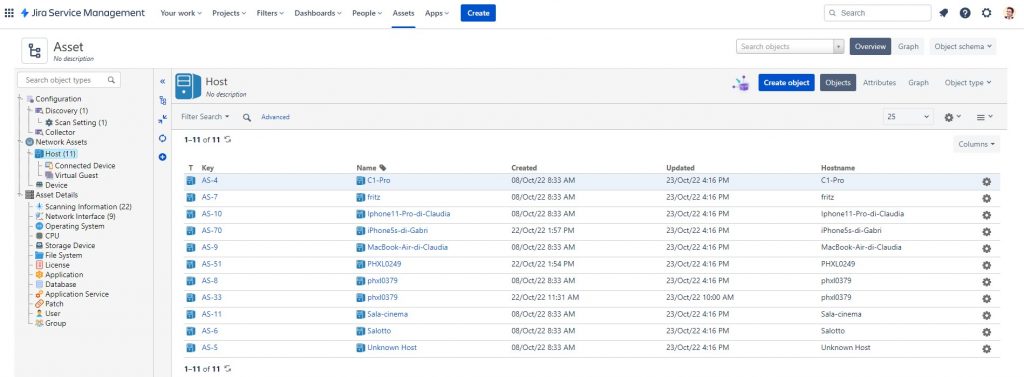
Here we are with the second part of our article. If you missed the first one, here’s the link:
https://www.neteye-blog.com/2022/03/jira-discovery-a-quick-way-to-manage-your-assets/
In this second part we will see how to import assets discovered using the Jira Discovery Tool.
Let’s go into our Jira Service Management:
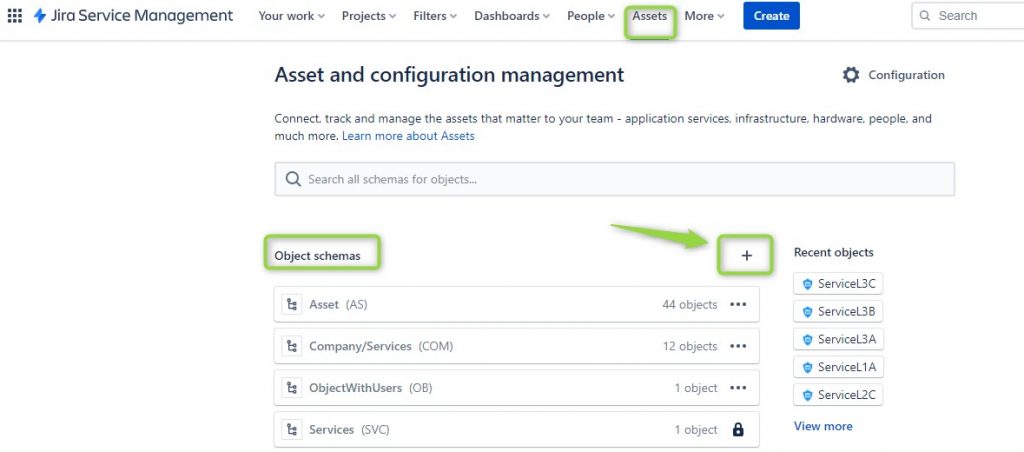
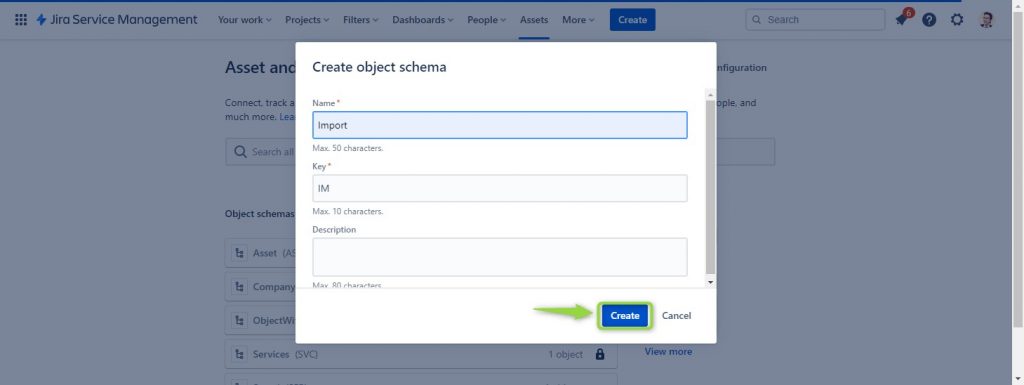
Create a new Object Schema that we will call Import:
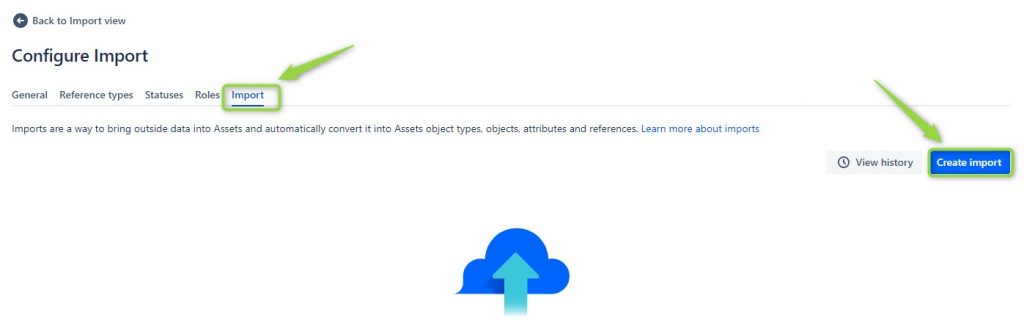
Next we go under Configuration:
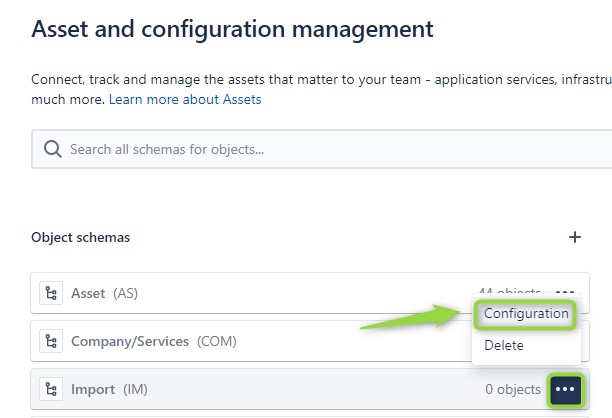
We select Import and then Create Import:
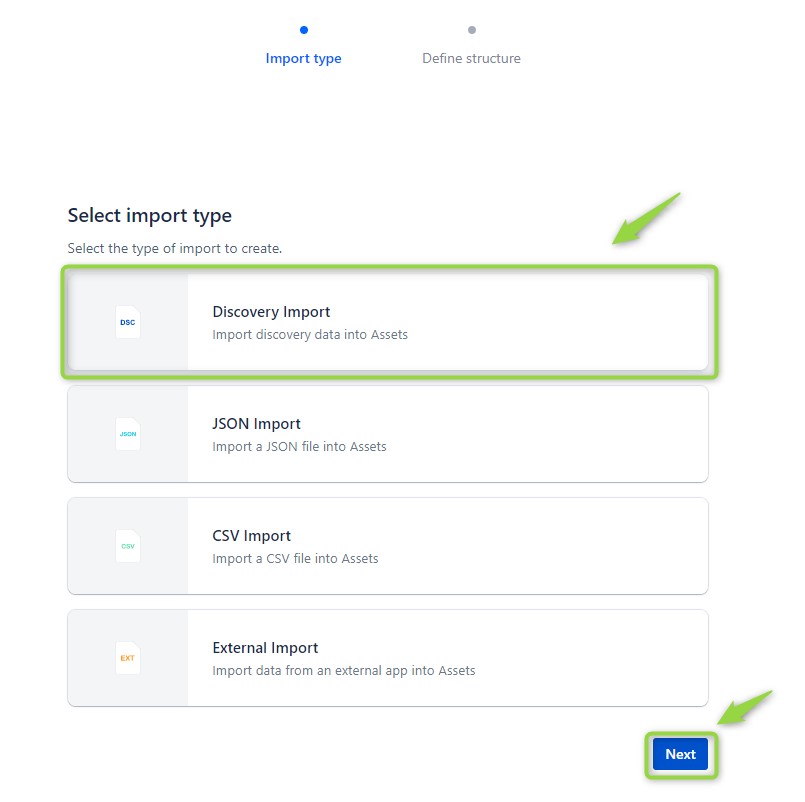
Then we select Discovery Import and Next:
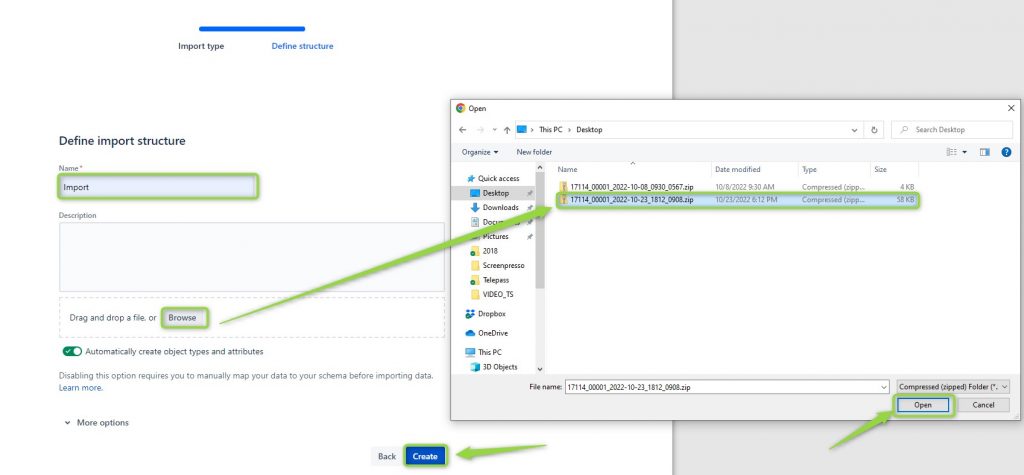
We will then select the file that we saved on the desktop the previous time.
After a few minutes we will have our mapping and we can make some changes before importing.
One of the changes that I recommend (but you can also do it later) is to remove the Object Hash field and use the name field as an identifier for some objects.
This is because in cases where some objects change the Hash but not the name (in the case of virtual desktops on Thin Clients for example) you will find duplicates. If you want to avoid this you can edit the Host mapping, put the blue check on name, then look for Object Hash and uncheck the Identifier column.
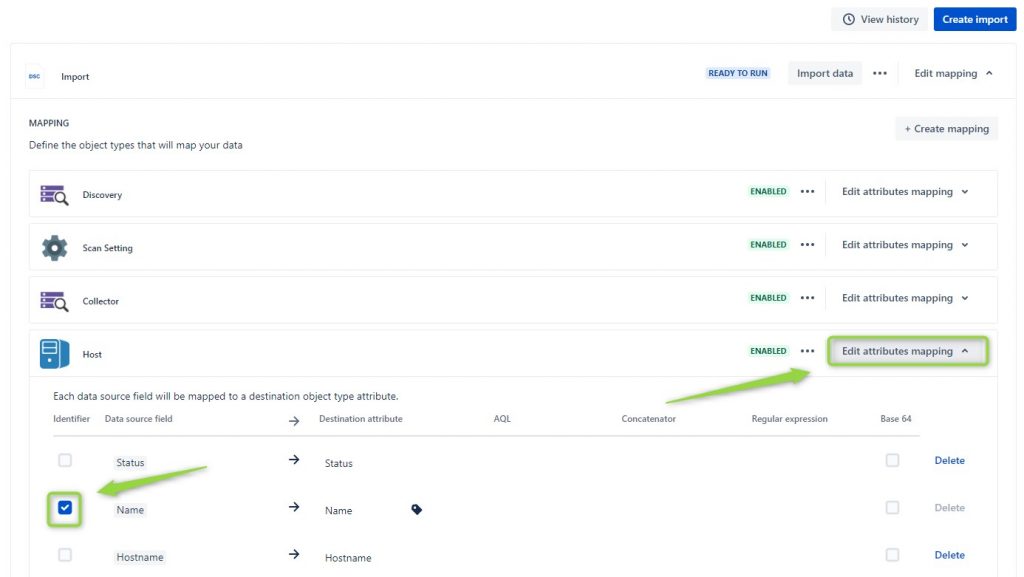
A second piece of advice I give you is to check the objects that have import disabled and enable them if you are interested in seeing the result in the import.
For example, try enabling User:

Obviously the settings that you can manage are numerous but the goal of this example is to get you familiar with the basics.
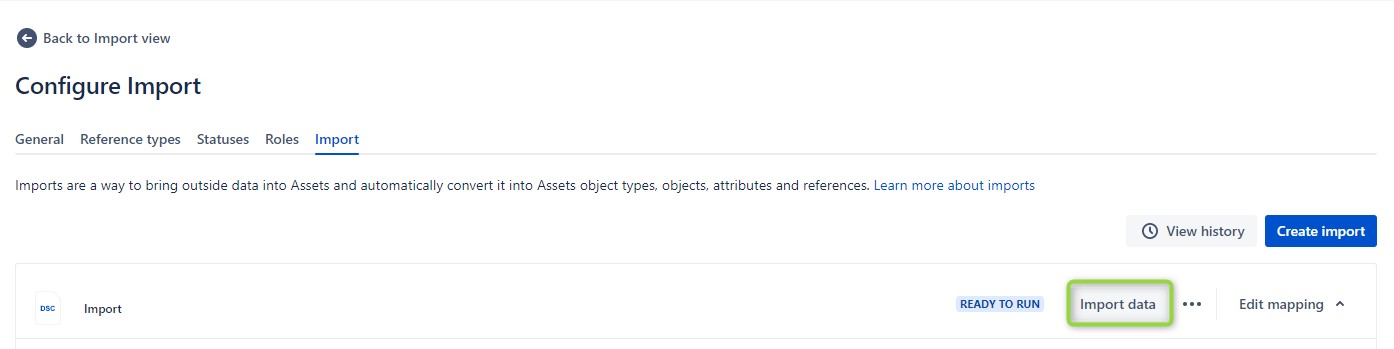
At this point we can proceed with the actual import: then click on the import button and wait for the assets to be imported.
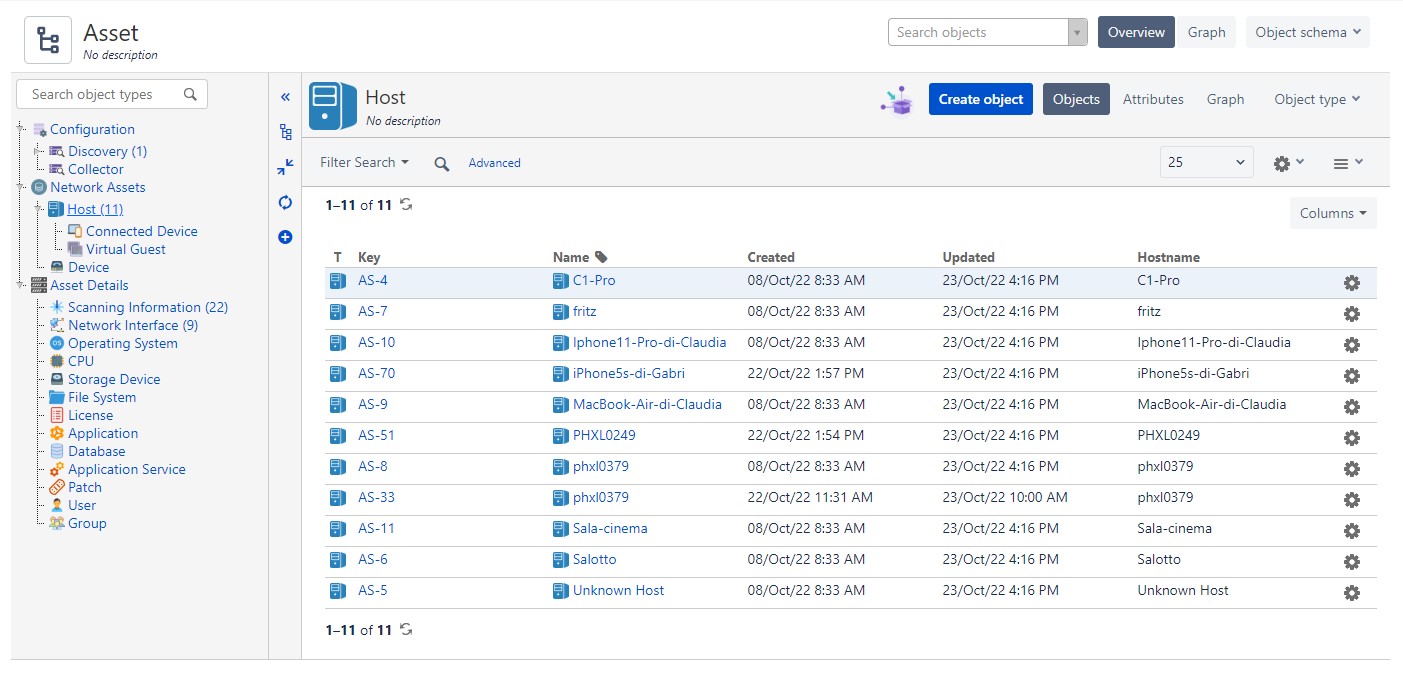
At this point we can open our schema and check what we have imported:
In the third part we will see how to automate this procedure in order to always have devices updated in Jira.

Gabriele Cecco
Technical Consultant at Würth IT Italy
I’m Gabriele Cecco, a consultant at Wuerth Phoenix with extensive experience in ITSM processes. Over the years, I’ve worked with various ITSM software tools, and since 2020, I’ve specialized in the Atlassian suite, earning certifications and helping many companies configure their Atlassian products.
In my free time, I enjoy listening to science and entertainment podcasts, watching movies and TV series, and traveling. I’m passionate about exploring the world, and when I’m not traveling abroad, I love spending weekends in South Tyrol with my wife and our minivan, Windy.
Author

Latest posts by Gabriele Cecco
30. 12. 2025
Atlassian, Service Management
Jira Service Management: The Great Architect’s Dilemma, Single Project vs Multiple Projects
16. 03. 2025
AI, Atlassian, Service Management
Understanding Customer Sentiment in Jira Service Management to Enhance Support
31. 12. 2024
Atlassian, Service Management
How to Use the New ‘Request Type Groups’ Feature in Jira Service Management