
Hi! Today I’d like to discuss a bit a quite hot topic in this world newly full of LLMs, namely MCP Servers! We’ll first see what MCP is and why it was created, moving then to a short hands-on with NetEye and in particular, the Elastic Stack feature module.
Wait, what? MCP? What are we talking about?
LLMs came into play a couple of years ago, with the GPT series of models by OpenAI inaugurating quite a revolution in the way we interact with our devices and search for information.
Initially able to generate text provided a given context, people soon realized that it would have been interesting to let the models interact with the world around them, allowing them not only to access up-to-date information outside their training data (in what is typically a RAG context) but also to be instrumented to perform actions on behalf of users, such as sending messages, creating issues or posting comments (but of course many more actions have been developed in the last two years or so).
For this, something called tools have been developed to allow models to interact with external applications. The models first of all need access to the tools list, to understand which actions are possible and then be able to actually run them when they think they can be useful to accomplish the task requested by the user.
Of course at the beginning, every model provider decided how it might be possible to connect the tools to their models. This meant that if a developer was working on some tools for model X, he probably had to at least adapt them to work with model Y, if not rewriting a good portion of the code.
This problem was felt also at Anthropic, a company focused on developing safe models including from an ethical point of view, which in 2024 released the Model Context Protocol (MCP, for friends), a protocol aimed at standardizing how models can connect to tools. This is useful not only to avoid having to maintain compatibility with a certain tool with different models or model providers, but also allows easy swapping of one model with another when testing/using the tools, as long as both support MCP.
A (not) side note about the openness of the protocol: the entire protocol, which was already open source since its publication, has been recently donated to the Linux Foundation, including its public registry, to ensure it will remain open.
TLDR: MCP is an open source protocol to allow models to connect to tools (and hence interact with external applications) in a standardized way.
Let’s give it a try… in NetEye!
Today, many MCP servers are available, and it’s becoming quite easy to integrate them. Furthermore, thanks to projects such as fastmcp in the Python ecosystem, writing your own MCP server to connect a model with your own service has also become a rather easy task.
One of the components of NetEye, namely the Elastic Stack, also offers an MCP server, which before Elasticsearch 9.2 could have been run as an external Docker container connected to the cluster. However, since Elasticsearch 9.2, available with NetEye 4.45, the MCP server is directly integrated inside Elasticsearch and in particular in the Agent Builder, and is available with the enterprise license.
Let’s see how we can contact and use this MCP server, and in addition use a local model for an even more privacy-focused scenario!
Preparing the environment
Please note that in order to be able to replicate the POC, the following requirements need to be met:
- You must be able to directly reach Kibana’s API
- The license in your Elastic Stack cluster must be
enterprise - You must have
Ollamainstalled (for more information please check out the official documentation) - You must have
Goinstalled
Now we can start by choosing a model to download it locally and start our tests! Given that we use Ollama, we can treat models as Docker containers and hence pull and run them directly, to check that everything is working properly! For example, we can pull llama3.2, a model with tool-calling capabilities:
ollama pull llama3.2:latest
And then we can start chatting with it!
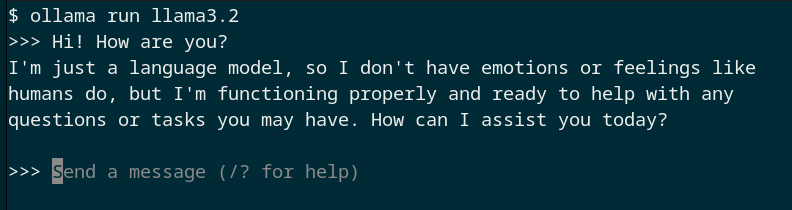
Okay, now that we have the model running locally, we need to find a way to connect it to our MCP server. Unfortunately, Ollama does not have the embedded capabilities of an MCP client (the component in the architecture that connects to an MCP server, more on the topic here).
For this reason, we can pair it with a tool such as mcphost, written in Go, which allows us to test an MCP server with models coming from different providers, including Ollama.
We can install it simply with a single command:
go install github.com/mark3labs/mcphost@latest
After that, we need to prepare the configuration to connect to our MCP server. For Elastic, the authentication (and authorization) is performed through an ApiKey header. We can generate a suitable API key by following the official Elastic documentation on the topic, which provides the exact request to be executed to obtain the correct key.
We can then prepare a YAML configuration file for mcphost as follows:
mcpServers:
  elastic-agent-builder:
    type: remote
    url: "https://<KIBANA_URL>:<KIBANA_PORT>/api/agent_builder/mcp"
    headers:
      - "Authorization: ApiKey <API_KEY>"
    excludedTools:
      - platform_core_index_explorer
Note: Here we’re excluding from the tools list the index explorer tool not because we don’t like it (it’s actually quite powerful) but because the tool itself requires the interaction with an LLM that needs to be configured in Elasticsearch directly, a topic that is out of the scope of this post.
Furthermore, since we are using a small model which may need some more guidance to work well, we can also provide a system prompt in a file that may be similar to the following one:
CRITICAL TOOL CALL RULE (NO EXCEPTIONS):

Whenever you provide a value for the `pattern`
argument in ANY tool call:
- It MUST start with `*`
- It MUST end with `*`
- NEVER omit the surrounding asterisks

If you violate this rule, the tool call is invalid.
In this case, the prompt ensures that the model uses quite general patterns when searching for indices, to allow it to reason on a larger results set.
Connecting to MCP
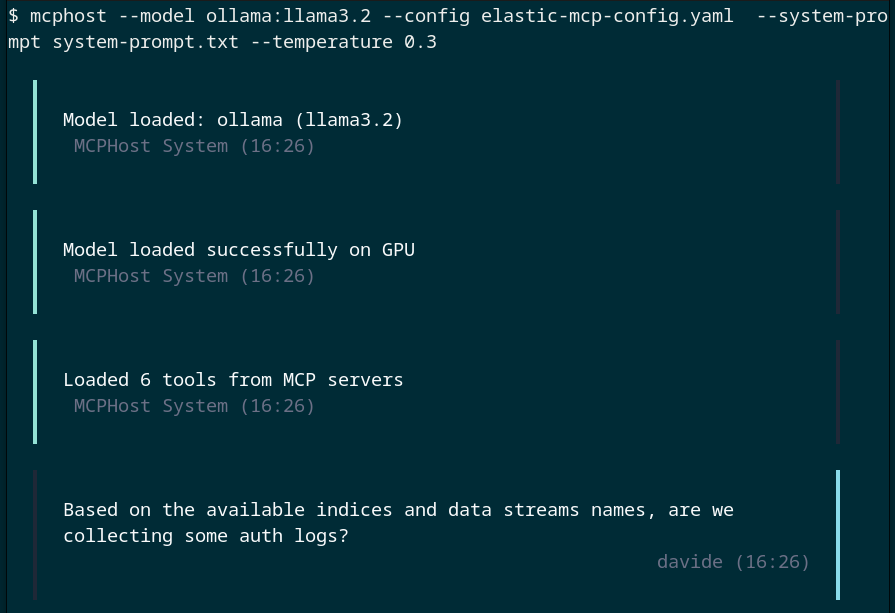
We’re now ready to launch mcphost, using our llama model, connected to the Elastic MCP server.
mcphost --model ollama:llama3.2 \
  --config elastic-mcp-config.yaml  \
  --system-prompt system-prompt.txt --temperature 0.3
We can then start chatting and ask some questions about our indices and data, as you can see from the conversation reported below!
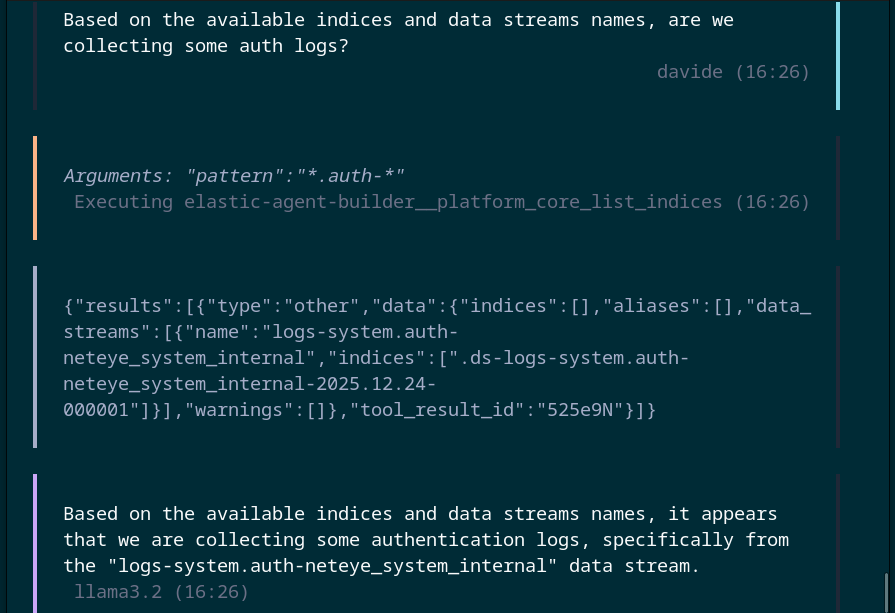
And from the example above we can see how the model chose a tool, namely the list indices one, and was able to execute it by contacting our Elasticsearch cluster to obtain some information.
Of course, in this example we’re using a small model, so the results of the conversation may not be the best ones, but since we’re using MCP and Ollama, we can easily swap the different models to make different tests and even attach to various mcphost LLMs available online such as GPT models or Claude for better results.
Furthermore, mcphost is great for testing and debugging, since it also has some interactive commands to explore the tools list and doesn’t require writing additional code to do so. But in production scenarios, different clients can be used, since they are available as already existing libraries, such as langgraph in Python.
And so we’ve reached the end for today! You can now enjoy your experiments with MCP servers and develop interaction experiences with your services based on natural language!
These Solutions are Engineered by Humans
Did you find this article interesting? Does it match your skill set? Programming is at the heart of how we develop customized solutions. In fact, we’re currently hiring for roles just like this and others here at Würth IT Italy.

Davide Sbetti
Hi! I'm Davide and I'm a Software Developer with the R&D Team in the "IT System & Service Management Solutions" group here at Würth IT Italy. IT has been a passion for me ever since I was a child, and so the direction of my studies was...never in any doubt! Lately, my interests have focused in particular on data science techniques and the training of machine learning models.
Author

Latest posts by Davide Sbetti
30. 06. 2026
AI, Kubernetes
Load-balancing Requests to LLMs in Kubernetes: A KV-cache Approach with llm-d!