


30. 03. 2026
APM, Log Management, Log-SIEM, NetEye

Monitoring the service level agreements (SLAs) of your IT and reporting on them, for example to the Management Board, is indispensable to prove your IT’s business value. Setting, meeting, measuring and communicating your IT-SLAs ensures the business and even your colleagues from other departments, understand the importance of the IT department. So choosing the right tool to report on your SLAs is essential. Therefore, we significantly improved our NetEye Reporting Tool.
With the new version of the NetEye Reporting tool, which will be available for NetEye 3.5, we changed the total look and feel of the application’s user front-end and introduced several new features. Using new Bootstrap design concepts we were able to provide a modern and intuitive user interface, which offers you the possibility to create your reports according to your own needs and requirements. Creating, presenting and exporting reports has never been so easy and simple!
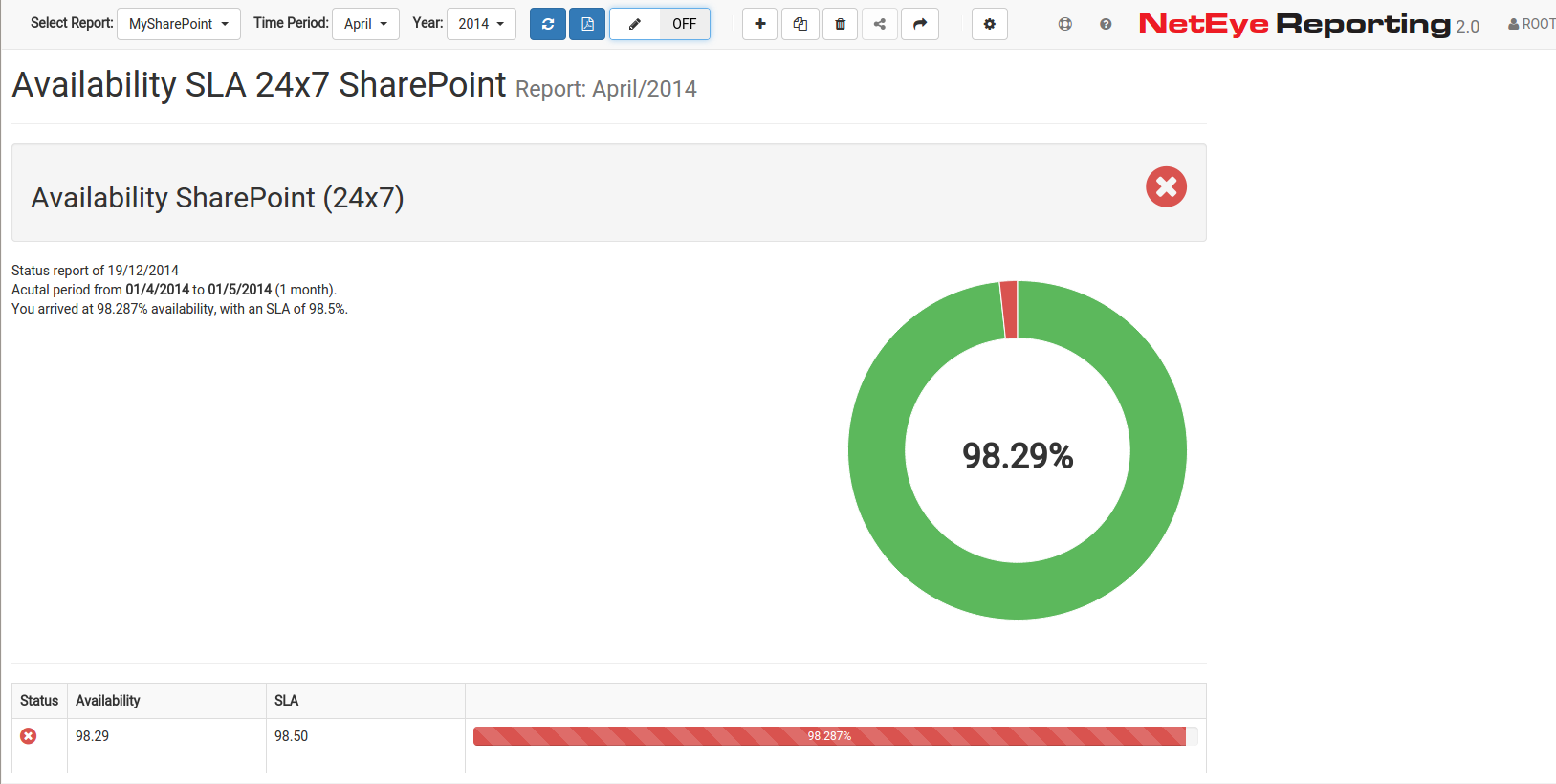
General Overview about the availability of a certain service
NetEye Reporting 2.0 uses availability data, captured by Nagios to generate reports about the availability of monitored hosts and corresponding network services. Defining SLAs on those hosts and services, the application shows you whether availability has been reached in the specified time period or not. It is also possible to display a historical overview of the availability over the last year or months.
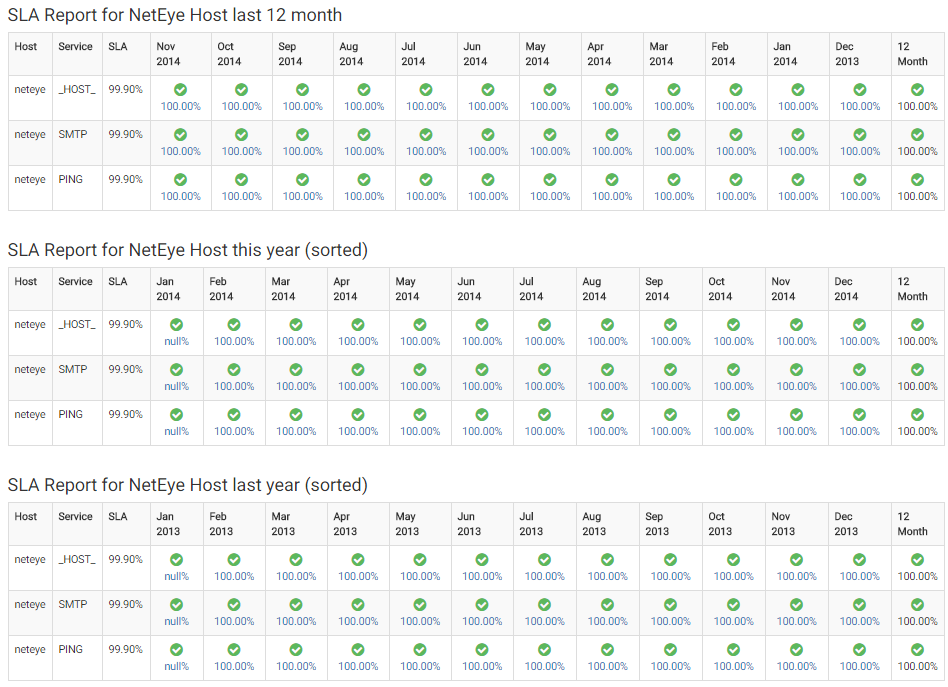
Historical Overview of the hosts availability
Finally reports can be saved and exported as PDF to facilitate the distribution and presentation of availability reports (very helpful at management meetings 🙂 ) . 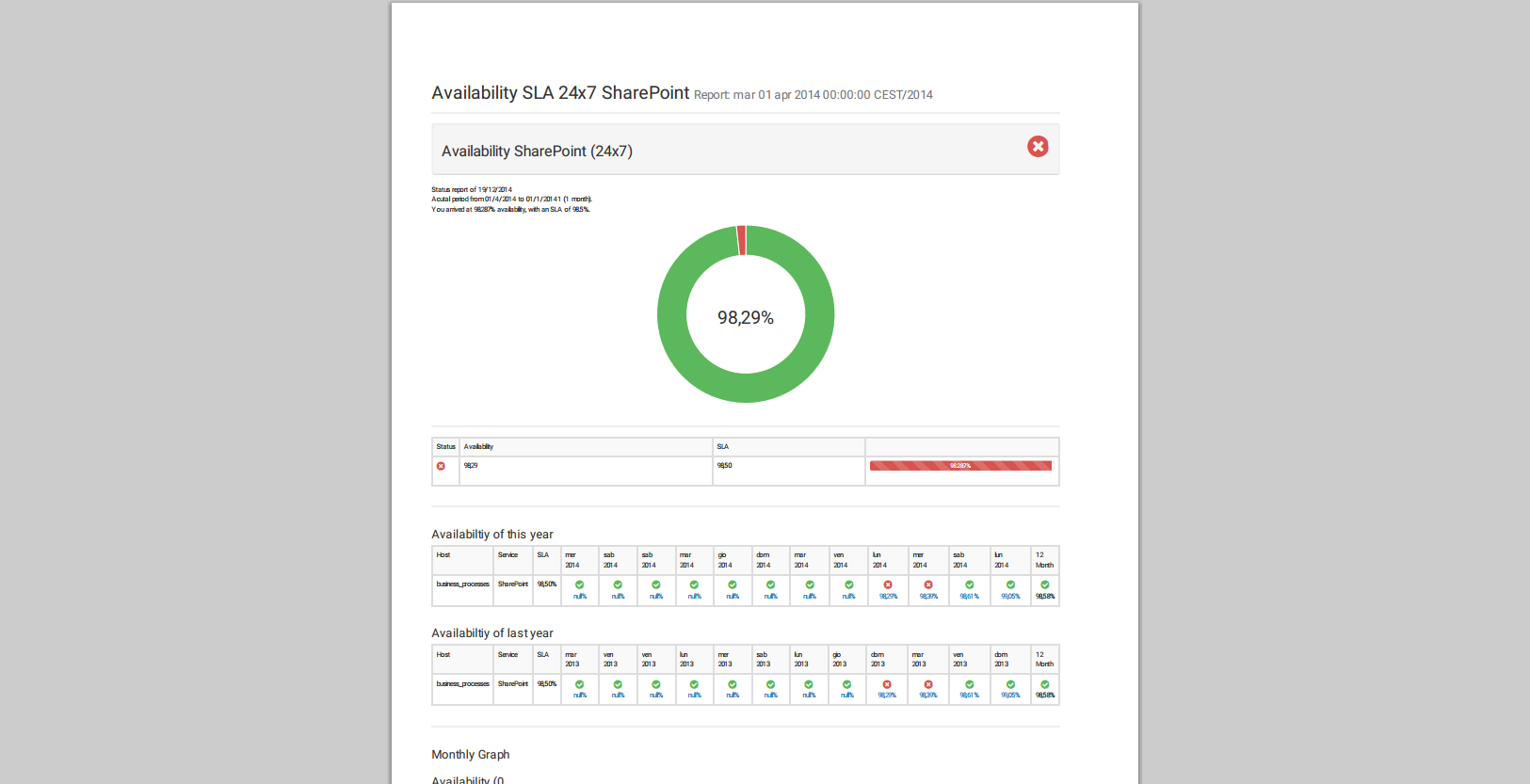
Ok, this was just a short overview about the potentialities offered by our new reporting tool. Now let’s dig a little deeper to understand how you can use the new feature.
First of all: Create reports according to your own needs within NetEye 3.5
We added a functionality to create and edit reports directly from the user interface. You can freely decide what information your report should display and for which hosts and services the corresponding numbers and figures should be displayed.
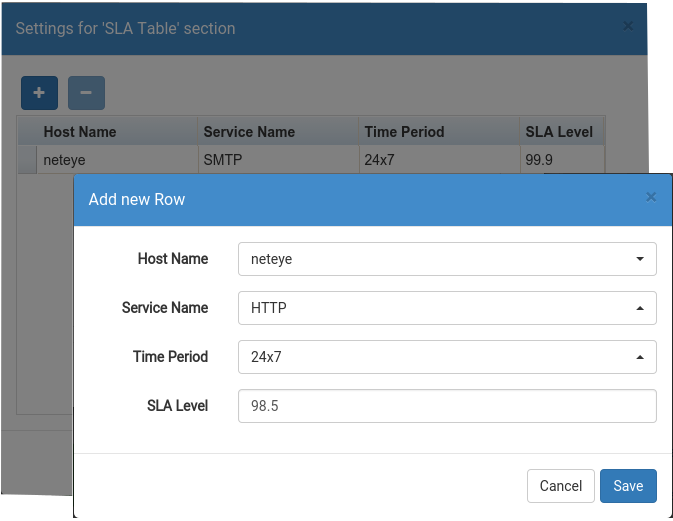
Create a new SLA report in NetEye 3.5
The order of report sections can be easily and freely defined by yourself using the drag-and-drop functionality.
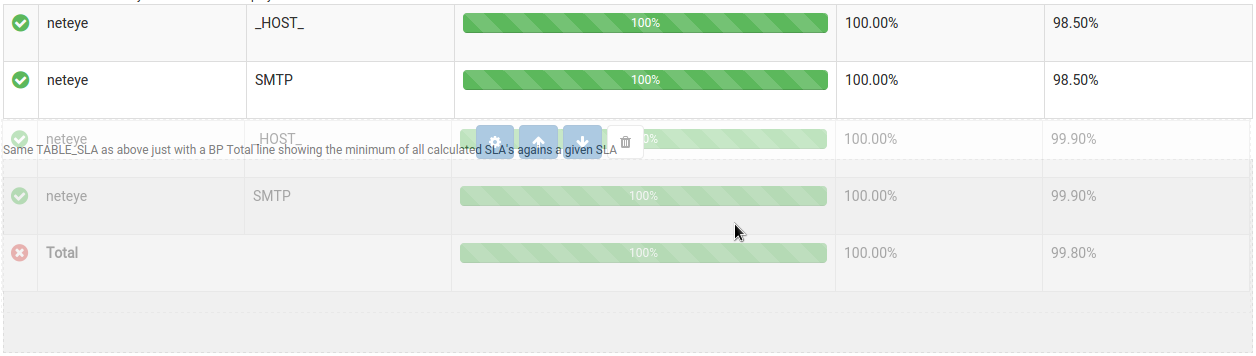
Use the drag-and-drop function to order your reports
Display outage logs
Another new feature introduced with this new version is the possibility to list outage logs for specified periods, hosts and network services. In this way you can display for example critical outages inside your report, showing when and for which timeperiod the service was unreachable or down.
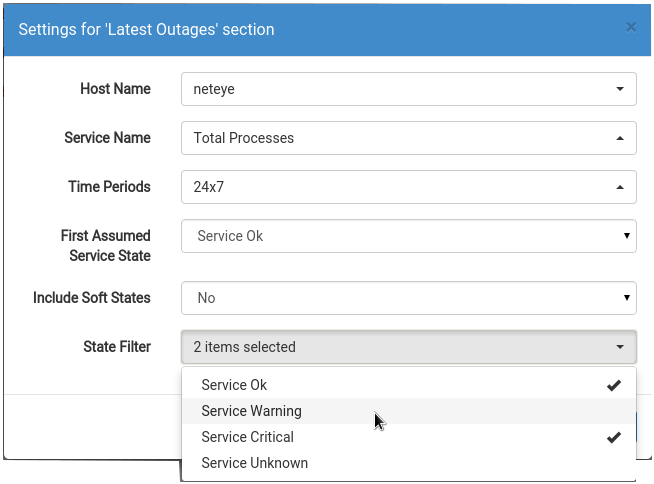
Specify attributes for visualization of outage logs
Advanced Settings thanks to the completely new User Management
The User Management allows to apply various settings. For example the ability to share reports with other users giving them just reading permissions. You can see the shared reports listed inside the reports selection drop down field marked with the share symbol.
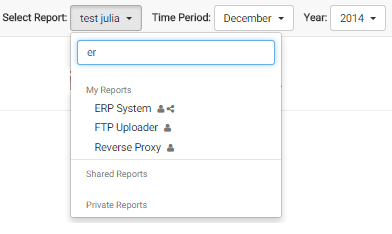
List of shared and private reports
Moreover, we give you also the possibility to clone reports. In this way an other user might modify a previously created report without the need to create it from zero.
I hope I was able to emphasize the importance and advantages of an appropriate IT SLA Monitoring.

Sandro Santinato
Developer at Würth Phoenix
Hi, my name is Sandro and I am the youngest member of the Neteye team. I graduated in 2013 in Applied Computer Science at the Free University of Bolzano but I started working as software engineer at Würth-Phoenix already in May 2012. My main competence is the development and improvement of the “Real User Experience” solution.For me computer programming is not just work, but i like scripting and creating my own software also in my free time. Already as a child I was amazed by computers and their technology. So at the age of 12 I bought the book “C for dummies” and started learning programming on my own 🙂 Later on I discovered the open-source world and I started loving it from the first moment.In my free time I also like mountain biking, hiking, and of course playing the trombone in various music bands.
Author

Latest posts by Sandro Santinato
15. 11. 2017
Downloads / Release Notes, NetEye
Updated Package neteye-ocsng-2.1.2_neteye1.0.2-1 (for NetEye 3.11 + 3.10 + 3.9)
15. 11. 2017
Downloads / Release Notes, NetEye
Updated Package neteye-thruk-1.88.4_neteye1.4.21-1 (for NetEye 3.11)