
During the implementation of a NetEye project, one of our customer had the need to integrate into NetEye the checks performed on AS400 environments. In this context, we have realized a custom integration that allows users to directly understand the performance of various AS4/00 processes in NetEye and to receive notifications in case of anomalies on the system.

Since not all users have administrative rights or know the commands to re-launch the failed processes on AS/400 environment, we have designed an interface with the Action Launchpad module of NetEye. In case an error occurs, in fact, operators can restart the processes that are interrupted through a simple graphical interface that contains predefined commands that can be executed and that allows the user to authenticate directly to the system.
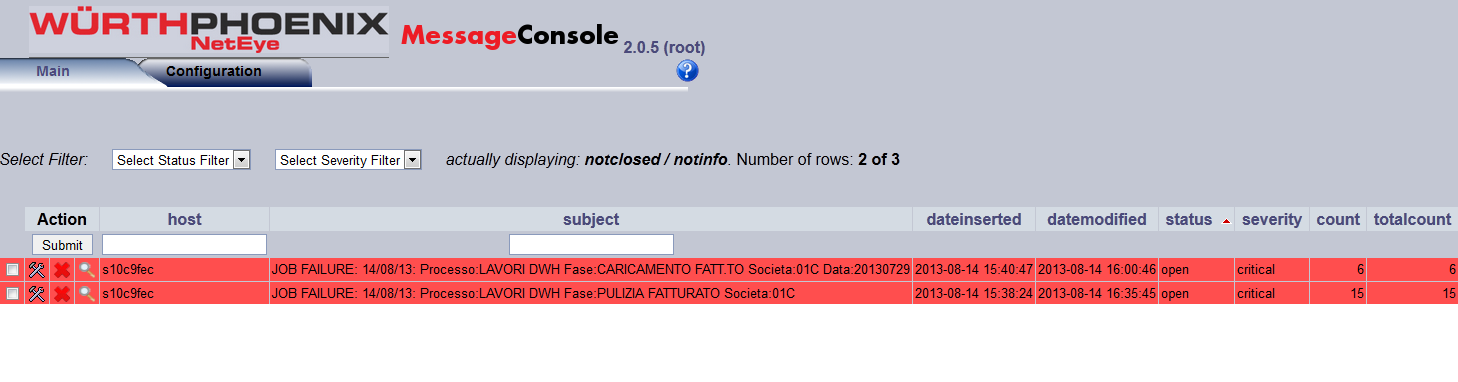
With the Message Console, finally, it is possible to view all the details of the problem, eventually aknowledge it or close failed processes that have been re-launched.



Tobias Goller
NetEye Solution Architect at Würth IT Italy
I started my professional career as a system administrator.
Over the years, my area of responsibility changed from administrative work to the architectural planning of systems.
During my activities at Würth IT Italy, the focus of my area of responsibility changed to the installation and consulting of the IT system management solution WÜRTHPHOENIX NetEye.
In the meantime, I take care of the implementation and planning of customer projects in the area of our unified monitoring solution.
Author

Latest posts by Tobias Goller
16. 02. 2026
Unified Monitoring
OpenShift Monitoring in NetEye
13. 10. 2025
Log-SIEM, Unified Monitoring
Elastic Defend: Experiences
18. 07. 2025
Automation, Cloud
Running SOS Berlin JobScheduler in Containers: A Step Toward Cloud-Native Scheduling
16. 04. 2025
NetEye, Unified Monitoring
Application Performance Monitoring in NetEye with Elastic APM and OpenTelemetry