


02. 04. 2026
NetEye, Unified Monitoring

28. 12. 2025
Paolo Seghetti
Automation, Business Service Monitoring, Icinga Web 2, NetEye, Service Management
Automating Notifications in NetEye
Today we continue our journey into monitoring automation in NetEye.
In my previous post we discussed the possibility of automating Business Processes. As you may remember, for those of us working on NetEye Cloud monitoring dozens of clients, it’s important to be able to standardize and automate the creation of BPs to have a consistent and up-to-date environment without manual changes on individual components.
Now we’ll take a look at the automated implementation of notifications for reporting problems related to checks implemented through BPs.
What Are Notifications in NetEye ?
Notifications are messages sent to users or groups when a host or service changes state (e.g., goes down, recovers, or enters a warning state). They help administrators react quickly to issues.
Without notifications, you’d have to constantly check the dashboard. Notifications automate alerting so you can respond quickly and maintain uptime.
Our Test Bed
Suppose you have a check that monitors the status of a VPN link, and you want to be informed of its unavailability.
Moreover, you don’t just want to use messaging services (e.g., mail, IM) that might be impacted by a network problem but still prefer direct reporting via SMS (yes, they still exist !): here’s how to do it.
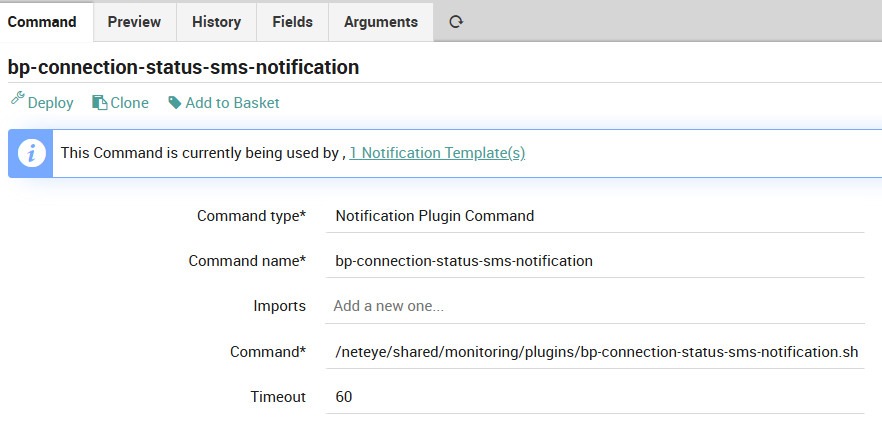
Create a command to send an SMS
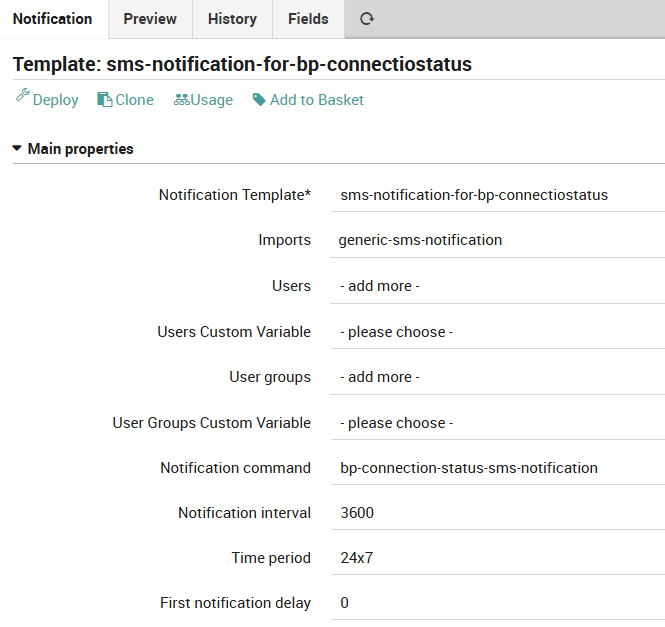
Configure a generic notification template using previous command
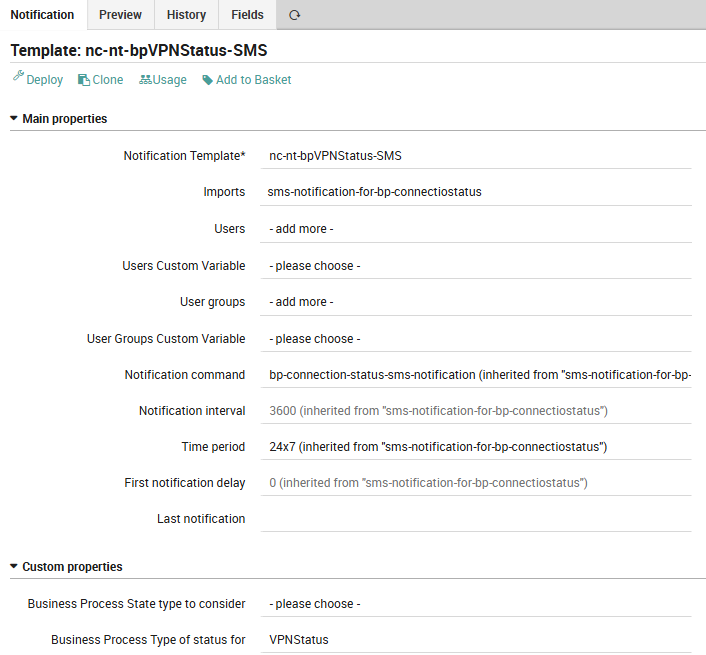
Create a specific notification template for each BP you want to notify
How Should You Put Together BPs and Notifications?
Using the same script that generates BPs, we created a CSV file with the necessary information according to this scheme, defining a row for every group of users we need to notify:
tenant_id,bp_object_name,bp_notification_group,bp_notification_template,bp_assign_filter
888888,888888-TESTBED-VPNStatus-SMS-Notification-service,888888-Connectivity-bp-sms-group,nc-nt-bpVPNStatus-SMS,"host.name=""tenant-888888"" & service.name=""*VPN with NetEye Cloud is DOWN"""
In Director/Automation, create an import source for the created CSV file
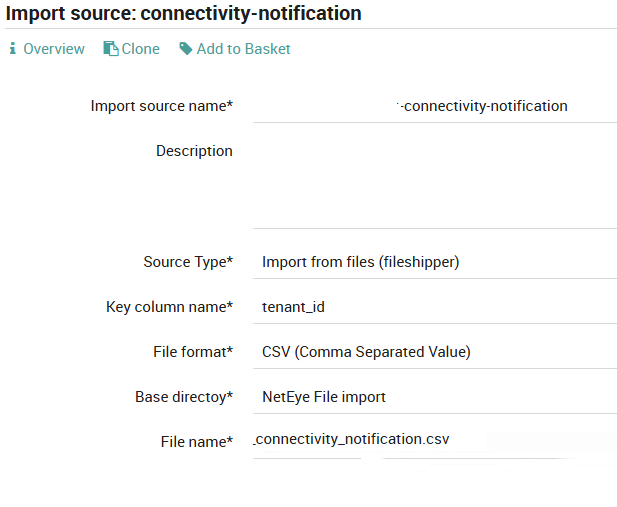
Then create a Sync Rule
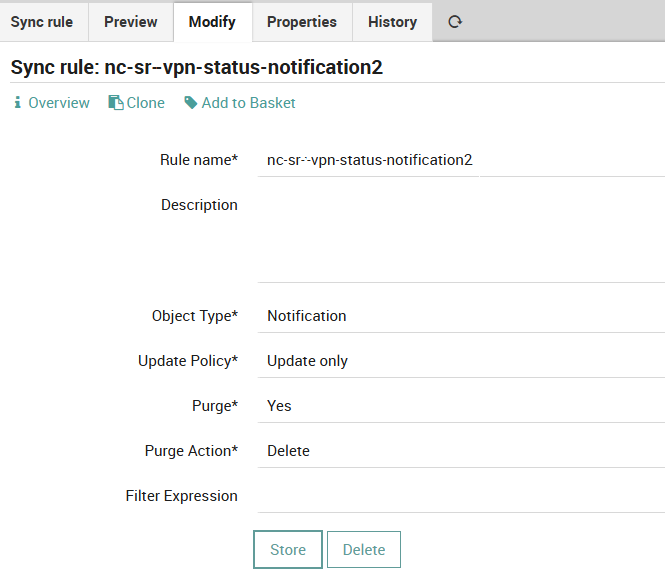
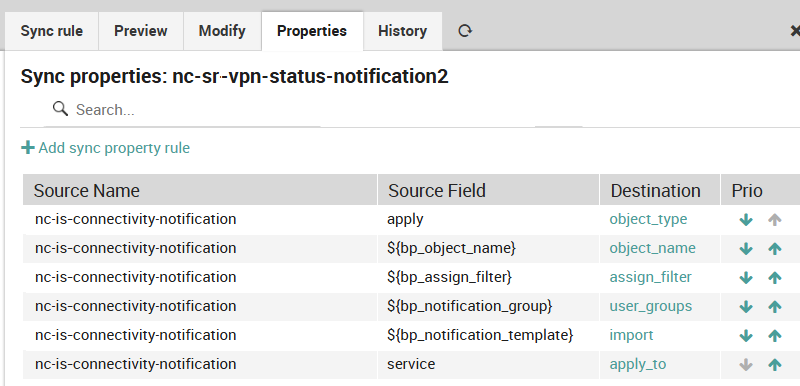
The final result
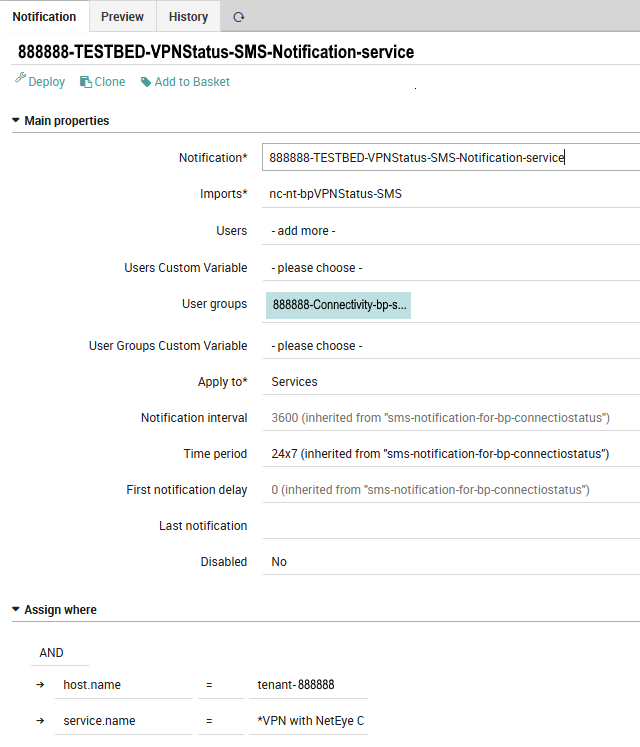
Obviously you must have defined UserGroups and Users (possibly via another automation) but the creation of Notifications is definitely the longest and most involved process.
Happy automation!
These Solutions are Engineered by Humans
Did you find this article interesting? Are you an “under the hood” kind of person? We’re really big on automation and we’re always looking for people in a similar vein to fill roles like this one as well as other roles here at Würth IT Italy.

Paolo Seghetti
Author

Latest posts by Paolo Seghetti
30. 03. 2026
NetEye, Unified Monitoring
SNMP and Non-connected Interfaces
30. 09. 2025
NetEye, Unified Monitoring
Business Process Automation on NetEye
30. 03. 2025
NetEye, Unified Monitoring
Cron Job Monitoring with Tornado