
Il nuovissimo controllo SNMP_Interface_Table, integrato in NetEye, consente di monitorare gli switch e avere sia i dettagli che i rispettivi grafici su tutte le singole porte per il traffico in entrata e uscita.

Panoramica sul nuovo controllo SNMP Interface table integrato in NetEye
Particolarità apprezzabile del check è sicuramente la velocità di utilizzo, infatti attraverso un’unica configurazione vengono inserite tutte le porte.
In questo modo si ha la possibilità di navigare attraverso i dati dettagliati sulle singole porte e qualora ci dovessero essere delle situazioni di “down” è anche possibile individuare rapidamente la porta coinvolta con le relative informazioni.
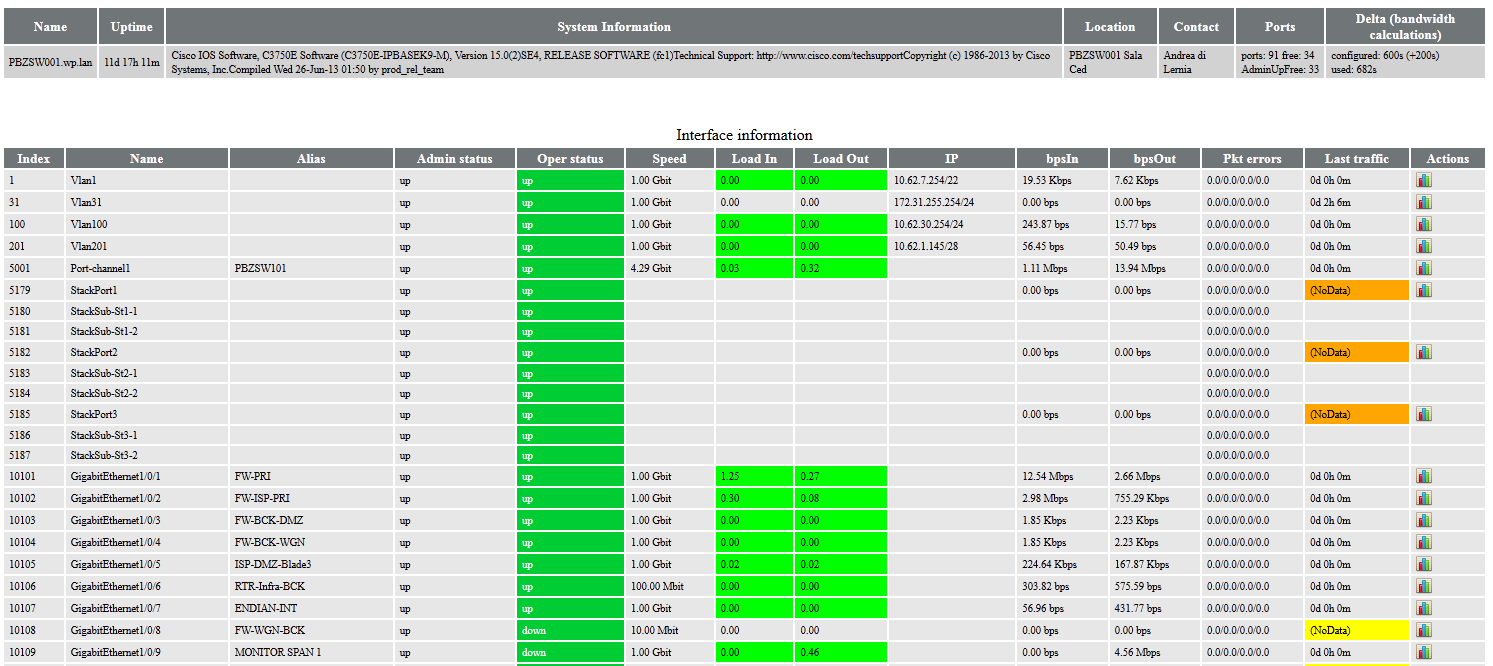
Dati e informazioni dettagliate fino sulla singola porta degli switch
Soprattutto nel caso dei core switch, ad esempio, visto che essi hanno una situazione statica, ogni variazione di status viene monitorata perché potrebbe essere collegata a qualche cambiamento strutturale ed avere ripercussioni anche su server o firewall coinvolti nel garantire che i servizi forniti vengano erogati 24×7.
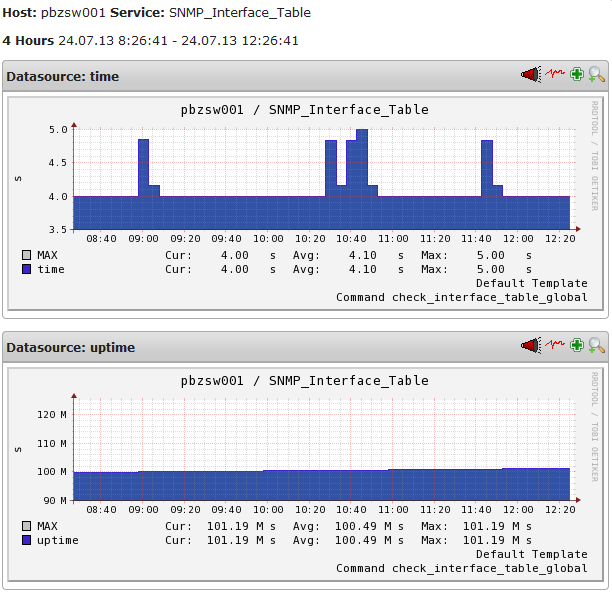
Grafici generati dai dati dell’Interface Table check
Questo controllo è disponibile con il pacchetto di aggiornamento neteye-plugins-interfacetable per l’ultima versione 3.4 di NetEye.



Juergen Vigna
NetEye Solution Architect at Würth IT Italy
I have over 20 years of experience in the IT branch. After first experiences in the field of software development for public transport companies, I finally decided to join the young and growing team of Würth Phoenix (now Würth IT Italy). Initially, I was responsible for the internal Linux/Unix infrastructure and the management of CVS software. Afterwards, my main challenge was to establish the meanwhile well-known IT System Management Solution WÜRTHPHOENIX NetEye. As a Product Manager I started building NetEye from scratch, analyzing existing open source models, extending and finally joining them into one single powerful solution. After that, my job turned into a passion: Constant developments, customer installations and support became a matter of personal. Today I use my knowledge as a NetEye Senior Consultant as well as NetEye Solution Architect at Würth Phoenix.
Author

Latest posts by Juergen Vigna
22. 05. 2025
NetEye, Unified Monitoring
Automatic Integration of NagVis Map into Icinga Web 2/NetEye Monitoring