


31. 03. 2026
Atlassian, Service Management

Are you managing your projects in Jira and want to control their expenses?
HawkBudget could be the application for you, and its 30-day trial is free.
Thanks to HawkBudget you can enter a budget target for your project and keep costs related to hours worked and expenses under control.
Let’s start!
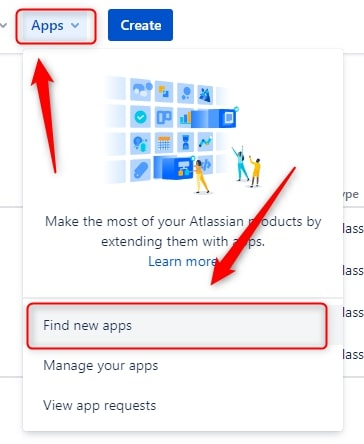
If you’ve never downloaded an app in Jira, just follow these simple steps: in the top navigation bar click on “Apps” and then on “Find new apps”.
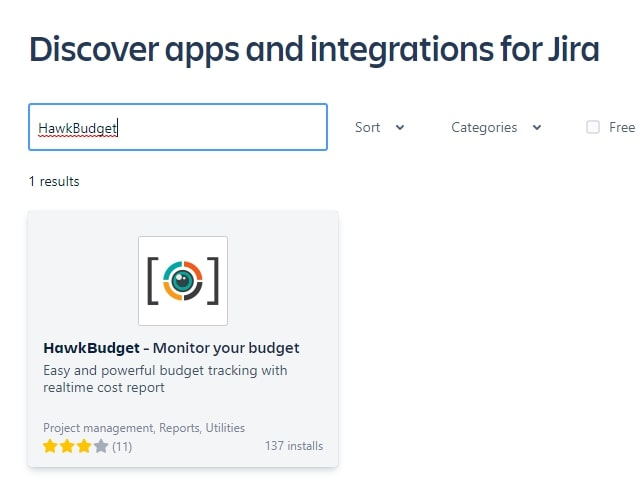
Search for HawkBudget and click on its logo.
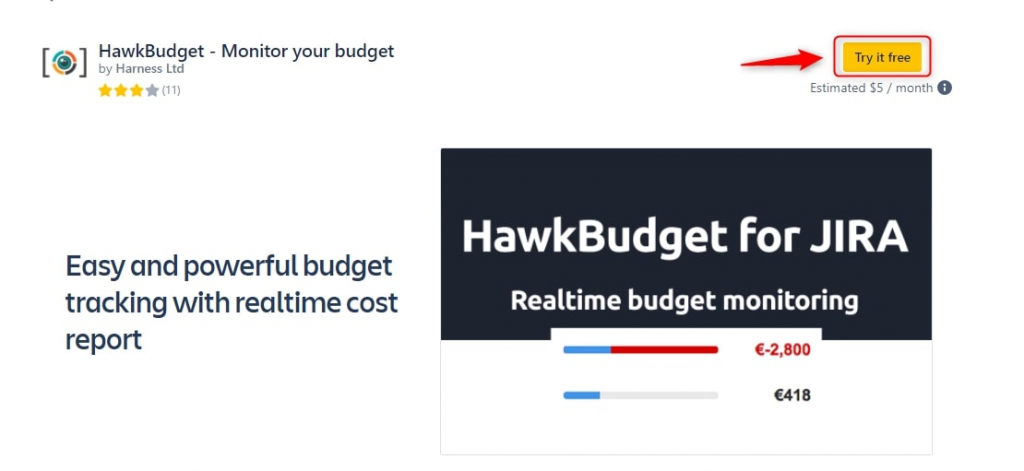
Now choose to try it for free for 30 days.
Once the installation has finished, go to your project settings and activate “Track Budget”.
You can choose a total cost for the project by entering it in the “Cost (Optional)” field and define an hourly cost that will allow you to count the time spent.
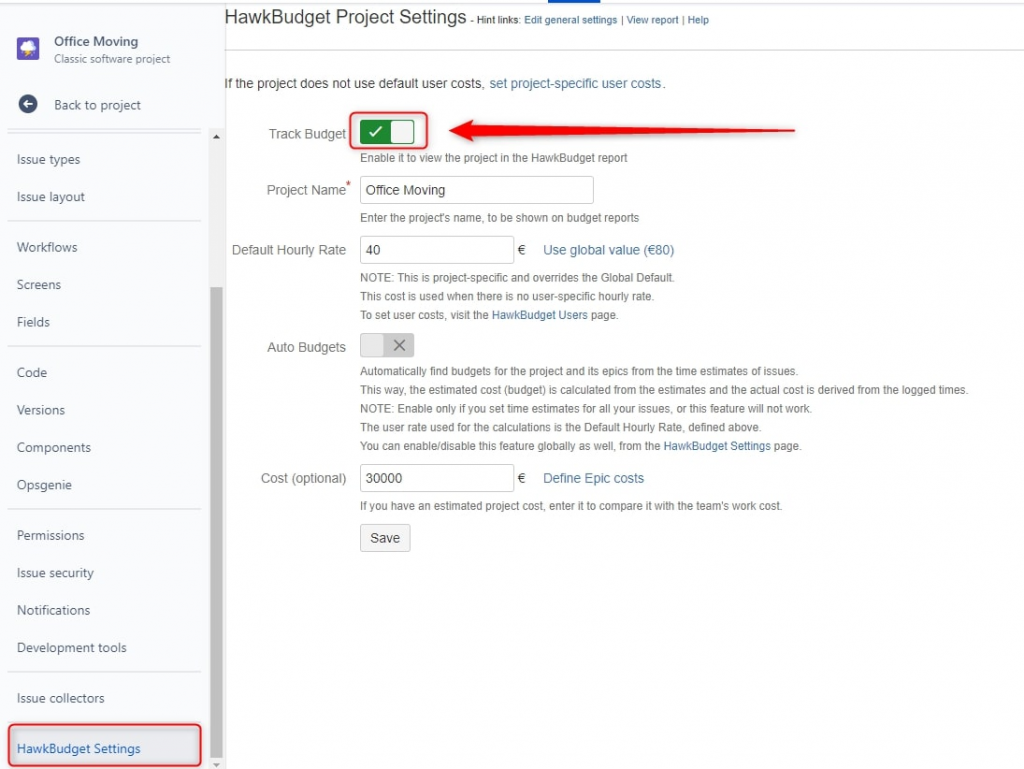
As an alternative to a total budget you can define a cost for each epic by clicking on “Define Epic costs”.
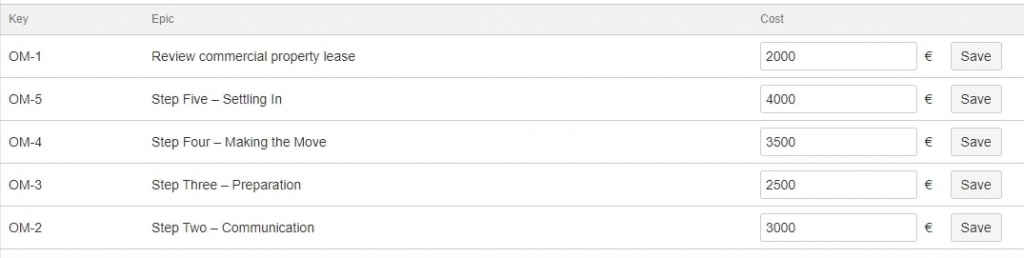
Okay, now you have everything ready.
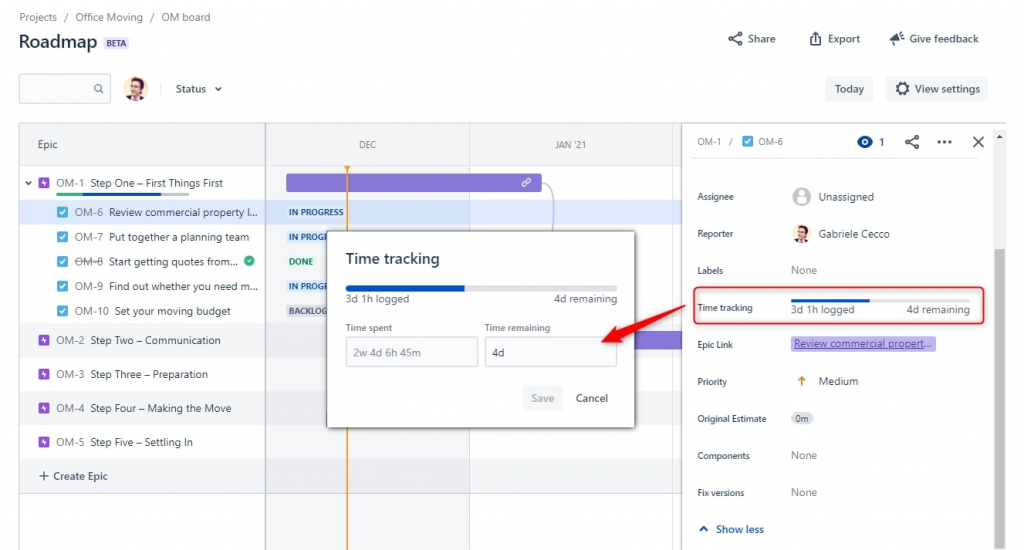
When you enter the hours worked on a phase of the project, these will be counted as “WorkCost” for each Epic.
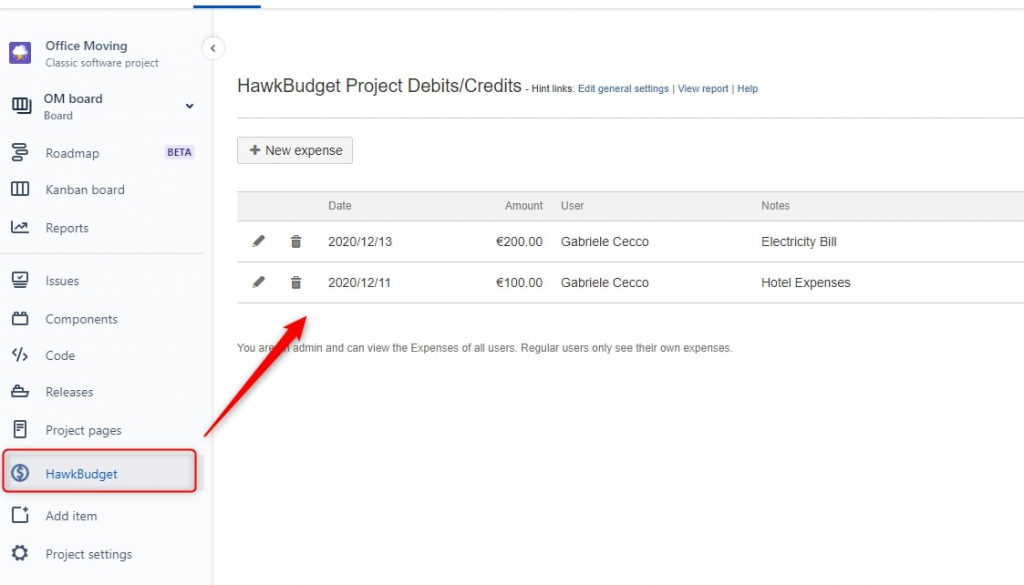
If you need to enter additional expenses you can do so by clicking on HawkBudget and entering them with “New expense”.
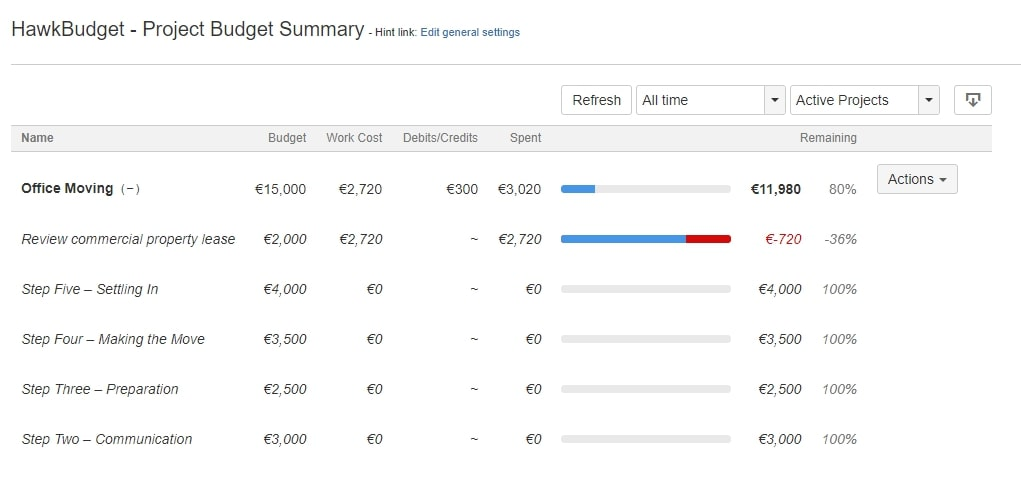
Finally, you can keep your project budget under control at any time by clicking on “View Report”. Here you can check if a phase of your project is costing more than expected, or if you’ve managed to save a little compared to what you set out to do.

Gabriele Cecco
Technical Consultant at Würth IT Italy
I’m Gabriele Cecco, a consultant at Wuerth Phoenix with extensive experience in ITSM processes. Over the years, I’ve worked with various ITSM software tools, and since 2020, I’ve specialized in the Atlassian suite, earning certifications and helping many companies configure their Atlassian products.
In my free time, I enjoy listening to science and entertainment podcasts, watching movies and TV series, and traveling. I’m passionate about exploring the world, and when I’m not traveling abroad, I love spending weekends in South Tyrol with my wife and our minivan, Windy.
Author

Latest posts by Gabriele Cecco
30. 12. 2025
Atlassian, Service Management
Jira Service Management: The Great Architect’s Dilemma, Single Project vs Multiple Projects
16. 03. 2025
AI, Atlassian, Service Management
Understanding Customer Sentiment in Jira Service Management to Enhance Support
31. 12. 2024
Atlassian, Service Management
How to Use the New ‘Request Type Groups’ Feature in Jira Service Management