


30. 12. 2025
Atlassian, Service Management

31. 12. 2024
Gabriele Cecco
Atlassian, Service Management
How to Use the New ‘Request Type Groups’ Feature in Jira Service Management
Have you always found Portal Groups in Jira Service Management (JSM) to be useful for organizing and triaging requests, but noticed they couldn’t be used to filter issues? Atlassian has addressed this limitation with a new categorization feature called “Request Type Groups,” which now enables grouping and filtering requests by these groups.
This feature may not be a game changer for everyone, but in specific scenarios, it can significantly improve efficiency, such as:
- When managing a large number of request types
- During frequent reviews and updates of request types
In these cases, having the ability to group and filter request types can be a real advantage.
How to Enable the ‘Request Type Groups’ Feature
To enable this feature, follow these steps:
- Navigate to Features in the settings of your Jira Service Management project (note: you need to be a project administrator to activate this)
- Toggle on the Request Type Groups option
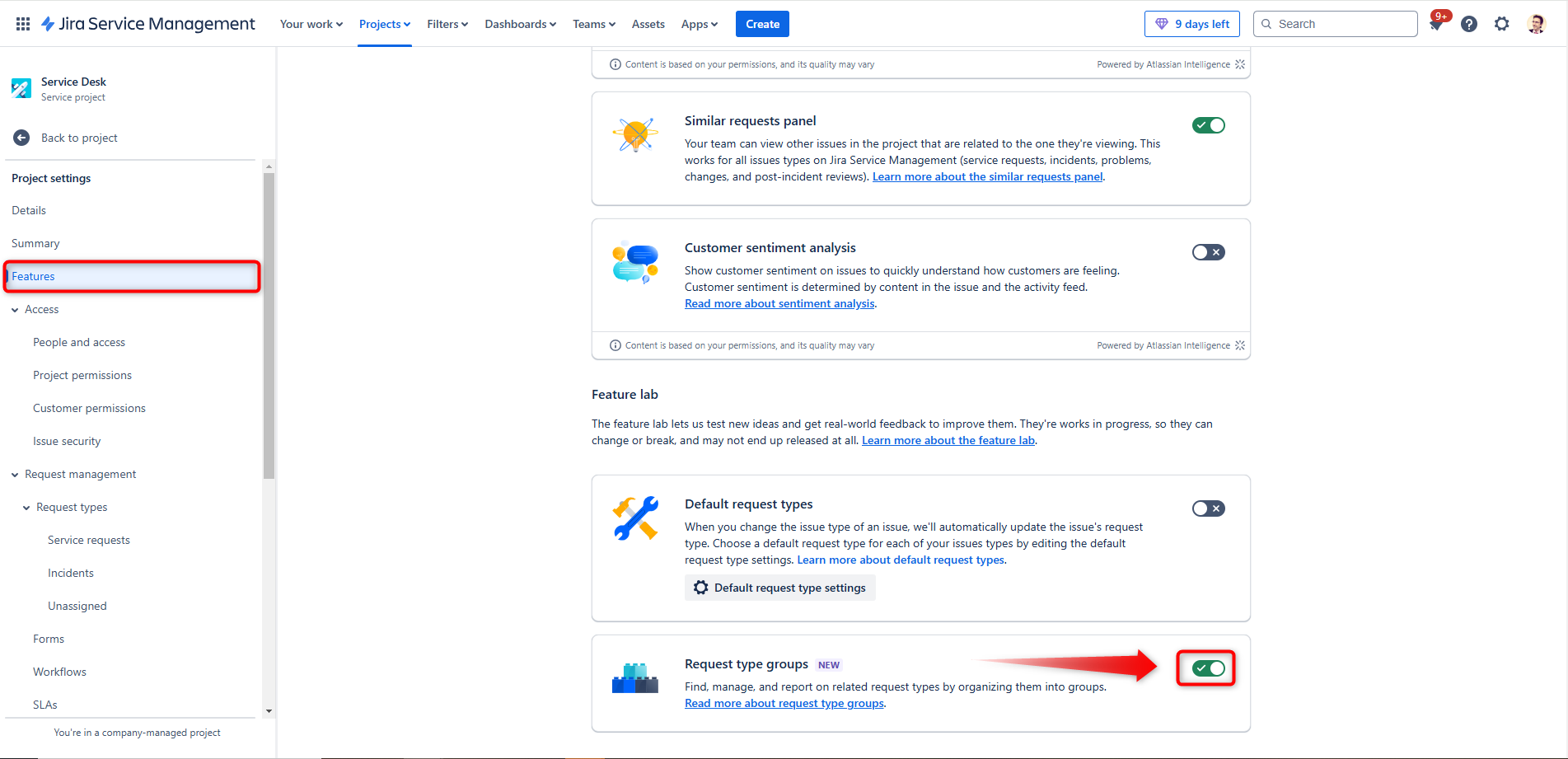
Once activated, you’ll notice the following updates in the Service Requests menu:
- A new column displaying the Request Type Groups
- A Filter option to view only specific request type groups
- An updated Actions menu, where you can create and modify your “Request Type Groups”
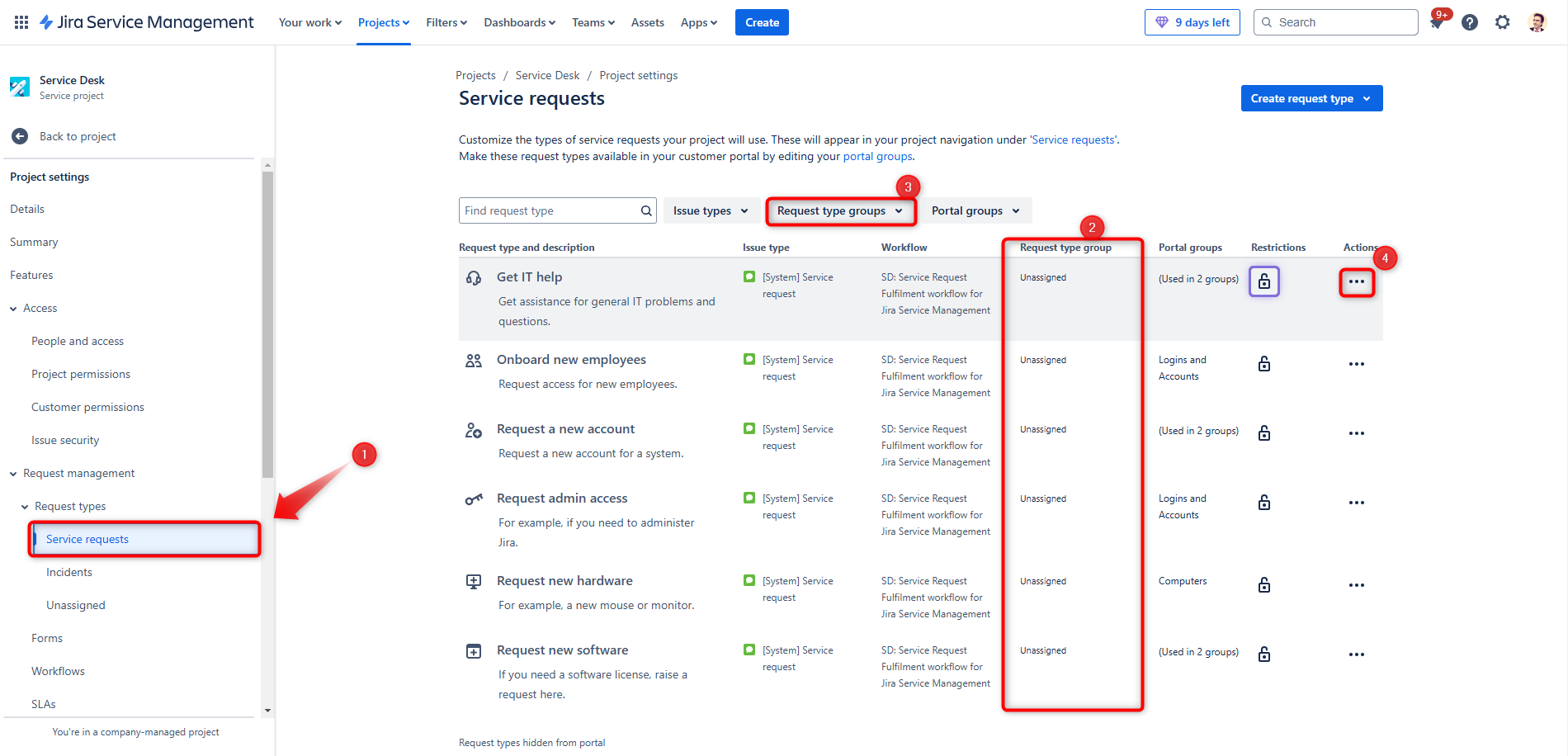
Practical Example: Try It Yourself
- Set Up a Test Environment
- Create a test project or use a sandbox environment
- Use the HR Service Management template to set up your Service Project
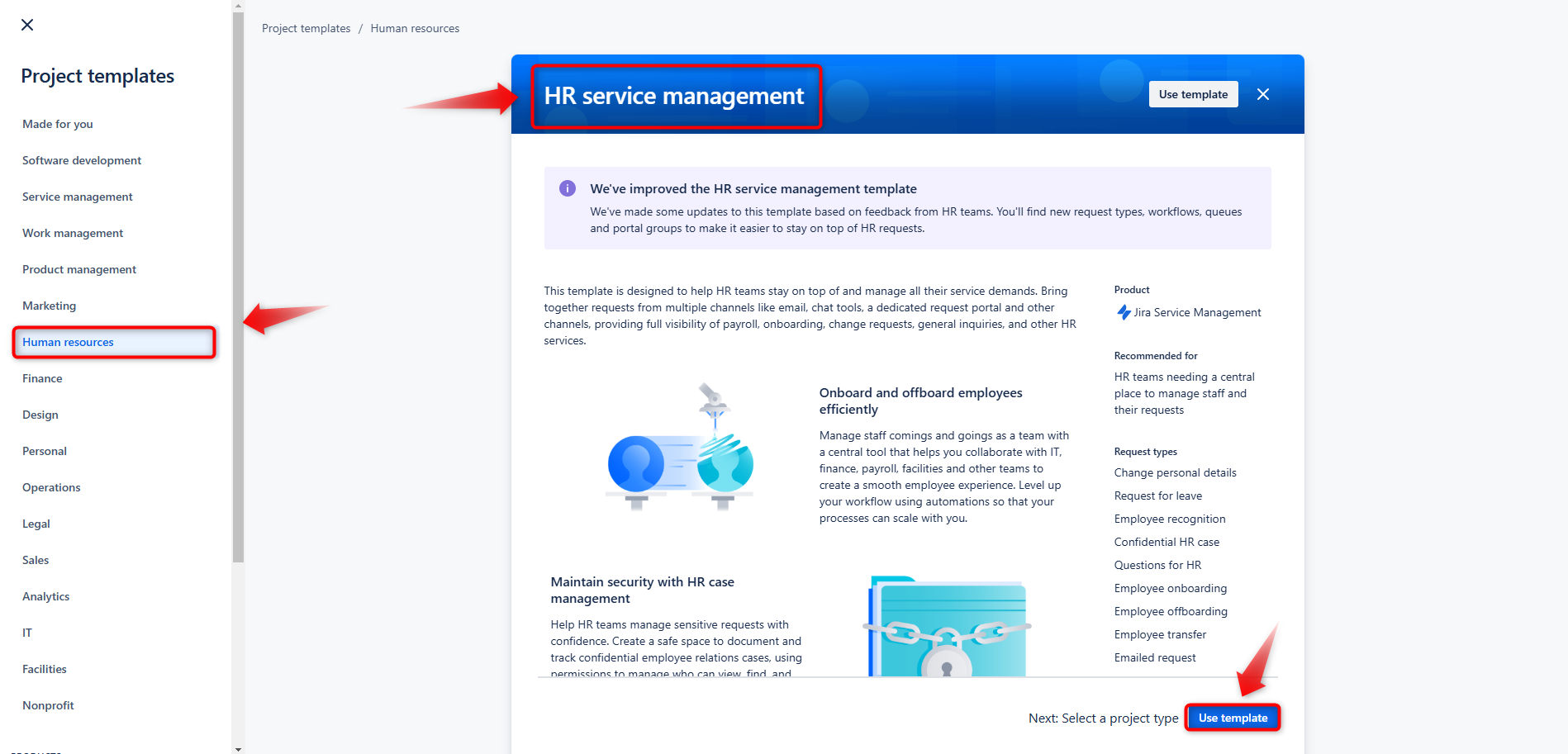
- Enable ‘Request Type Groups’
- Once the feature is enabled in this new project, you’ll notice that predefined groups are already set up for you
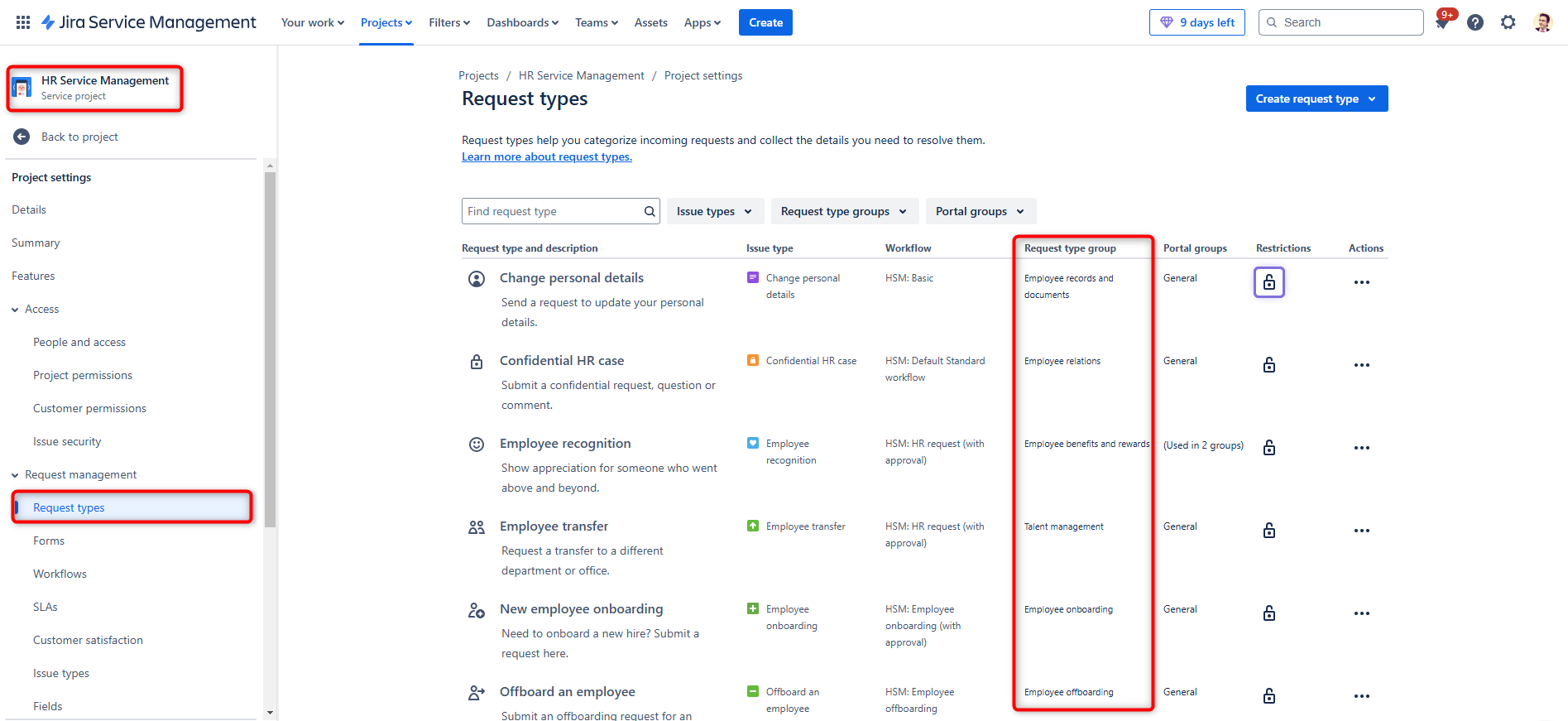
- Filter and Use Request Type Groups in JQL
- You can filter issues belonging to a specific group using JQL, where the syntax is:
"Request Type" in requestTypesInGroup("PROJECT_KEY", "REQUEST_TYPE_GROUP") - Create some test issues and experiment with filters that can be applied in queues (to simplify triaging for your team) or on dashboards
- You can filter issues belonging to a specific group using JQL, where the syntax is:
- Keep Filters and Dashboards Updated Automatically
- By consistently aligning new request types with the appropriate request type groups, you ensure that your filters and dashboards remain functional without requiring frequent updates
This feature can help streamline your workflows and make managing request types easier for your team. Take some time to experiment with it in your test environment and see how it can be applied to your use cases.
These Solutions are Engineered by Humans
Did you find this article interesting? Does it match your skill set? Our customers often present us with problems that need customized solutions. In fact, we’re currently hiring for roles just like this and others here at Würth Phoenix.

Gabriele Cecco
Technical Consultant at Würth IT Italy
I’m Gabriele Cecco, a consultant at Wuerth Phoenix with extensive experience in ITSM processes. Over the years, I’ve worked with various ITSM software tools, and since 2020, I’ve specialized in the Atlassian suite, earning certifications and helping many companies configure their Atlassian products.
In my free time, I enjoy listening to science and entertainment podcasts, watching movies and TV series, and traveling. I’m passionate about exploring the world, and when I’m not traveling abroad, I love spending weekends in South Tyrol with my wife and our minivan, Windy.
Author

Latest posts by Gabriele Cecco
30. 12. 2025
Atlassian, Service Management
Jira Service Management: The Great Architect’s Dilemma, Single Project vs Multiple Projects
16. 03. 2025
AI, Atlassian, Service Management
Understanding Customer Sentiment in Jira Service Management to Enhance Support
30. 12. 2024
Atlassian, Service Management
How to Schedule Issues with the New Calendar View in Jira Service Management