
01. 10. 2013
Georg Kostner
NetEye, Unified Monitoring
Automation of the Monarch configuration process
Adding new hosts individually in Monarch with their information such as address, operating system or profile can take less than a minute. In the initial phase of a NetEye project, however, when you have to set up all the configurations for hundreds of hosts this operation may require more than hundreds of minutes.
To speed up the configuration process we decided to implement the import of these data, so that all information can be quickly loaded through a simple text file instead of having to insert all the values manually and to associate them with different profiles or profile groups. The data for the import, for instance, can be also exported from a database containing the information of your own infrastructure.
How to import new hosts in Monarch
After entering the data into a text file, you can select the import directly from “Nagios Configuration Architect Monarch.”
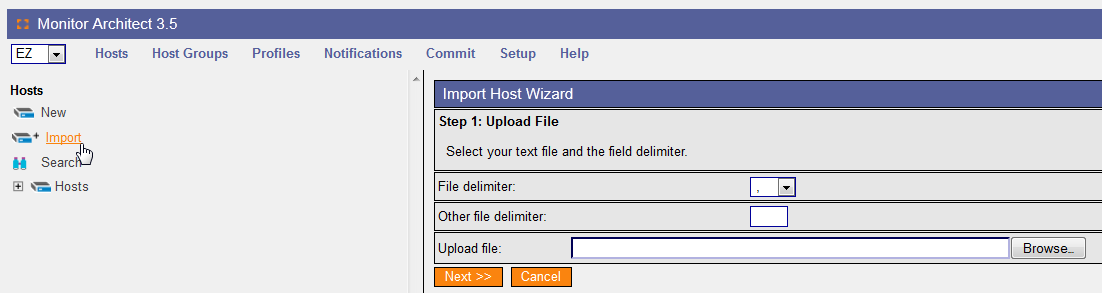
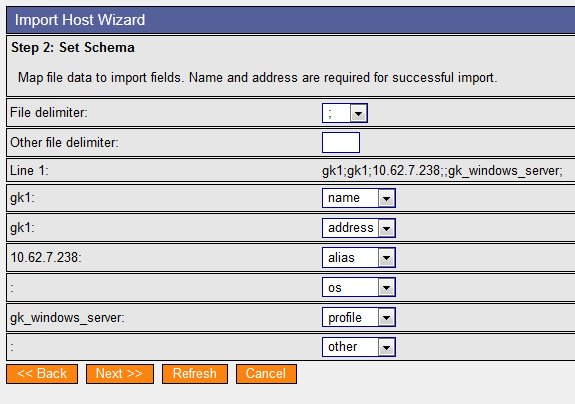
At this point, it is possible to select the correct separator and the file to upload. Then a new screen will appear where you can perform the mapping by associating each column with the exact NetEye field.
After the values are associated to the corresponding fields, an overview of the import will be displayed and you will be able to select the hosts that should be associated with the various profiles or profile groups.
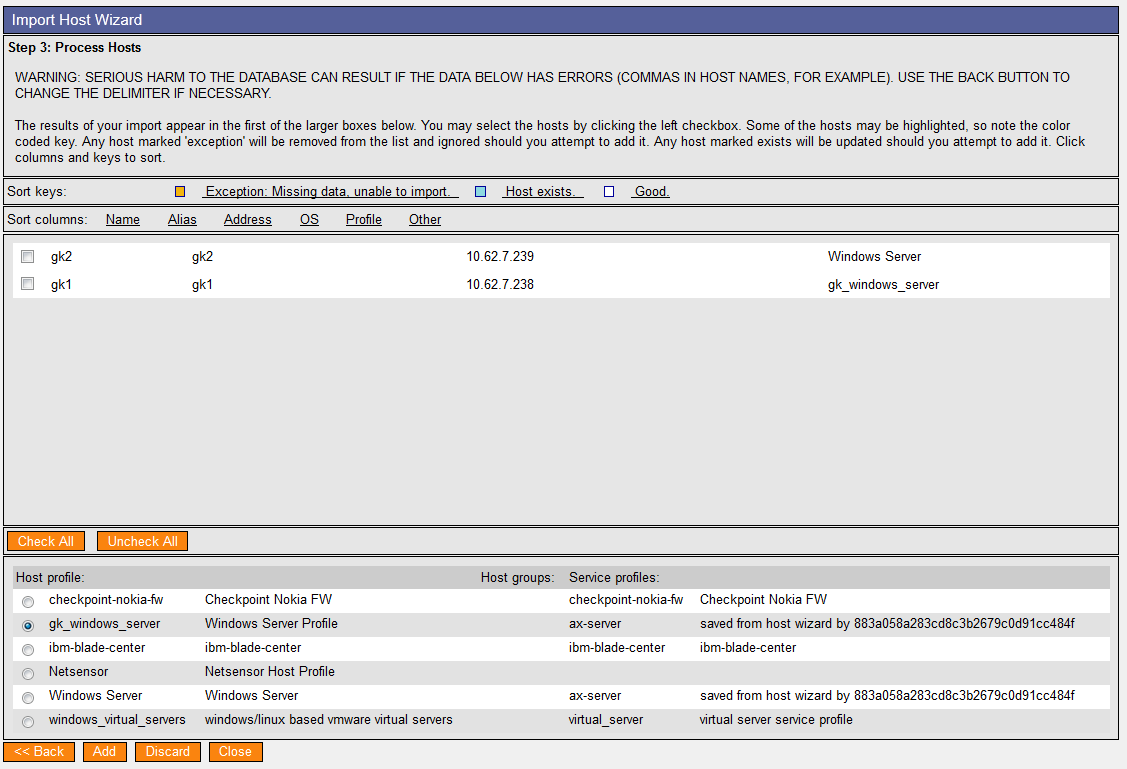
All data will be finally uploaded, and the time needed for the configuration process will be reduced. Only three mouse-clicks are needed, in fact, to finish the entire Monarch configuration avoiding in this way to insert manually every single value.



Georg Kostner
Business Unit Manager at Würth IT Italy
I’m Georg, born in Bolzano in 1971. The IT has always been my true passion: my first computer was a Spectrum, maybe someone still remembers it… the first application I developed on it was the naval combat. Later on I started the implementation of ERP software using C, C++, Java, Informix, Oracle, Unix, Window. Recently I approached the Open Source technologies like Nagios, Cacti, MRTG, NagVis, OCS Inventory, GLPI, ntop with the vision to improve the working activities of the system administrators. In my free time I love hiking in the mountains, skiing, playing football as well as I like comparing different OS like Linux, Windows or Mac trying to find the potentialities and weaknesses.
Author

Latest posts by Georg Kostner
08. 05. 2018
Predictive Analysis
The Future of NetEye
05. 02. 2015
Uncategorized
Nuova Versione EriZone 3.1.7
05. 02. 2015
Uncategorized
EriZone: Neue Version 3.1.7 ab sofort verfügbar