


24. 12. 2025
APM, Log-SIEM, Machine Learning, NetEye, Real User Experience

In the new NetEye version 3.5 that will be shortly released, it has been implemented the Shut Down Management module that allows to configure automatic shutdown procedures in a data center.
I’ll try now to provide a simple example to let you understand the potentiality and the necessity of this feature. For example if there are problems with the power supply in the data center, the UPS usually will start with an half an hour autonomy. Therefore, it is necessary to shut down all the servers before the power will be definitely interrupted. In this case a “Business process” can be configured in NetEye to execute the desired logic for the checks (i.e. it will check that the UPS is started). In the Shut Down Management module the user can configure that in case the check fails, and a determined tolerance time (30 minutes ) has been elapsed, the automatic shutdown procedure will be started to stop on time all the servers with a certain order and logic. The tolerance time has to be calculated in terms of total UPS battery autonomy time minus the total time required to complete the shutdown procedure of all hosts.
Let’s see how to set up a shutdown management procedure.
Create a new shut down management
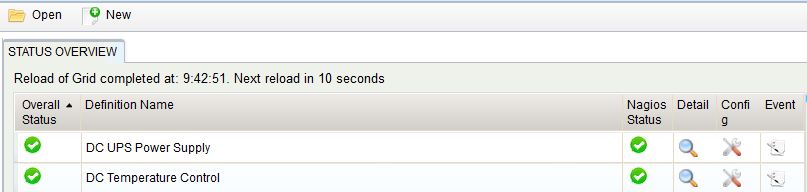
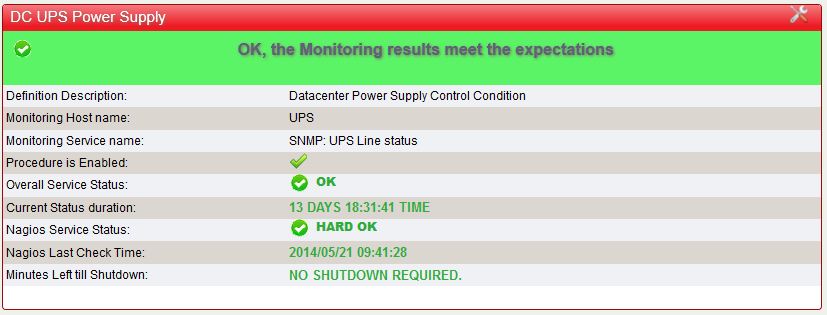
When configuring a new Shutdown Procedure definition it is possible to choose the following principal settings:Require Explicit User Confirm:
- the automatic shutdown can require a manual confirmation by the user before starting the process
- Tolerance Period before shut down: is the time period that should elapse from the failure of the check till the starting of the shutdown procedure
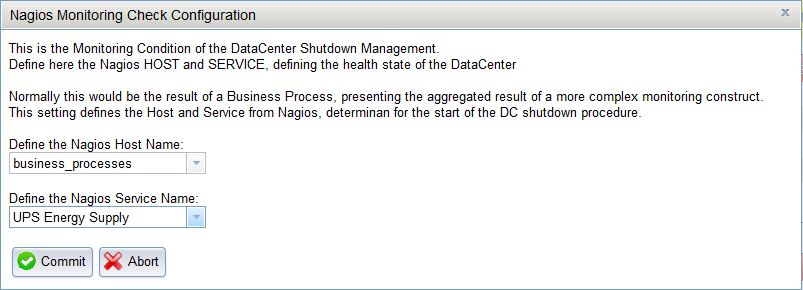
Configure the Nagios check for the shutdown procedure
Finally also the Business Process has to be chosen, as the condition determining the status and the condition of whether to in invoke the shutdown procedure:
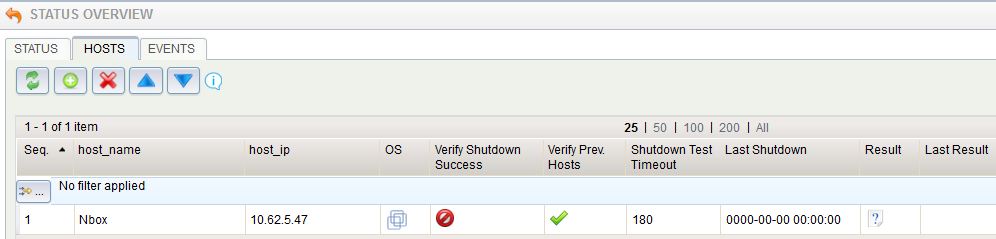
Add or remove the hosts that needs to be included or excluded from the shutdown procedure
Finally a shutdown definition consists of a list of hosts to be shut down and a clear shutdown sequence. To helps to ensure to shut down the hosts in the right sequence in order to avoid data corruption and system inconsistencies. Already build-in shutdown Commands are available and can be attributed to the hosts. These commands can interact directly with the system or invoke the shutdown process via remote NetEye agent.
Starting of the shutdown procedure
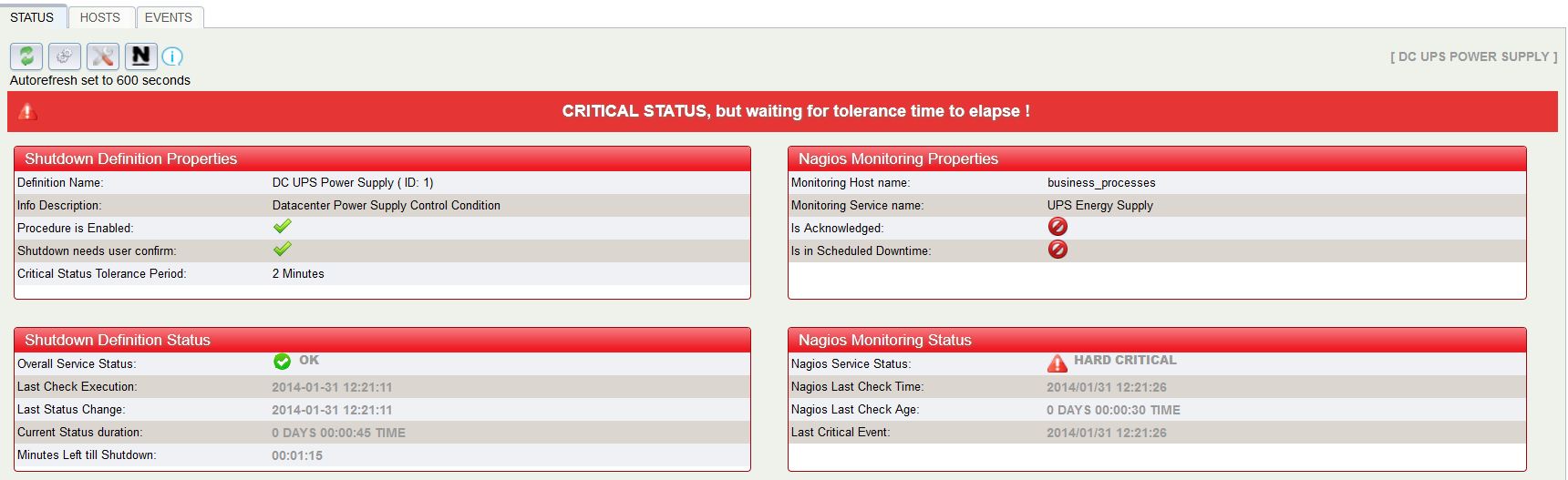
Once the Nagios monitoring status becomes a Critical with a HARD status ( confirmed critical ) the shutdown management checks the status and makes sure:
- that the tolerance time for the Business Service to recover is elapsed without any positive recovery from the Nagios side
- that the Nagios check is still executed and the results are fresh
- that the user confirmes the shutdown procedure to start, if that is required from the settings

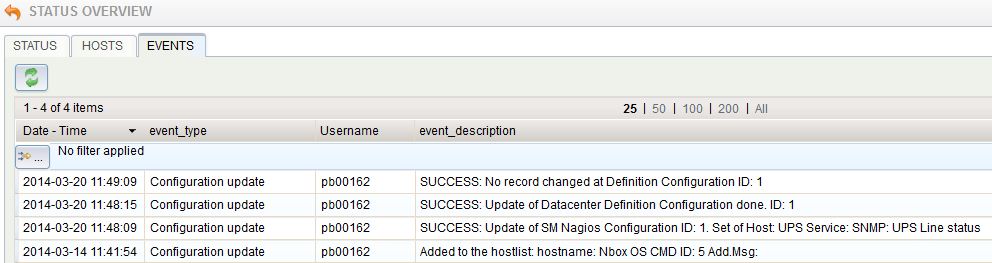
The logs of all activities, but also the activities of the shutdown itself can be seen from the logs collected by the module.

Patrick Zambelli
Project Manager at Würth IT Italy
After my graduation in Applied Computer Science at the Free University of Bolzano I decided to start my professional career outside the province. With a bit of good timing and good luck I went into the booming IT-Dept. of Geox in the shoe district of Montebelluna, where I realized how a big IT infrastructure has to grow and adapt to quickly changing requirements. During this experience I had also the nice possibility to travel the world, while setting up the various production and retail areas of this company. Arrived at Würth Phoenix (now Würth IT Italy) I started developing on our monitoring solution NetEye. Today, in my position as Consulting an Project Manager I am continuously heading to implement our solutions to meet the expectation of your enterprise customers.
Author

Latest posts by Patrick Zambelli
16. 01. 2024
NetEye, Unified Monitoring
Icinga 2 DSL for Defining the Monitoring Status of Objects with Director
23. 12. 2020
NetEye
Tornado – Getting in Action with Sample Rules
05. 05. 2020
NetEye, Unified Monitoring
Import Data Correlation and Automation with Icinga2 Director