30. 06. 2026
Azure, Cloud, Microsoft, NetEye, NetEye Extension Packs, Unified Monitoring

Huawei si sta facendo largo nel campo dei dispositivi di rete tra ben noti colossi come Cisco, HP e Juniper. Per questo motivo ho provato a collegare un Huawei 2751 S2751- 28TP-PWR-EI-AC a NetEye e vedere quali informazioni possono essere recuperate.
Il dispositivo che ho testato è uno switch con 24 porte a 100Mbit e 4 porte Gigabit.
Per prepararlo ho impostato una configurazione base e mi sono assicurato che gli agenti SNMP e SSH siano attivi.
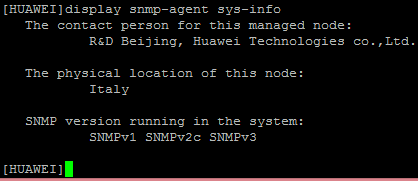
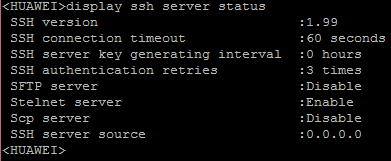
Il primo strumento della Suit di NetEye che assimila le informazioni dello switch è il Modulo di Discovery basato su NeDi
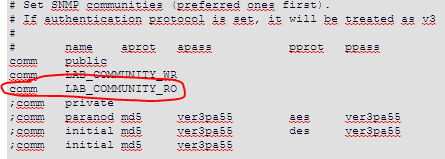
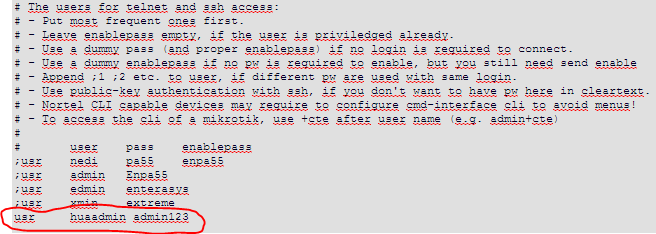
Ho dovuto quindi sistemare alcune impostazioni nel file nedi.conf per poter analizzare correttamente i dati dello switch:
1. La Community SNMP
2. Attivare l’accesso a CLI

3. Impostare i dati SSH
Se azioni una discovery sullo switch verrà trasmesso e visualizzato un intenso flusso di dati su NetEye Discovery.
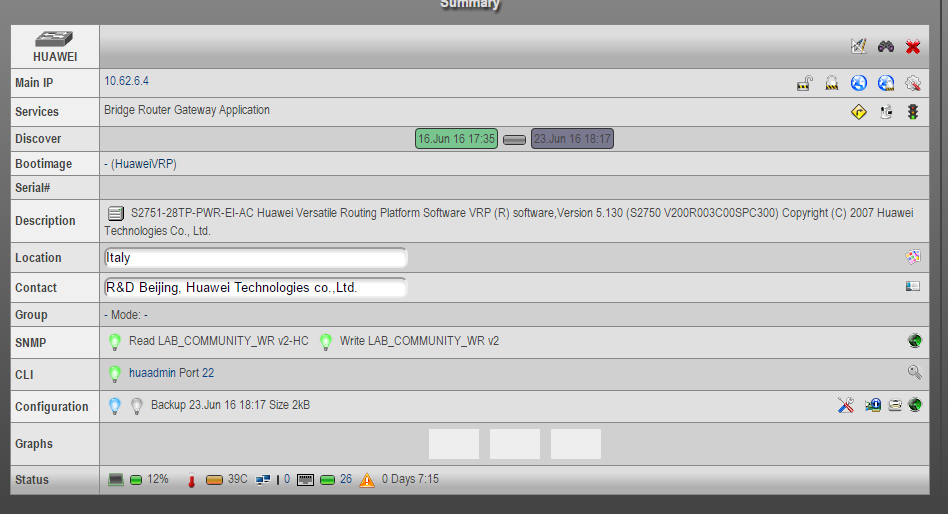
Dal momento che ho anche attivato l’accesso SSH e CLI, NeDi può creare un backup della configurazione dello switch e archiviarla sul server NetEye, così che possa essere richiamata o comparata alle configurazioni successive.

Dopo che lo switch di Huawei è stato rilevato e registrato, posso aggiungere il dispositivo al controllo e monitorarlo con le opportune verifiche.
La via più semplice per importare i dati dal dispositivo è quella di usare il wizard “NeDi Import” che permette di importare, monitorare e assegnare profili host.
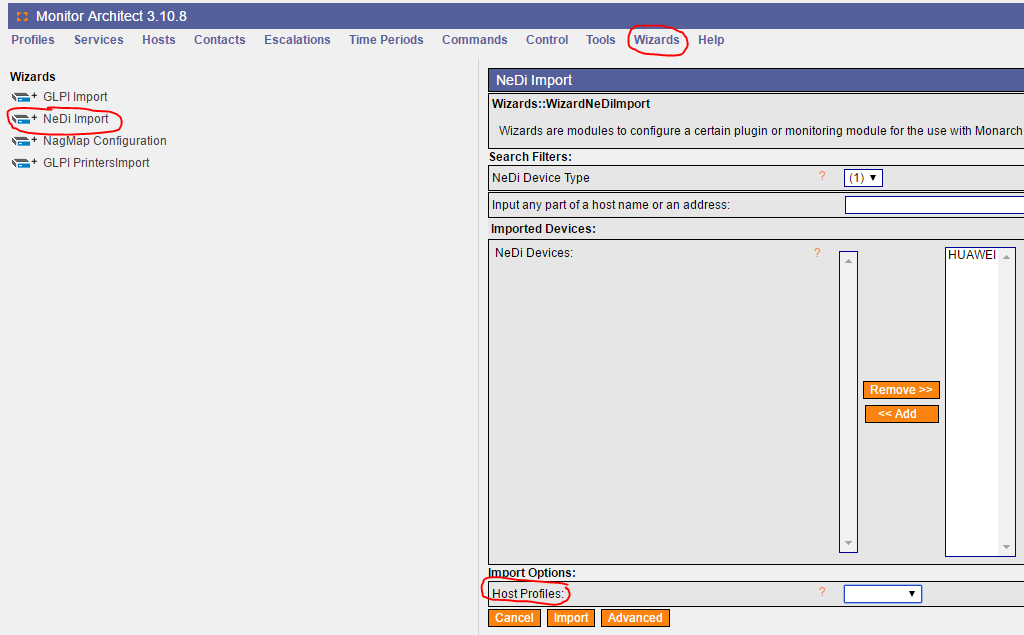
A questo punto, aggiunto lo switch al monitoraggio, posso interrogare I dati con le opportune verifiche.
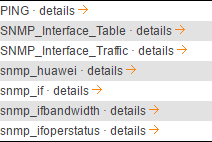
Dato che SNMP era già stato attivato all’inizio, il protocollo può essere utilizzato per il monitoraggio.
La check list proposta sopra è stata già testata e ha prodotto i risultati visibili in grafici PNP4Nagios.
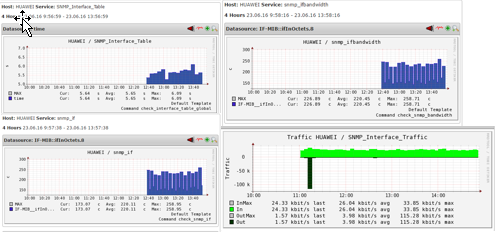
Il check “SNMP_Interface_Table” mostra una panoramica delle informazioni più importanti ed è, se configurato correttamente, in grado di indicare le divergenze dai valori di default.

Questa è una panoramica dei test che ho fatto sullo switch. Spero che questo post possa esservi d’aiuto.

Patrick Agreiter
Hi, I’m Patrick.
Since I was a little boy i love to diassemble and reassemble things...
So I did with my first 386SX back in the 80s... and I still do with my i7 up till now.
I worked in the Service Desk then grew up to a DBA and work now as Integration Consultant at Würth Phoenix.
Author

Latest posts by Patrick Agreiter
23. 08. 2016
NetEye
Facility Monitoring: NetEye stretches its feelers
19. 08. 2016
NetEye
One Day with Huawei …. and NetEye
19. 08. 2016
NetEye
One Day with Huawei …. und NetEye