30. 06. 2026
Azure, Cloud, Microsoft, NetEye, NetEye Extension Packs, Unified Monitoring

In addition to the well-known top dogs such as Cisco, HP and Juniper, also Huawei is steadly spreading in the field of network devices. I have taken this fact as an impulse to connect a Huawei 2751 S2751- 28TP-PWR-EI-AC to a NetEye appliance and to test which information can be retrieved.
The device I tested is a switch with 24 100Mbit ports and 4 Gigabit ports.
To prepare it, a basic configuration has to be made and we have to make sure, that also the SNMP agent and a SSH configuration are active.
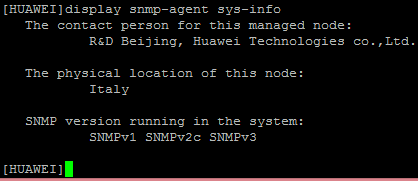
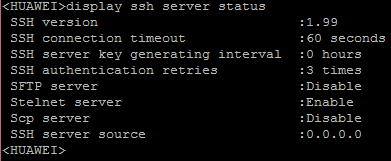
The first tool of the NetEye-Suite, which relates information from the switch, is the Discovery Module based on NeDi.
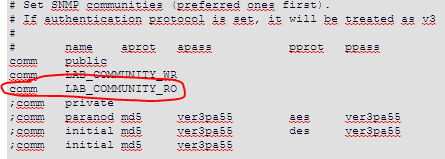
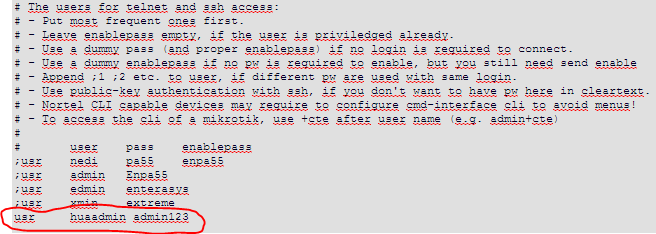
To query the data from the switch, some settings in the nedi.conf file have to be adjusted.
1. The SNMP Community:
2. Activate CLI access

3. SSH access data
Now, if you run a discovery on the switch, a significant flood of data is transmitted and displayed in the NetEye Discovery.
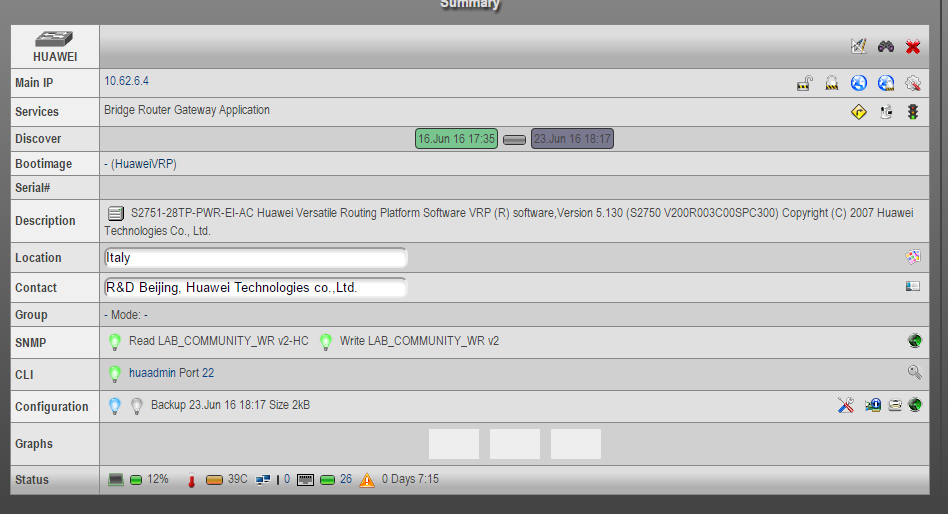
Since we have also activated an SSH access and the CLI access, NeDi can backup the configuration of the switch and store it on the NetEye server, to be subsequently recalled or compared with the following configurations.

After the Huawei switch has been detected and recorded, we can add the device to the monitoring and monitor it with the appropriate checks.
The easiest way to import the device is the usage of the “NeDi Import” wizard, which helps to import devices from NeDi into the NetEye monitoring and optionally assigns a host profile to it.
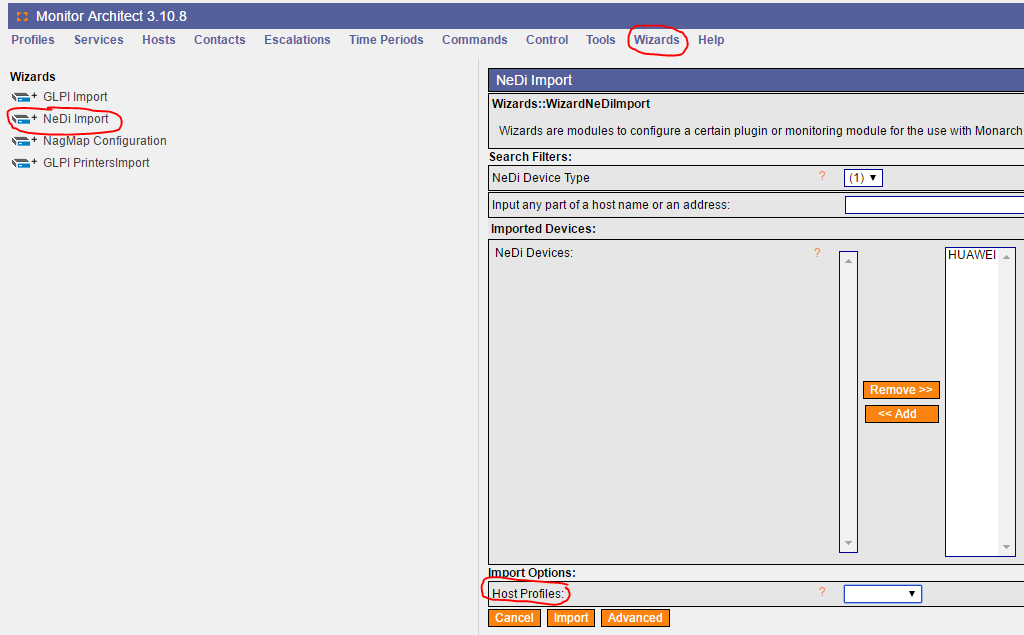
Once, the switch has been added, you can query it with the appropriate checks.
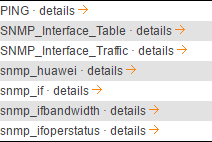
As SNMP was already activated for NeDi, the protocol can now also be used for monitoring.
The checks listed above have been tested and provide results which are illustrated as graphs by PNP4Nagios.
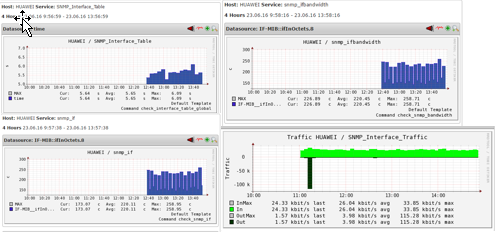
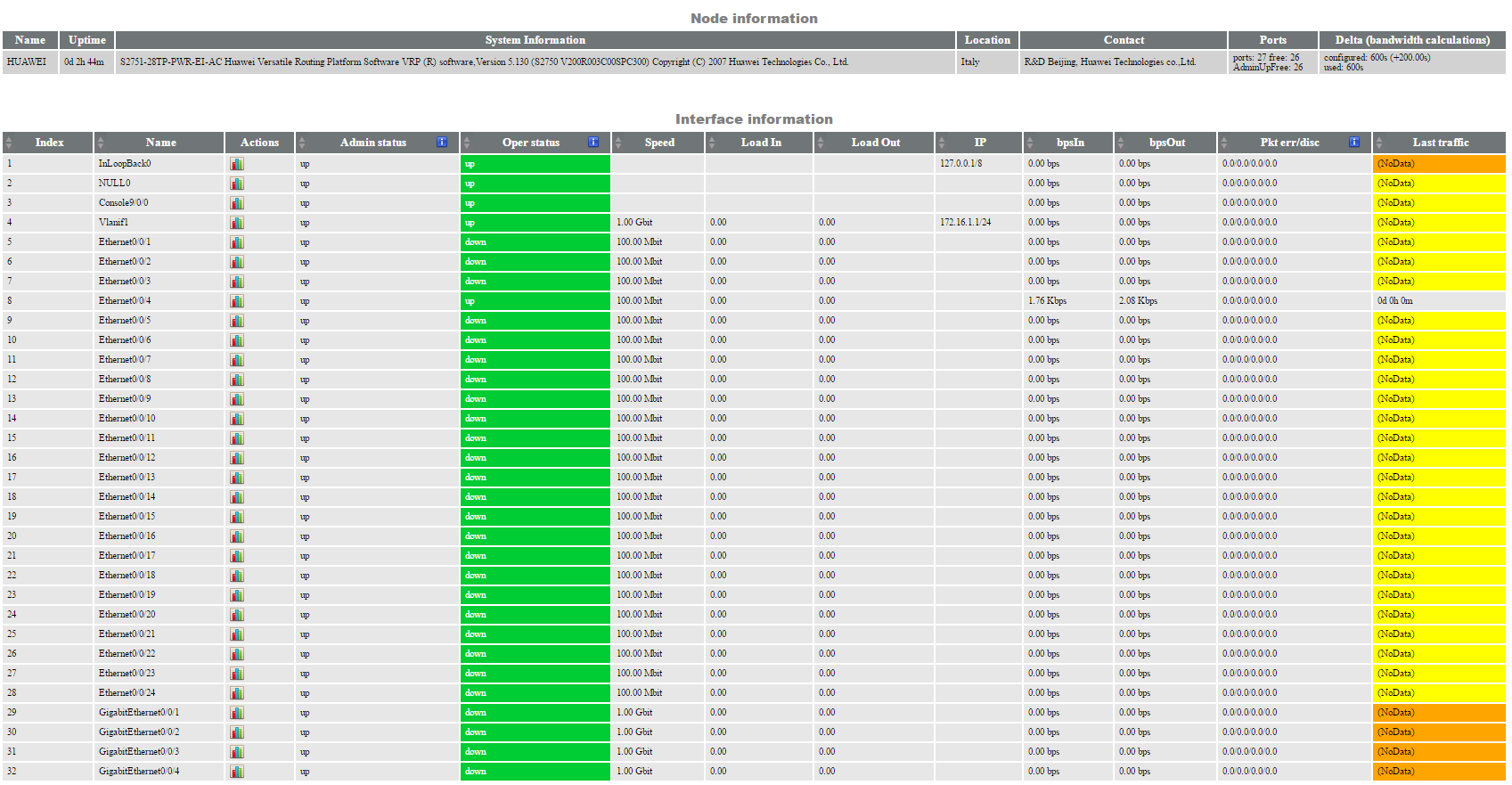
The check “SNMP_Interface_Table” shows an overview of important information and is able to indicate divergence from default values, if configured correctly.
This was an overview of the requests that I have addressed to the switch. I hope this post was clear and helpful for you.

Patrick Agreiter
Hi, I’m Patrick.
Since I was a little boy i love to diassemble and reassemble things...
So I did with my first 386SX back in the 80s... and I still do with my i7 up till now.
I worked in the Service Desk then grew up to a DBA and work now as Integration Consultant at Würth Phoenix.
Author

Latest posts by Patrick Agreiter
23. 08. 2016
NetEye
Facility Monitoring: NetEye stretches its feelers
19. 08. 2016
NetEye
Un giorno con Huawei …. e NetEye
19. 08. 2016
NetEye
One Day with Huawei …. und NetEye